HP OmniBook 5 review: A large-screen, budget-friendly workhorse for students and office tasks
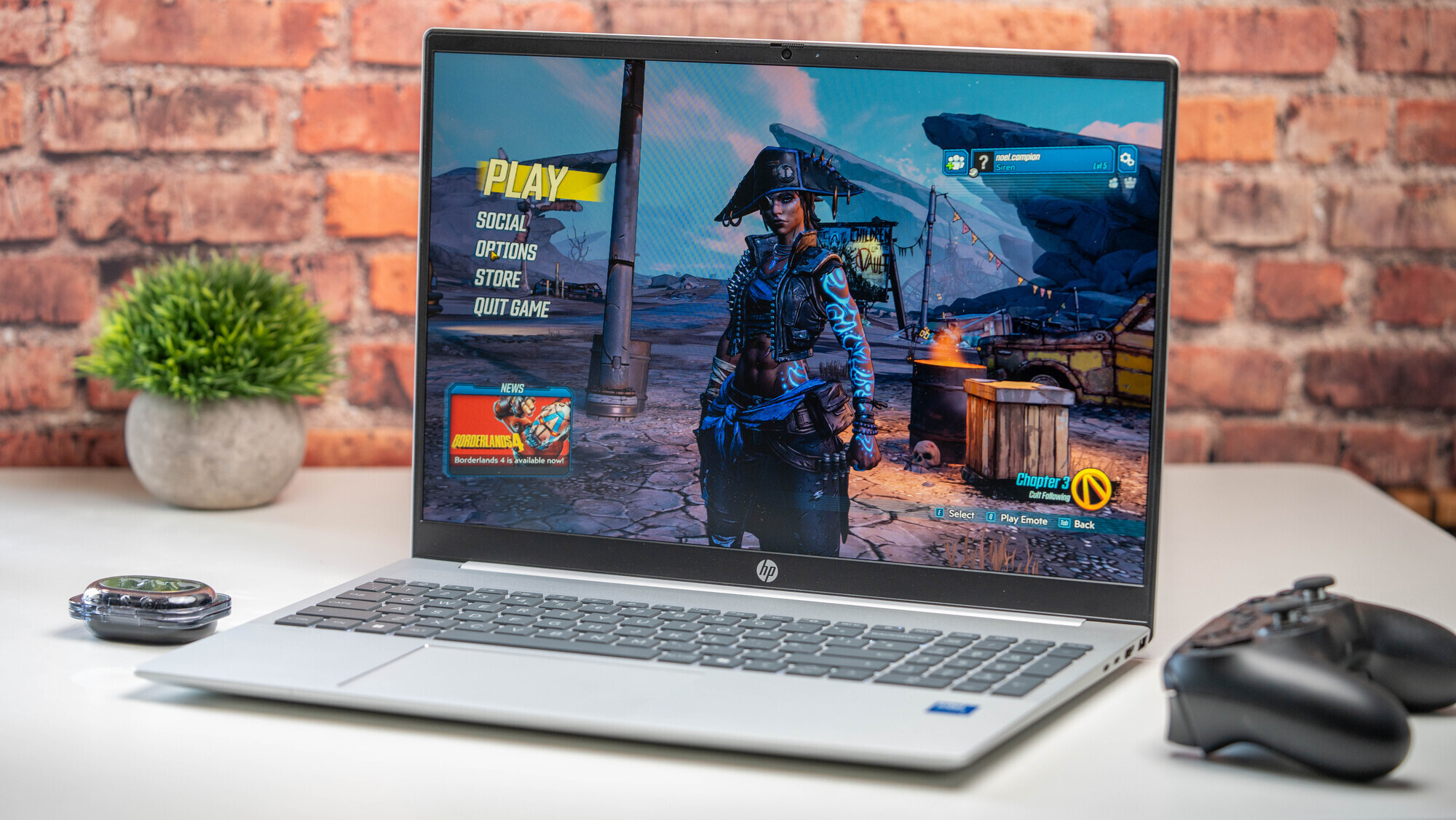
The HP OmniBook 5 features a sizeable 16-inch display, providing ample screen real estate for multitasking. Picture: Noel Campion
When looking for a budget laptop, most people are not searching for a machine that can edit 4K cinema footage or run the latest AAA games. Instead, the requirements are usually much simpler: something reliable for web browsing, managing spreadsheets, and streaming movies during a break. The HP OmniBook 5, with its sizeable 16-inch screen and Intel Core 5 processor, aims to fill this exact gap. It is a machine built for the essentials, offering a large canvas for productivity without demanding a premium price tag.
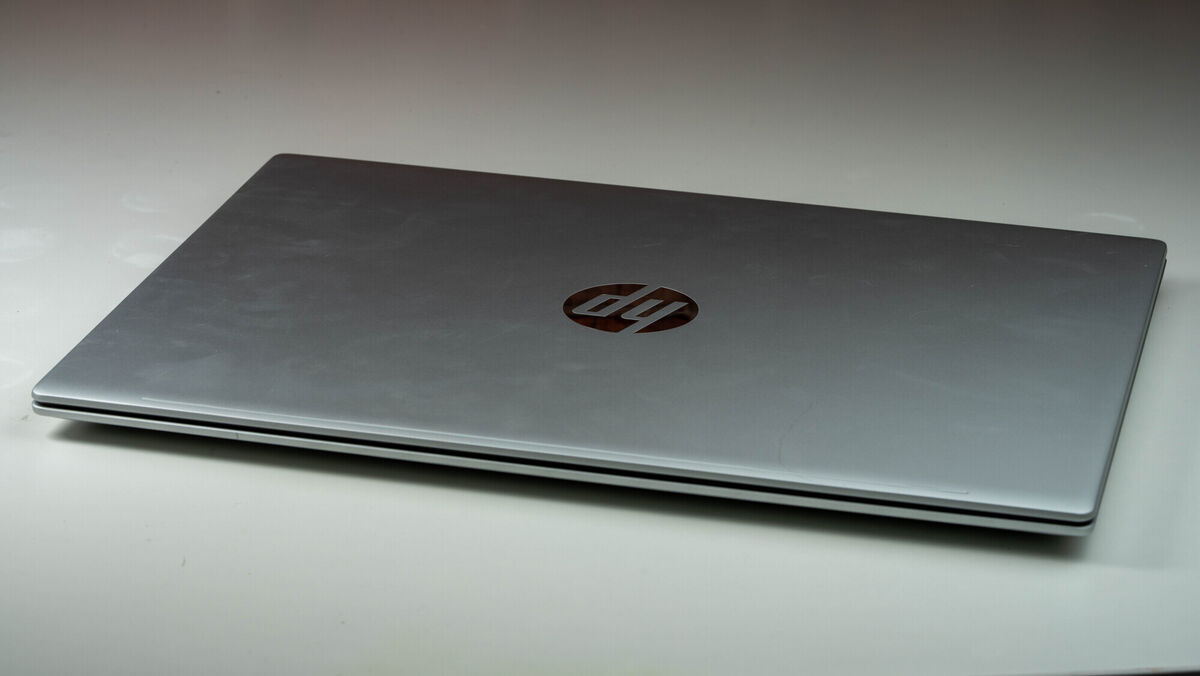
The OmniBook 5 follows a familiar HP design language, featuring a silver colour and a matte texture that feels comfortable to the touch. However, it is clearly a budget-oriented device. The chassis is made of plastic, which means it lacks the premium, rigid feel you would find on an aluminium machine like the MacBook Neo. During my testing, I noticed quite a bit of flex, particularly when applying pressure to the lid.
That said, the build quality is functional for its price point. There is minimal flex on the lid itself, and the hinges are stiff enough to prevent the screen from flopping backwards unexpectedly. The keyboard deck does exhibit some movement while typing, which might be noticeable if you are used to much more rigid hardware. One area where this laptop truly shines is its portability relative to its size. At 1.77kg, it is surprisingly easy to slip into a backpack or a large tote bag. While it is certainly thicker and larger than a MacBook Air, it avoids the cumbersome weight often found in other 16-inch laptops. The trackpad is large, and the keyboard includes a full-size number pad, which is a massive plus for anyone doing data entry.
If you are expecting high-end power, you should look elsewhere. The Core 5 processor is best suited for light duties like checking emails, writing reports, or navigating social media. I found that while it handles everyday tasks with ease, it begins to struggle when pushed with heavier workloads. Students who only need a machine for essays and research will find it perfectly adequate, but those studying computer science or digital design would likely find the performance limiting.
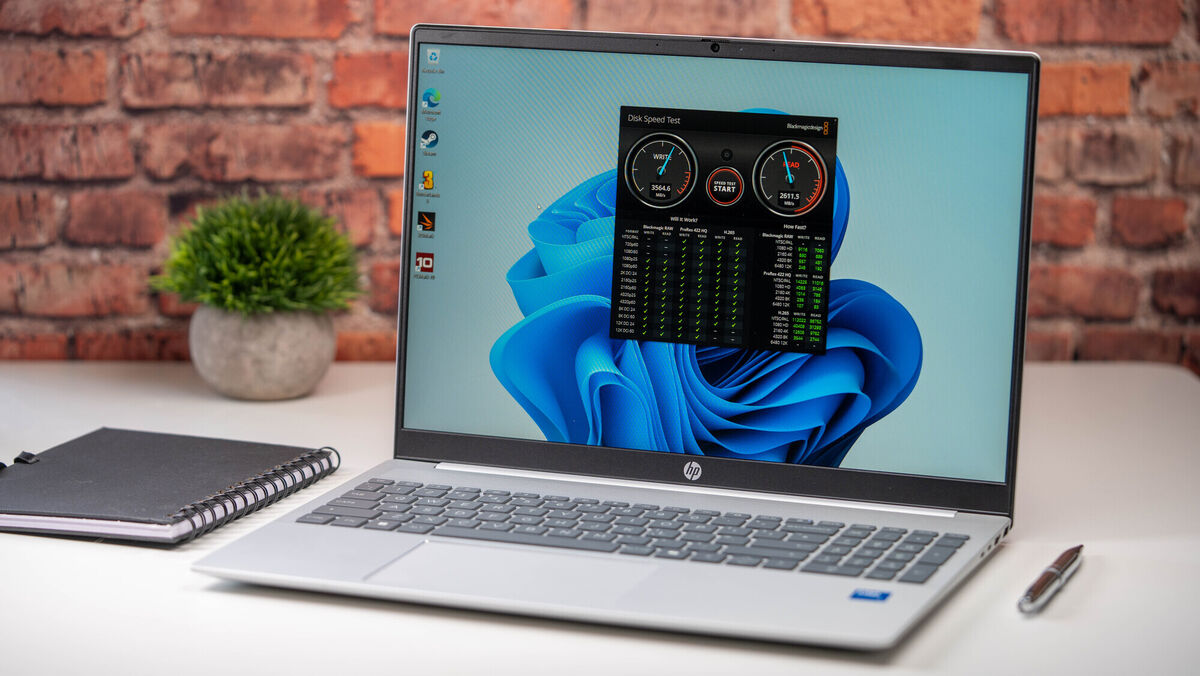
I ran some benchmarks to see how it holds up under pressure. The Geekbench 6 results were somewhat underwhelming, showing that this is not a powerhouse. Similarly, testing the internal 512GB SSD revealed basic read and write speeds of up to 4,400MB/s write and up to 4,900MB/s read. These were peak speeds, but I found the tests fluctuated a lot. While this is perfectly fine for loading documents or booting up Windows, it isn't particularly fast by modern standards. For more intense tasks, Cinebench results confirmed that the processor is simply not designed for heavy lifting.
The integrated GPU is also limited, meaning you can only expect to play very basic, low-demand games. I would certainly not recommend this laptop for any kind of serious photo or video editing. One small thing to note during my use was that the fans do occasionally kick in with a noticeable whir. It isn't a constant or overwhelming noise, but it is there when the system is working harder.
On the plus side, the keyboard deck remains cool to the touch even during longer sessions.
HP claims up to 13 hours of use on the battery, and while I didn't quite hit that mark, I consistently got between 8 and 11 hours during standard office work. When I switched to streaming video at 50% brightness and volume, I managed just over six hours with about 20% battery remaining. If you find yourself running low, the charging speeds are decent: 30 minutes of plugging in gets you back up to 50%.
The 16-inch FHD IPS display offers a lovely 16:10 aspect ratio, providing more vertical space for reading documents. However, the screen has its limitations. With a brightness of only 300nits, it can be difficult to see in a very bright room, and you can forget using it outside on a sunny day.
The colour accuracy is also quite low at 62.5% sRGB, which means colours might look slightly washed out compared to more expensive panels. The viewing angles are also somewhat narrow, and I noticed some slight inconsistency in brightness across the panel. It is a perfectly serviceable screen for indoor use, but it won't satisfy anyone looking for professional-grade colour precision.
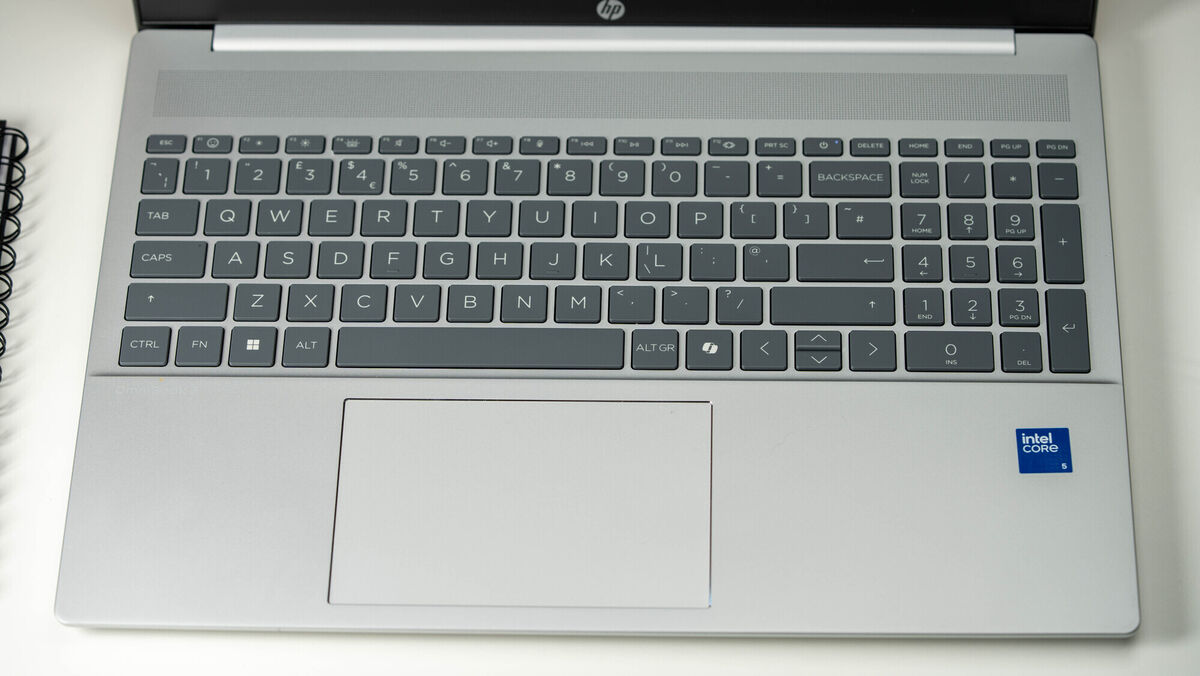
The keys have a responsive feel and plenty of travel, which makes typing for long periods quite comfortable. However, because of the flex in the keyboard deck, the typing experience can feel slightly mushy at times. The backlit keyboard is a great addition, especially in dim environments, as the light shines clearly through the letters and around the edges of the keys.
The trackpad is more basic, using a mechanical click rather than the sophisticated haptic feedback found on much pricier laptops. That said, the tracking is smooth and accurate. It isn't too deep or too loud, so it doesn't become a distraction during use.
The speakers are downward-facing, which means they rely on the surface you are using them on to bounce the sound up to you. On my desk, they were quite loud, though they lacked the clarity of upward-firing systems. For casual YouTube watching or video calls, they do the job.
The webcam is a 1080p FHD camera that includes temporal noise reduction and dual microphones. While the image quality isn't spectacular, it is perfectly usable for video calls. I particularly appreciated the inclusion of a physical privacy shutter, which provides peace of mind when you aren't using it. The Windows Hello facial recognition also worked reliably to log me in quickly.
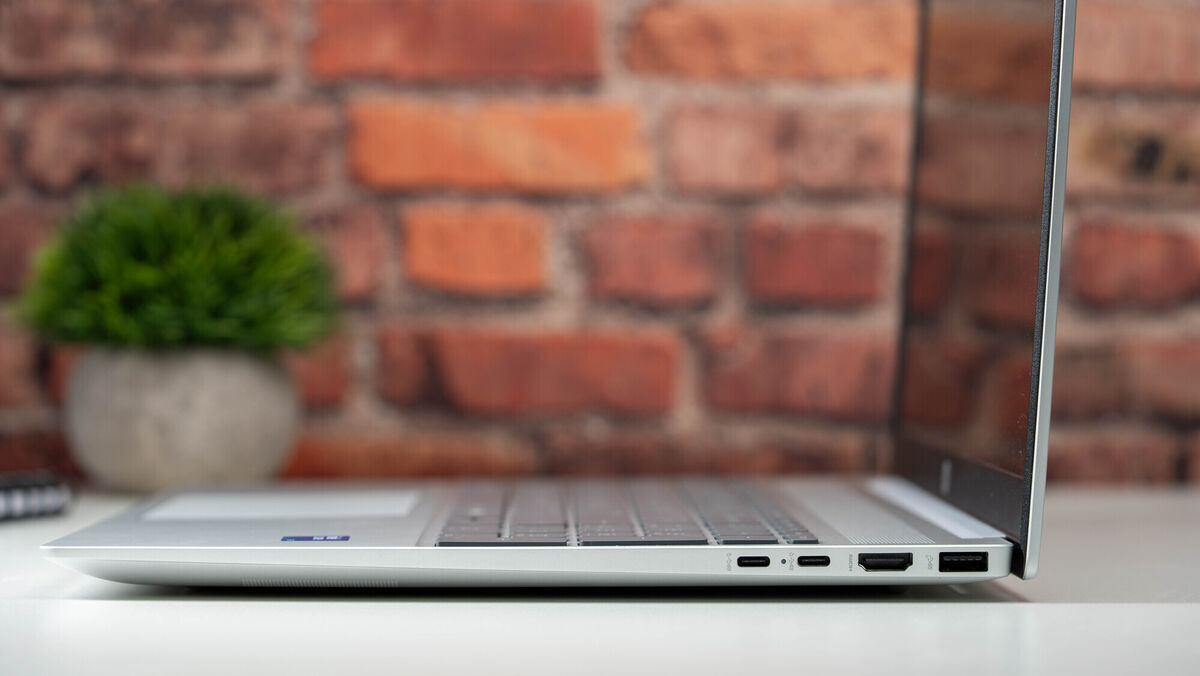
HP has provided a generous selection of ports. You get two USB-A ports (one at 10Gbps and one at 5Gbps) and two USB Type-C ports, which also handle charging and DisplayPort output. There is also an HDMI 2.1 port and a standard headphone/mic combo jack.
One small frustration for me was the size of the charging block. Even though it only provides 65W of power, the brick itself is surprisingly large. Given how compact 60W USB-C chargers have become for smartphones and tablets, I expected something much more portable from HP.
For a budget laptop, there is some good news regarding longevity. Both the storage and the Wi-Fi card are upgradeable. The laptop comes with Wi-Fi 6 and Bluetooth 5.4, which is more than enough for the performance levels of this machine, but having the option to swap components is a nice touch for those who want to extend the life of their hardware.
The HP OmniBook 5 is a straightforward, functional laptop. It offers a large screen, 16 of RAM, and a generous amount of storage in a relatively lightweight package. The battery life is reliable enough to carry you through most workdays. While the plastic build feels a little less premium and the performance is strictly limited to basic tasks, it is a solid, no-frills option for students or office workers who need a large screen without a massive price tag.
€679 HP

CONNECT WITH US TODAY



Be the first to know the latest news and updates