Asus ROG Ally X: The next level in handheld gaming or just a minor upgrade?
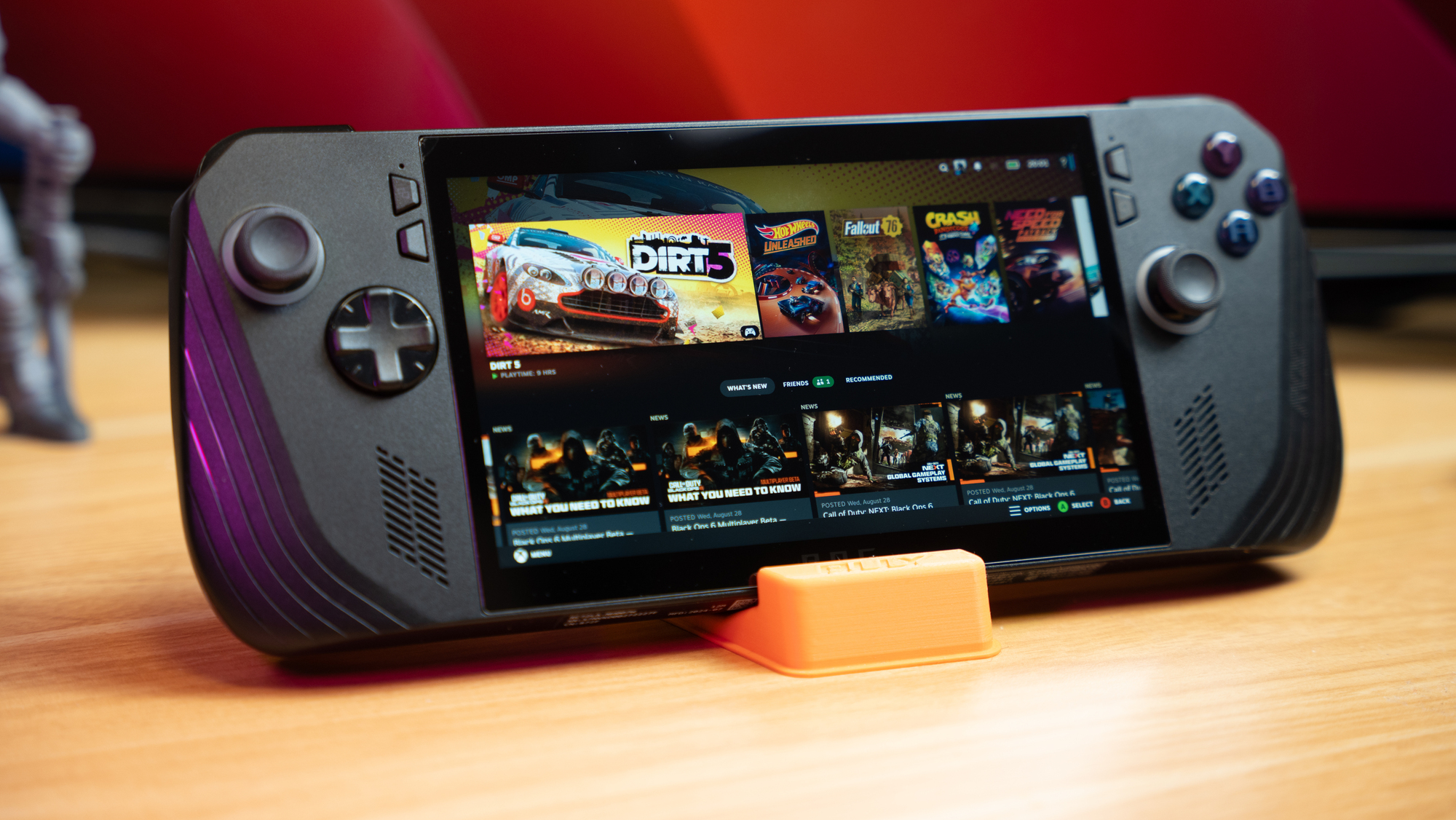
Asus ROG Ally X gaming handheld. Picture: Noel Campion.
Asus has refreshed its popular ROG Ally handheld gaming device with a new version, the ROG Ally X. Whether you’re new to the ROG Ally series or already own the original, the question remains: Is the ROG Ally X worth the investment, or is it just a subtle upgrade? I spent the past few weeks putting this device through its paces.


In my original review of the ROG Ally, I had several niggles, most of which have now been either improved or tweaked on the ROG Ally X. The most significant upgrade is to the battery capacity, which has doubled to an impressive 80 watt-hours, a huge leap from the previous generation. Surprisingly, they’ve managed to do this without dramatically increasing the weight — just 11 grams heavier — and only adding 4.5mm thick.
This is huge for a device designed for mobile gaming. Double the capacity doesn’t always translate to twice the playtime, but in this case, it does. You can expect over three hours of uninterrupted AAA gaming on a single charge, which holds up even in high-performance modes. Speaking of which, the increased battery size means you can now push the Ally X to its maximum performance for longer without worrying about the battery draining too quickly.

Charging has also seen an upgrade, with the Ally X now supporting up to 100W of fast charging, compared to the original's 65W limit. However, it still comes with the same 65W charger as the previous model. Fortunately, I had a few 100W plus chargers to test these speeds and can confirm it works well. This means you can charge quicker for those impromptu trips or take a 100W power bank to extend your playtime while on the go!
Visually, the most noticeable change is the switch from the original’s white design to a sleeker black finish. While the white does look good, I prefer black, which doesn’t look dirty and scuffed up easily like white can.

Another niggle I had with the original Ally is the ergonomics. Asus has made several tweaks here, making the Ally X much more comfortable for extended gaming sessions. The grips have been redesigned to mimic the feel of a traditional controller, which makes a big difference in handling. They’ve also slightly adjusted the locations of the controls, making it easier to switch between buttons. The triggers now have a more responsive shape, and the D-pad has been upgraded for better accuracy, especially in games requiring precise movement.
The joysticks, while more durable and stiffer for a controller-like feel, are not hall-effect, which m may disappoint some, especially considering the new price.

There’s now an additional USB-C port. One is USB 3.2 Gen 2 Type-C support DisplayPort / power delivery. The second is Type-C support USB 4 (Thunderbolt 4 compliance, DisplayPort 1.4 with Freesync support, Power Delivery 3.0). The 3.5mm combo audio jack and UHS-II microSD card reader are the same as the original.

I’ve been a Windows user for decades, so I’m familiar with its strengths and weaknesses. However, much of this goes out the window – pun intended – when it comes to a 7-inch mobile gaming device. The two main issues are that the menus and UI are not optimised for a small touchscreen, making interacting with dialogues and menus frustrating. However, my biggest issue is the sleep mode – something the Steam Deck does perfectly.
While sleep mode has improved since the original versions of the ROG Armoury Crate software, it doesn’t work consistently. Some games behave well, and the sleep function will work fine, while others will crash or act weird on wakeup.
Another issue that has been common for laptop users for years is when the device wakes from its sleep while in your bag or case. This happened to me with the game Hot Wheels Unleased paused in the background and the device put into sleep mode. I opened the case to find the ROG Ally X was almost too hot to handle. In particular, the display was scorching, and I quickly exited the game and allowed the fans to cool the system down for a couple of minutes before shutting it down. As a result, I shut Windows down if I needed to travel with the Ally X in a case.

One area where the ROG Ally X really shines is its redesigned cooling system. The device now features anti-gravity heat pipes, slimmer fans, and redesigned fan shrouds. Asus claims these changes improve airflow by up to 24%, and I noticed a significant difference during longer gaming sessions. Not only do these upgrades help keep the internal components cool, but they also prevent the touchscreen from overheating, reducing its temperature by up to 6°C.
Better cooling translates to better performance, and this is particularly important for a handheld device like the ROG Ally X that packs serious power. During my testing, the device stayed surprisingly cool even when pushing it to its limits in performance mode, which is a marked improvement over the original Ally.

At its core, the ROG Ally X features the same AMD Ryzen Z1 Extreme processor as the original model but with a few key upgrades. First, it now comes with faster 24GB of LPDDR5 7500 RAM, compared to the 16GB in the previous model. This increase in memory allows for faster allocation to the graphics, resulting in better overall performance.
Storage has also been upgraded, with the Ally X now offering a 1TB M.2 NVMe SSD. That’s double the capacity of the original model, and the larger SSD not only provides more space for your games but also makes future storage upgrades easier if you plan to expand.
The display remains the same — a 7-inch, Full HD 1080p, 120Hz touch panel with VRR support. While it’s still a solid display, the OLED option would have been even nicer with improved contrast, viewing angles and colour vibrancy. Hopefully, we’ll see an OLED screen with VRR in future iterations, but for now, the current display is still best-in-class for an LCD display.

To get a feel for how the ROG Ally X performs, I tested it with various games from my Steam library, including Forza Horizon 5, Cyberpunk 2077, Vampire Survivors, Borderlands 3, God of War, Dirt 5, and many more from other game launchers. The results were mixed, but overall, the Ally X delivered a slightly better performance than the original. Performance will vary greatly depending on your graphical settings and power mode. The choice is yours whether you want stunning visuals at the expense of lower frame rates or lower-quality graphics with the benefit of higher frame rates. That said, it still amazes me that I can play these fantastic games on a handheld with stunning graphics.
Compared to playing it on my Steam Deck, Forza Horizon 5 was a joy to play. It delivered around 90–95 FPS on low settings in performance mode and 100–110 FPS in Turbo mode, occasionally reaching the maximum 120 FPS. On ultra settings, the game ran at a more modest 35–45 FPS in performance mode and 50 FPS in Turbo mode. While the trade-off for better graphics was noticeable, the game still ran smoothly, making it an overall great experience.
As expected, the larger 80Wh battery delivers noticeably better playtime than the original ROG Ally. I managed to get around three hours of gaming on a single charge and sometimes even longer in less demanding games.
Charging with the standard 65W charger took a bit longer, but the results were impressive when I tested the Ally X with a 140W charger.
The ROG Ally X offers some meaningful improvements over the original, particularly in terms of battery life, ergonomics, and cooling. The upgraded memory and storage also provide a slight boost in performance.
For first-time buyers, the ROG Ally X is a solid choice if you’re looking for a portable gaming device that delivers the power of a gaming PC in handheld form. The €950 price tag is hefty, but considering the features and performance packed into this device, it’s worth the investment.
However, if you own the original ROG Ally, the upgrades may need to be more compelling to justify the switch. While the Ally X does offer a better overall experience, the original is still a great device that holds its own. If you are unsure how the ROG Ally or Ally X will feel in your hands, I’d advise you to pop into Currys and give them a go!