Snapmaker U1 3D printer top cover review: A necessary upgrade for engineering filaments?
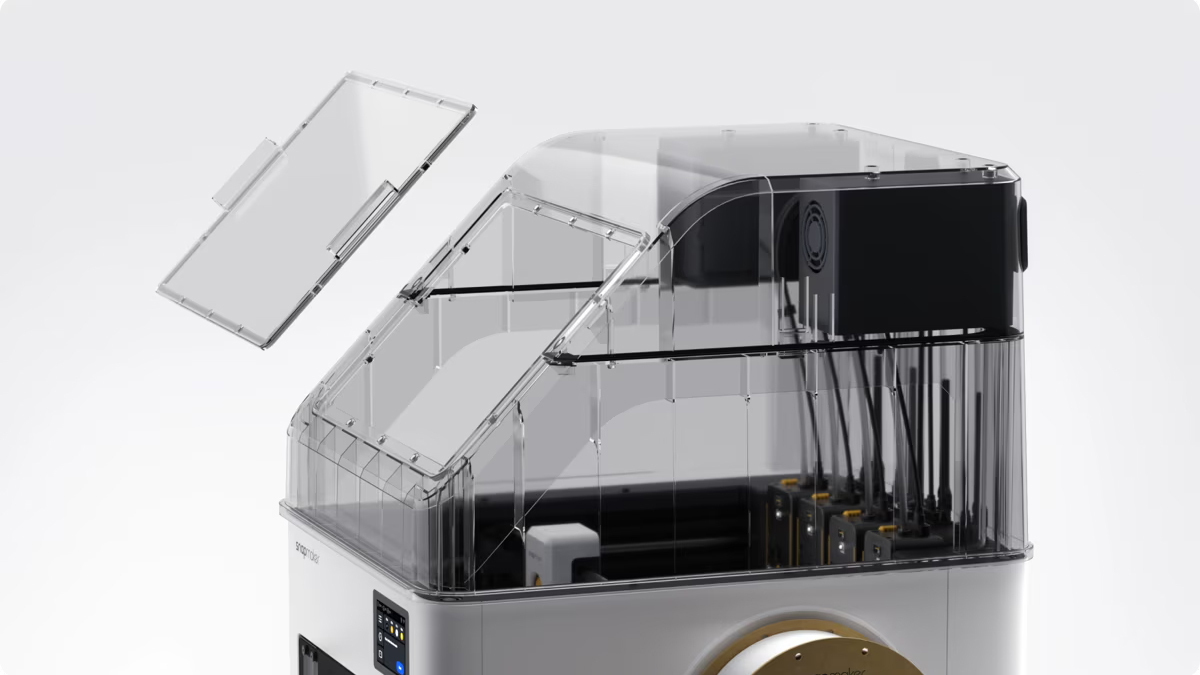
The build quality of the cover itself is excellent, though you will need to carefully apply the included gaskets to your door to ensure a proper seal. Picture: Snapmaker
I previously reviewed and loved the Snapmaker U1, a multitool-head 3D printer because it significantly expands what is practical and achievable in multicolour printing. However, it has its limitations, and Snapmaker hopes to address them with a top cover. While it remains an optional extra, I found it becomes a necessity for anyone moving beyond basic hobbyist printing. If your daily workload only involves PLA or PETG, you might find this more of a luxury than a requirement. However, if you intend to use hardened steel nozzles for abrasive materials or want to tackle ABS, this enclosure is a different story entirely.
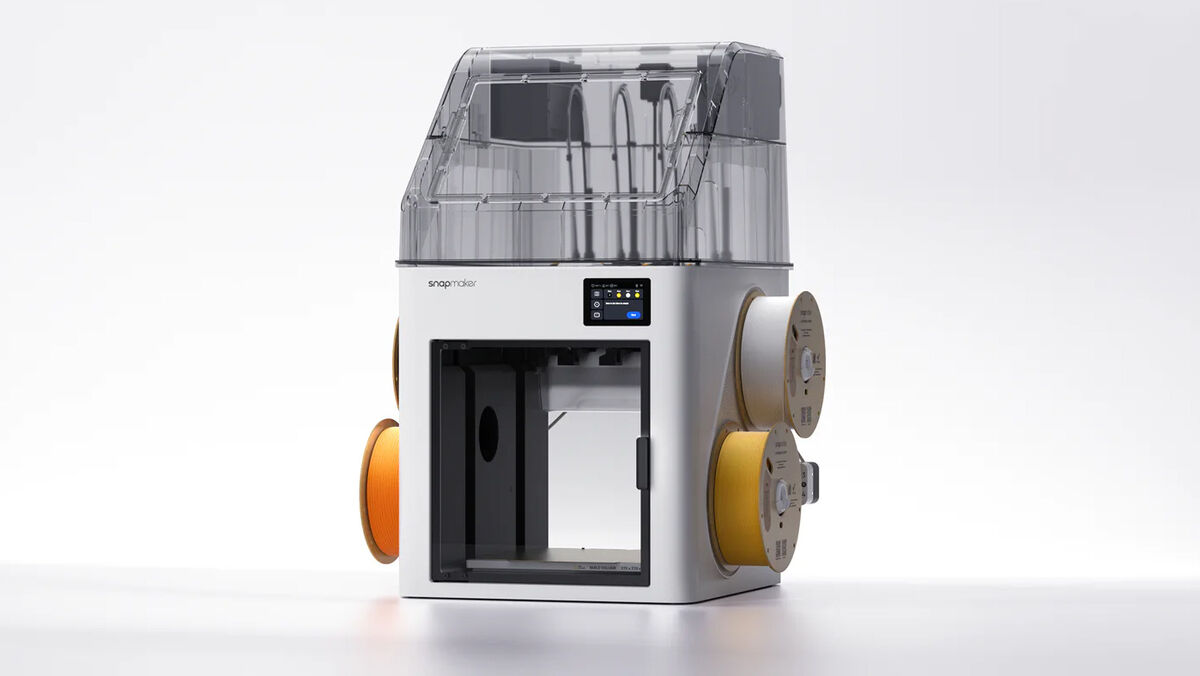
The cover fits directly onto the U1 and connects via an accessory port on the top of the machine. Snapmaker includes specific gaskets that you need to adhere to the front door to ensure the seal remains tight during long print jobs. It features a magnetic access window near the top that makes checking on your progress or reaching into the build area much easier than dealing with cumbersome latches or hinges, which can be a real annoyance when you are in the middle of a task.
The fit and finish are excellent, and I think they add to the overall look of the U1.
Printing abrasive materials, such as those infused with carbon fibre, also requires the installation of hardened steel nozzles. I replaced the standard steel nozzles with these, and while it wasn’t as simple as on my Bambu A1 printers, it took less than 30 minutes to replace all four.
While there isn’t an active heating system, there is active temperature management. Because there’s no active heating, the top cover has been designed to manage the heat generated by the print bed. The enclosure features automatic high- and low-temperature modes. Using internal and external fans, along with an air damper system, helps regulate the chamber environment based on what you are printing. This allows the printer to retain heat for materials like ABS or ASA while still providing enough airflow when printing PLA or TPU.
The three-stage filtration system also provides a significant benefit for indoor workspaces. It uses a primary cotton filter, a HEPA filter, and an activated carbon filter to reduce airborne particles and unpleasant odours. While the filtration system in the top cover helps reduce odour and VOCs, it won’t eliminate them entirely. I find the smell of ABS unpleasant when it is printing, so I only use it when I can avoid being in the room for the duration of the print. Ideally, you should print in a room with good ventilation or, even better, with an extraction system.
If you want to avoid venting chamber air directly into your workshop when printing PLA or TPU, there is a simple way to manage it. You can attach an external hose to the top cover, which features a dedicated connection point near the exhaust fan. This allows you to route the air toward a window or even an air purifier.
I put the enclosure to the test with several ABS and Nylon prints. When the chamber remained sealed, the results were consistent and clean. However, I learned a hard lesson during one particular run when I accidentally left the front door slightly open. The sudden drop in temperature caused the part to shrink, leading to warping and eventually causing the print to peel itself right off the bed. This failure demonstrated exactly why keeping the heat trapped is so important for success with engineering-grade materials.
To ensure good bed adhesion, I used several types of glue to suit the material I was printing. I found that without any adhesive, areas of the print would start to lift off the bed, causing issues. To be fair, I use these same glues on my Bambu Lab X1 Carbon too.
If you only print standard filaments, you can skip this; however, if you want to print ABS or abrasive materials, it is a necessary addition to your U1. That said, if you primarily print with materials that require a heated chamber, I don’t think the U1 is the right printer for you. Personally, I mostly print with PETG, TPU and various types of PLA, so having the option to occasionally use the U1 for other materials makes it a worthwhile investment.
€159 eu.snapmaker.com
CONNECT WITH US TODAY



Be the first to know the latest news and updates