Snapmaker U1 review: A game-changer for multi-colour 3D printing
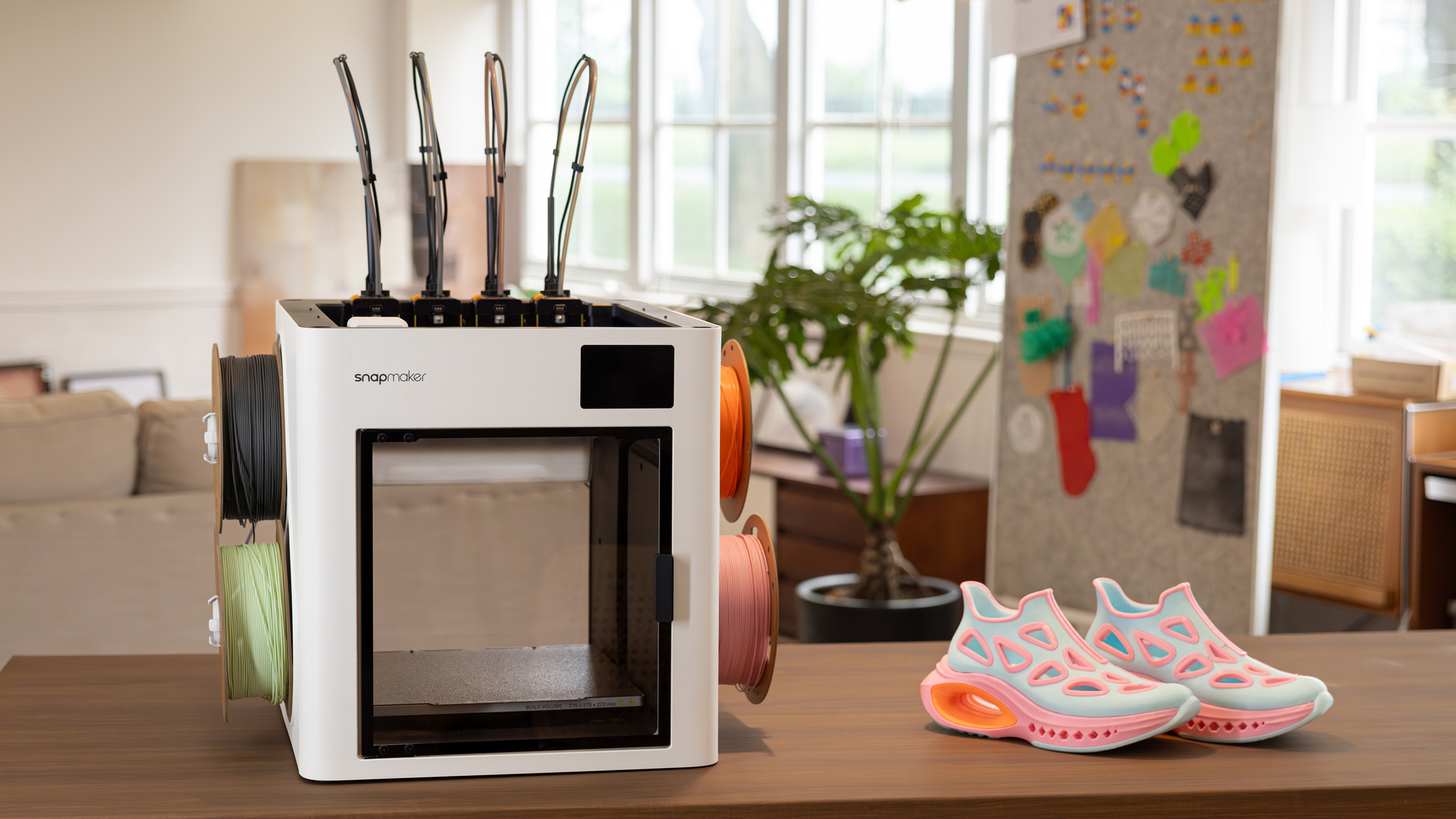
The Snapmaker U1 3D Printer finally makes multi-colour printing feel worth it. Picture: Snapmaker.
A few years ago, I bought my first 3D printer because I believed the hype surrounding Bambu Labs. They promised that 3D printing had finally reached a point where it was as easy to use as a standard 2D paper printer. For a while, I believed it. However, as any multi-colour enthusiast knows, the "easy" part disappears the moment you start printing in multiple hues. The endless purging, the mountain of filament waste, and the agonisingly slow print times make you rethink whether a multi-coloured model is even worth the effort.
Enter the Snapmaker U1. After spending several weeks with this machine and clocking over 200 hours of print time, I now think very differently about how colour is handled.
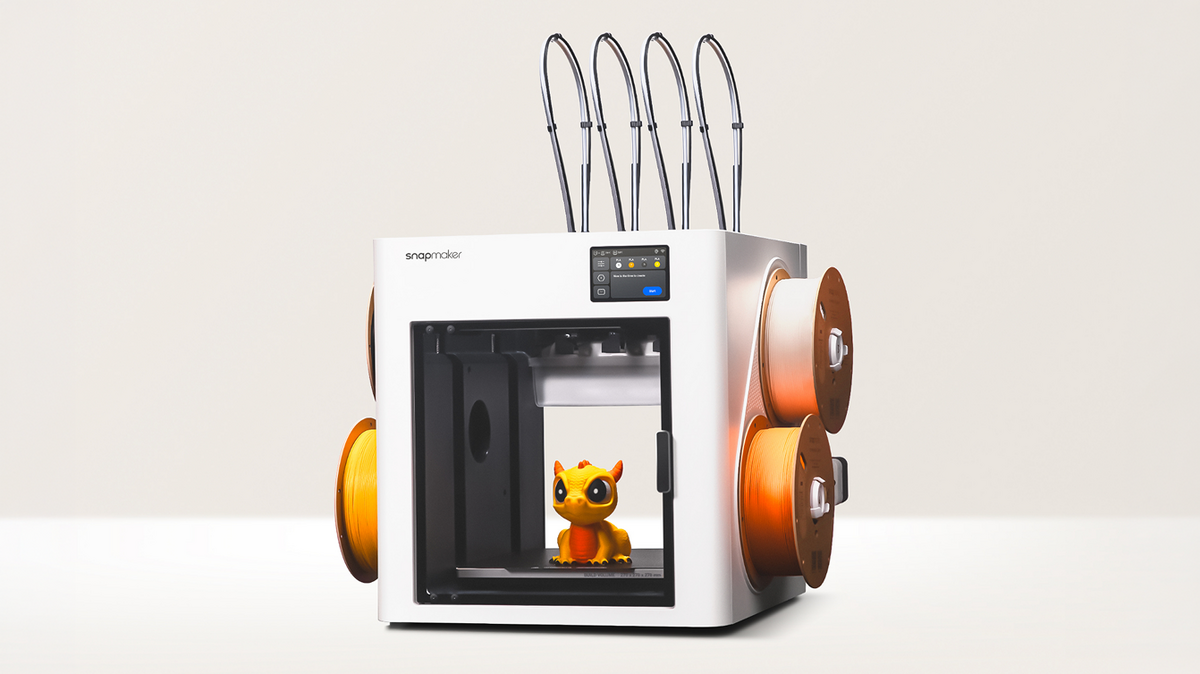
The Snapmaker U1 is a stylish piece of kit. While many of the reviews of this printer I have seen online have been on a pre-production model, all my testing over the last couple of months has been on a final production model.
One minor ergonomic gripe is the control panel; it is flush-mounted into the printer and cannot be tilted, which can be a slight annoyance depending on whether you are standing or sitting while operating the machine. On the positive side, the build volume is a welcome 270 x 270 x 270 mm, making it slightly larger than my Bambu and Elegoo printers (256 mm³).
The U1 features a CoreXY motion system and a glass rear panel, which is a nice touch for those who want to monitor their prints from different angles. However, the open-top design is a double-edged sword. Because it isn't enclosed, the printer is slightly noisier than my enclosed Bambu machines. This also limits your ability to use high-temperature filaments that require a stable, warm environment to prevent warping. Thankfully, Snapmaker is offering official enclosures, and the community is already innovating their own solutions. For those of us primarily printing in PLA, PETG or TPU, however, this is a non-issue.
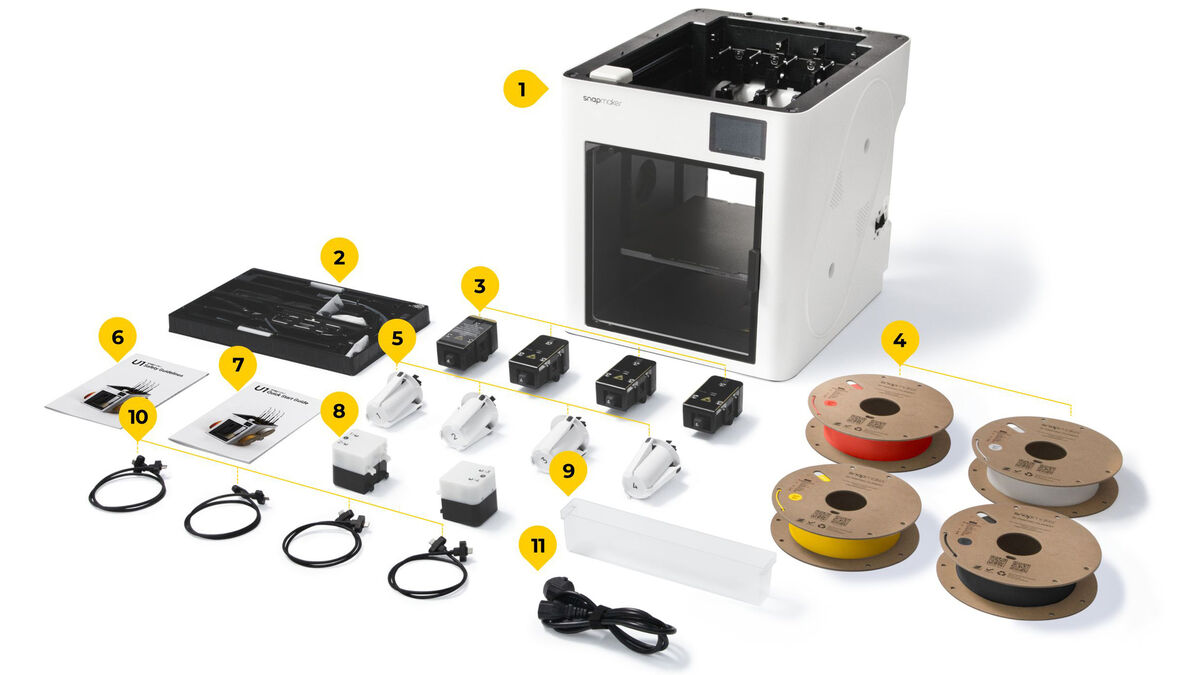
The U1 is very well packaged and comes with a clearly illustrated manual, which makes the 40-50-minute assembly of the toolhead and filament tubing enjoyable.
One of the most user-friendly aspects for beginners is the support for NFC tags. The U1 comes with four 500g sample rolls in four different colours, which was a very welcome surprise. As soon as these are placed on the reels, the printer automatically detects the filament type and colour thanks to the NFC tags on the rolls. This removes the guesswork for novices, though I’ve used plenty of third-party filaments and found that manually changing the touchscreen settings takes only a few seconds.
The filament mounting system is external, unlike the enclosed AMS (Automatic Material System) approach. While it works perfectly well, it does mean your filament is exposed to the environment. I haven't had any issues, but those in more humid environments might need external dryers. It is also worth noting that the filament holders require a bit of clearance on either side of the printer, so you cannot tuck it into a tight corner as easily as I could with my X1 Carbon with the AMS unit placed on top.
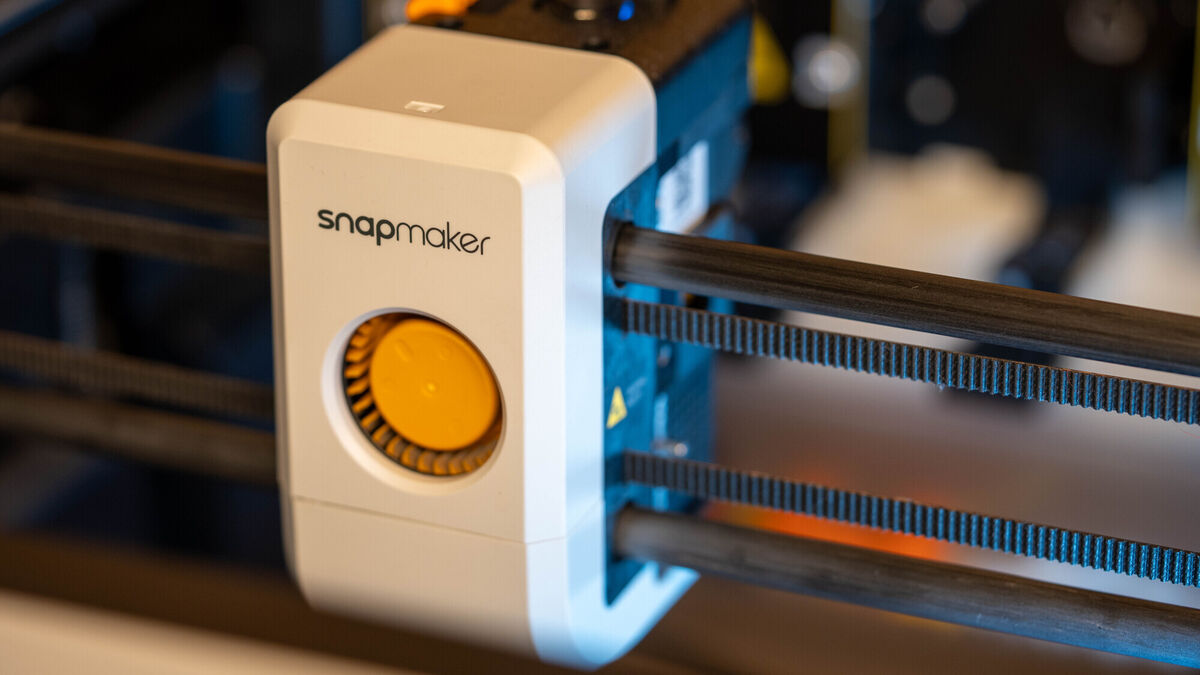
Unlike the Bambu Lab X1 Carbon, which uses a single-nozzle system and purges waste through an AMS to switch colours, the Snapmaker U1 uses a tool-changing mechanism that swaps out entire print heads. Instead of pushing different filaments through a single path, the U1 moves to a docking station to physically detach its current tool, then locks into a new one, each with its own dedicated nozzle and heater. This is a massive leap over the X1 Carbon because it completely eliminates filament waste associated with purging.
Coming from the X1 Carbon, which I rarely used to print large colour models due to the excessive printing time and wasted filament, the U1 has been a revelation. In my experience, waste reduction is the biggest advantage. On a single-nozzle multi-material system, you get huge piles of purged filament. On the U1, the waste is minimal, essentially just a small prime tower and some minor purging. After 200 hours of printing, the amount of waste I had collected was minuscule compared to what I'm used to with X1 Carbon.
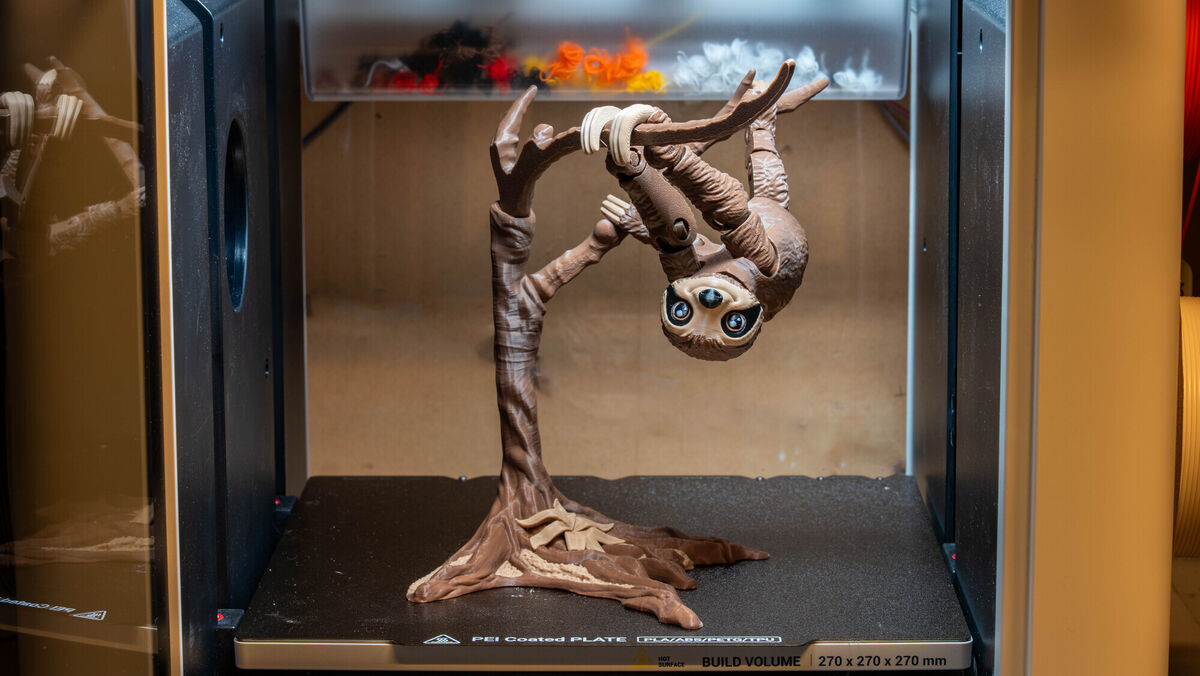
Another advantage of the U1 is the ability to use specialised support materials. For testing, I used PETG supports with PLA, which worked great because the supports break away from the model much more easily than they would with just PLA. Plus, thanks to the separate toolheads, there is little waste material and minimal excessive print time.
The U1 also comes equipped with AI monitoring for spaghetti and foreign-object detection, providing peace of mind during long prints. A recent update added the ability to skip individual objects, meaning if one or more parts fail mid-print, you can skip them so the printer doesn’t continue printing in mid-air.
The onboard camera is fine for remote monitoring and time-lapse recording, though it doesn't quite match the frame rate or crispness of the X1 Carbon’s camera.
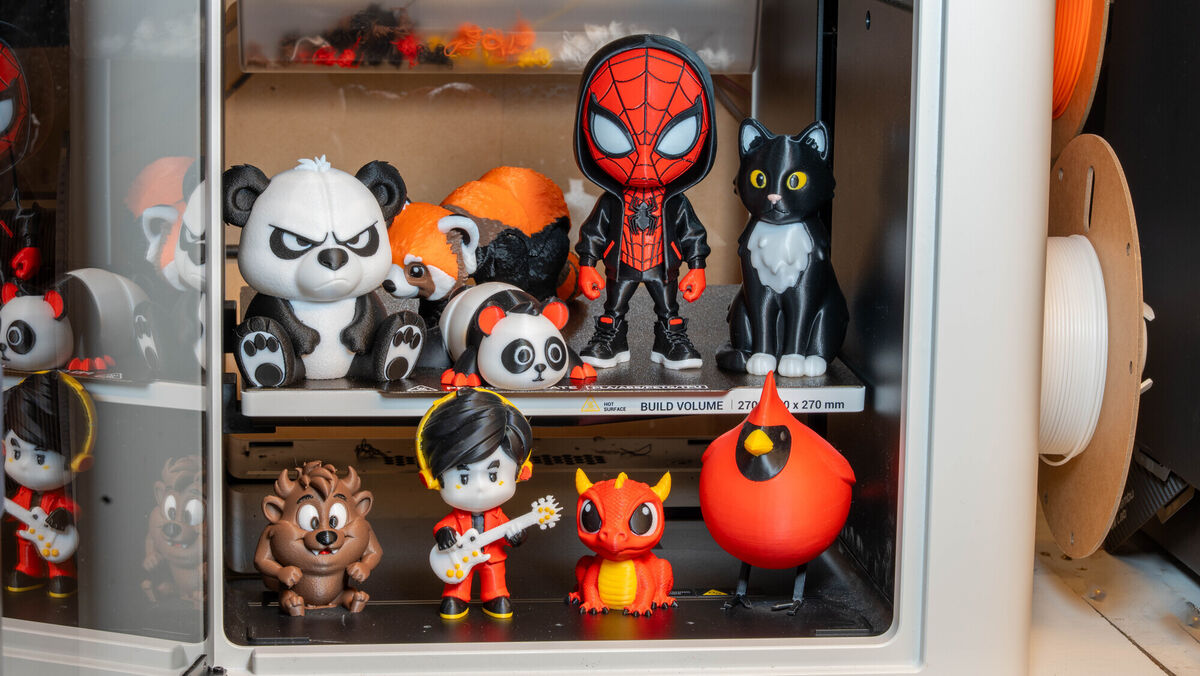
I’m aware that Bambu Labs and Prusa now offer multi-toolhead printers, but I don’t have hands-on experience with them, so I can only compare based on what I’ve used. Regarding print times, the U1 is significantly faster for multi-colour models than my X1 Carbon. For example, a model that took five hours on the U1 would have taken over 20 hours on the X1 Carbon, largely because it spends so much time purging the nozzle.
During testing, a toolhead error stopped a print with just 20 minutes left, but after a quick power reset, it resumed and completed without issue.
The U1 uses a version of Snapmaker Orca (an open-source variant of OrcaSlicer). If you have used Bamboo Studio or Elegoo slicer, you will feel immediately at home. I discovered a great tip in the software: reducing the default prime tower size and volume can save even more filament without compromising print quality.
The print quality is, quite simply, excellent. I’ve printed everything from simple one-colour models to complex colour models, and the results have been excellent.
The PEI-coated, textured build plates' adhesion is rock-solid, and I haven't had a single print break loose. Also, the alignment pins at the rear of the bed make it easy to slide the plate into a perfectly aligned position.
When it comes to multi-colour transitions, the swaps are clean and aesthetically pleasing. Because the toolheads change so quickly, there is very little downtime, and the resulting models are ready to go almost as soon as they leave the bed, often requiring zero post-processing assembly.
The Snapmaker U1 is a masterclass in efficiency that removes the anxiety around waste associated with multi-colour 3D printing. While there are other options, the U1 is hard to beat on the price-to-performance proposition. Its incredible speed and filament savings make it an unbeatable value for hobbyists and professionals alike.
€899 (free shipping) Snapmaker
CONNECT WITH US TODAY



Be the first to know the latest news and updates