Fusion Keyboard 2.0: The ultimate all-in-one solution for multitaskers

Fusion Keyboard 2.0. Pictures: Mokibo.
As someone who juggles multiple devices and platforms daily, I was eager to test the Fusion Keyboard 2.0. Promising to combine a keyboard, touchpad, stand, and protective cover into one sleek package for my iPad Pro, it’s an ideal tool for enhancing productivity on the go.
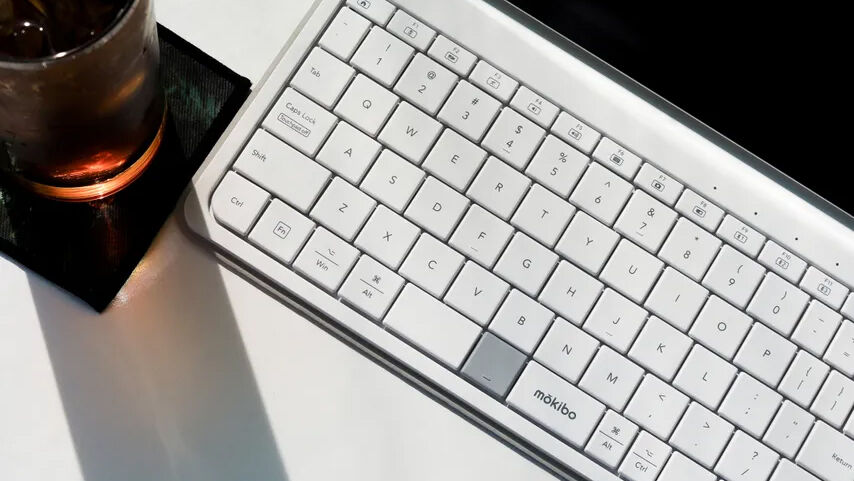
The Fusion Keyboard 2.0 integrates a touchpad, stand, and protective cover into a single, multifunctional device, offering a less expensive alternative to Apple’s Magic or Folio keyboards. It also works with Bluetooth-enabled devices like tablets, phones, and computers.
The keyboard offers three versions: Universal White, White for iPad Pro 11-inch, and White for iPad Pro 12.9-inch.
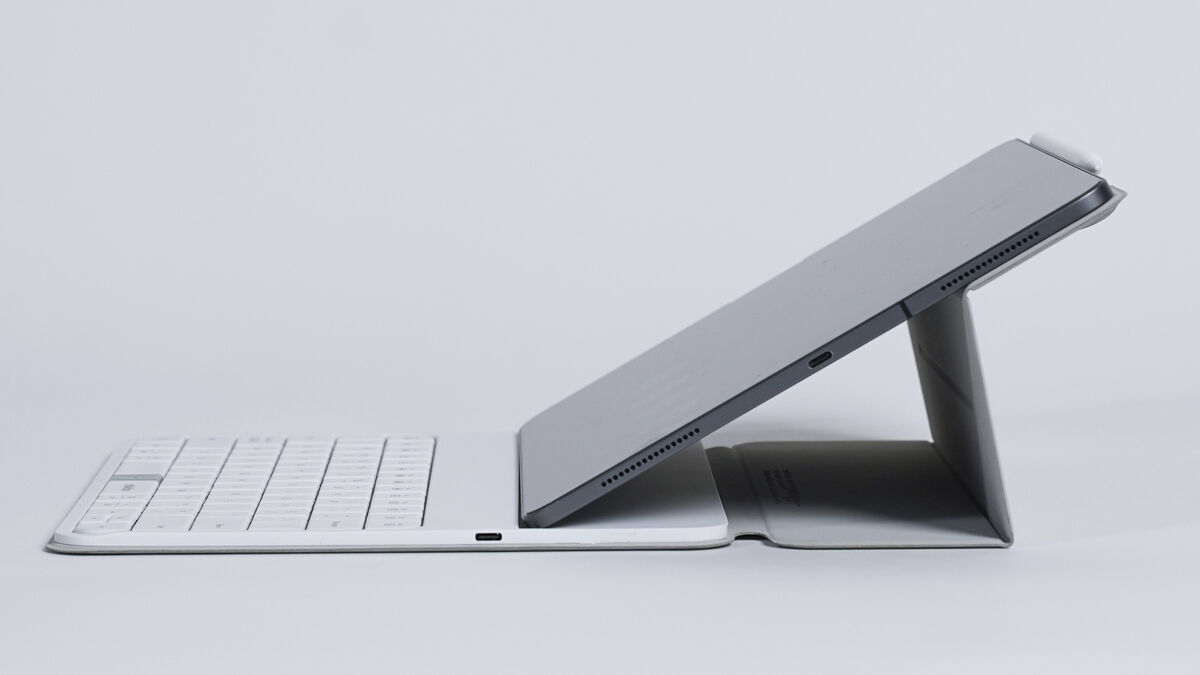
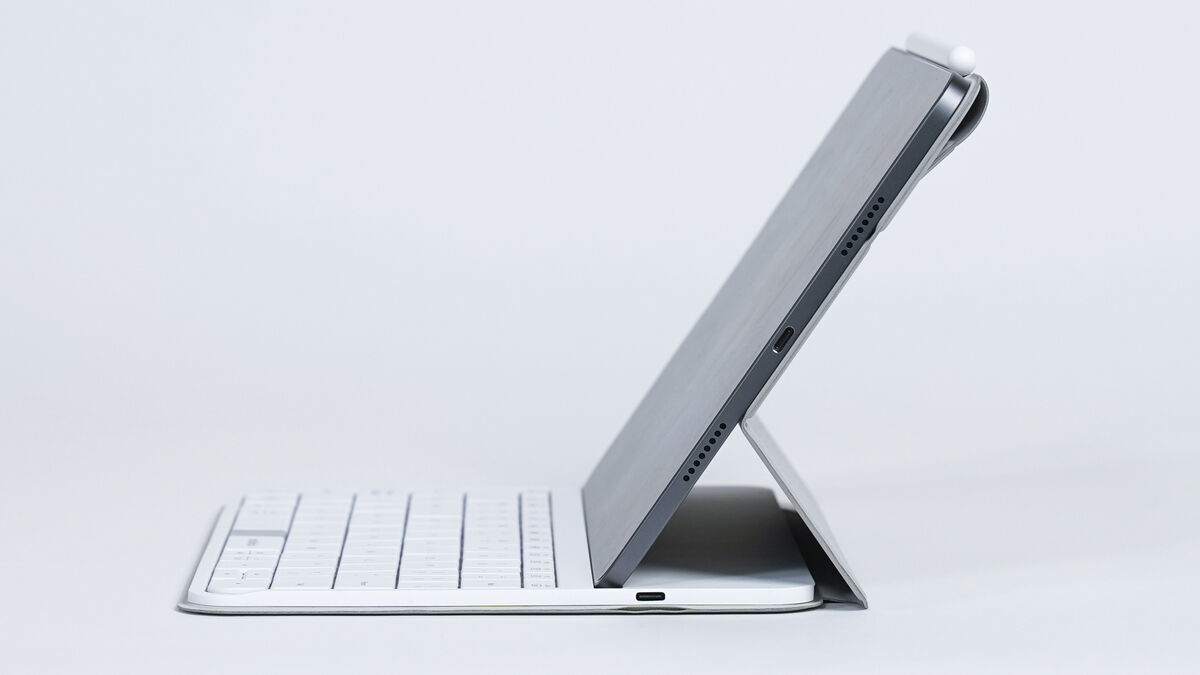
I tested it with my silver iPad Pro 12.9, which I think matches the white keyboard nicely. The stand provided a stable and ergonomic setup, perfect for extended sessions. However, due to the iPad Pro's top-heavy nature, it had the same topple issue as the Magic Keyboard when placed on my lap.
The versatile smart cover protects the keyboard from dust, scratches, and spills and doubles as a convenient stand. It offers a comfortable 63-degree viewing angle and a second flatter viewing angle, which is a massive bonus over the Magic Keyboard.
Designed with portability in mind, the Fusion Keyboard 2.0 maximises space efficiency without compromising functionality. At 666g (26g lighter than the Magic Keyboard), it’s easy to carry, making it an ideal companion for users on the move.
The Magic Keyboard has a dedicated touchpad, but the Fusion one is like magic and much nicer to use, mostly because it’s much bigger. The keys are smooth, and I loved the tactile sensation of my fingers gliding over them.
The auto mode change technology allows for a seamless transition between keyboard and mouse modes, and the device provides excellent support for multi-touch and gestures. You can toggle the touchpad on and off using the fn plus cap locks keys.
This keyboard is compatible with multiple Bluetooth devices and operating systems, including iPad, Windows, and Android, ensuring seamless integration into any tech ecosystem.
I primarily used the keyboard on my iPad Pro, MacBook Pro, and Windows PC. You can pair up to three devices, and switching between them is easy using the fn plus the F9, F10, or F11 keys.
The Fusion Keyboard 2.0 comes with Bluetooth 5.1, which provides a range of up to 10m, reducing the need for additional cables and offering flexibility in connecting multiple devices.
One of the most impressive aspects is the battery life. With up to 60 hours of continuous typing on a single charge, the Fusion it minimises interruptions and maximises productivity. This extended battery life is a significant advantage for those who travel frequently or work in multiple locations.
One of my pet hates the Magic Keyboard is that it doesn’t have a place to securely store your Apple Pencil when you need to chuck it in a bag. It relies on the power of the iPad magnets to keep it in place. The Fusion Keyboard 2.0 solves this with a simple magnetic flap that keeps your stylus or pencil within easy reach, ensuring quick access and secure storage when not in use. This flap also wraps around the pencil to the front, ensuring your iPad can’t slip out of the case.
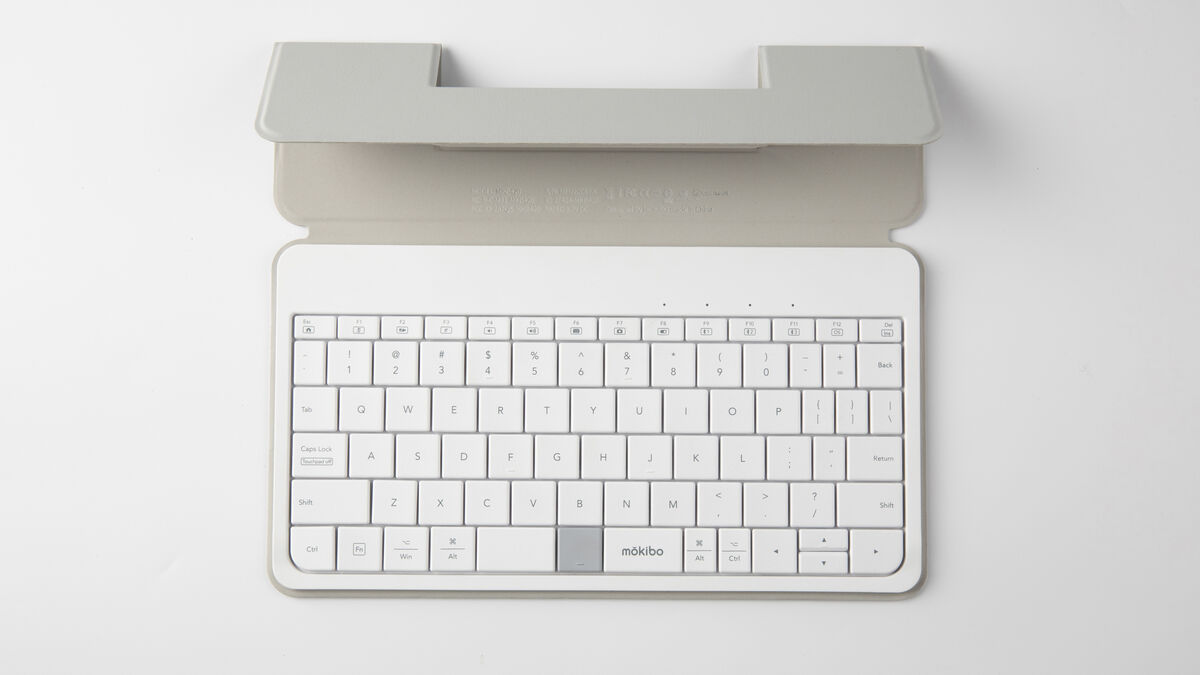
I wrote most of this review on the Fusion Keyboard 2.0 and loved the tactile response, quiet touches, and the size and spacing of the keycap. I found it incredibly comfortable and didn’t notice any unusual rise in my typical error rate. The addition of a function row is also excellent, something my older Magic Keyboard lacks.
The Fusion Keyboard 2.0 offers a unique twist on traditional keyboards by integrating a touchpad for intuitive navigation alongside standard keyboard functions.
Compatible with a wide range of devices and operating systems, including iPad, Windows, and Android, the Fusion Keyboard 2.0 ensures seamless integration into any tech ecosystem. It simplifies multitasking by enabling connections with up to three devices simultaneously, enhancing productivity and versatility.
The Fusion Keyboard 2.0 combines style, functionality, and portability into one elegant package. Its innovative touchpad integration, simple Apple Pencil storage, and robust performance make it a great alternative to the much more expensive Magic Keyboard.
For more information on the Fusion Keyboard 2.0 Kickstarter


CONNECT WITH US TODAY



Be the first to know the latest news and updates