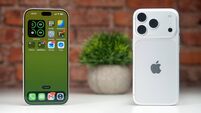
How to watch Apple's iPhone announcement
If you own a new Apple TV, you can download the Apple Events app from the App Store. This will let you tune into a live stream of today’s event or catch up with old events while you’re waiting for today’s to start.
The Apple Events channel will arrive on Apple TVs from gen 2 or 3 before the event gets underway, so keep an eye out for that.
For those without an Apple TV, you can still tune into the event via the Apple Events section of its website. To watch, you will need to use Safari or Microsoft Edge.
It should be a pretty packed event. Alongside a new iPhone and Apple Watch, Apple will likely speak about iOS 10, macOS Sierra, and perhaps even a major update for the MacBook Pro.

CONNECT WITH US TODAY



Be the first to know the latest news and updates