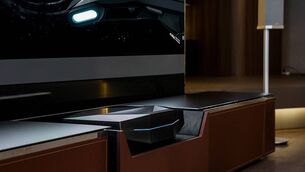
Huawei MateView GT ultrawide monitor is great for work, rest and playing games

Huawei MateView GT 34-inch ultrawide monitor. Pic: Huawei.
Over the last couple of decades, I’ve used a dual and then triple monitor setup with a desktop computer. I’ve just got so used to the extra real estate with the multitude of windows and apps I have open and would find it hard to go back to a single monitor setup. However, monitors like the one I’ve been testing for the last few weeks has me reconsidering my strategy. The Huawei MateView GT is a massive 34-inch ultra-wide display that is great for work, media consumption and most definitely playing the latest games on a PC.

As ultra-wide monitors go, the GT stands out from the crowd with a unique design that features a built-in soundbar that’s integrated into the monitor stand. Unlike the Huawei MateView 28.2-inch monitor, I reviewed before Christmas, the MateView GT 34-inch is an LCD VA panel rather than IPS and has a 21:9 aspect ratio with a 1500R curvature and a 3,440 x 1,440-pixel resolution.
The stand and soundbar take up a lot of space on the desk but thankfully, it has a VESA compatible mount so you can use an adjustable monitor arm to keep your desk clear but this also means you’ll lose the soundbar. The stand easily snaps into the monitor and there are no extra wires for the soundbar.
The MateView GT looks stylish compared to some gaming monitors that scream gamer with RGB lights and red accents everywhere. This isn’t to say there are no RGB lights, in fact, there's an ingenious 180cm light strip that runs along the middle of the 340cm long soundbar. The light show can be turned on or off if you don’t like it in the display software (OSD).
The thin bezels give the MateView GT a stylish and sleek look that works well on a work or home desk setup and the build quality is great. The stand is solid and allows for height and tilt adjustment but no swivel or twist.
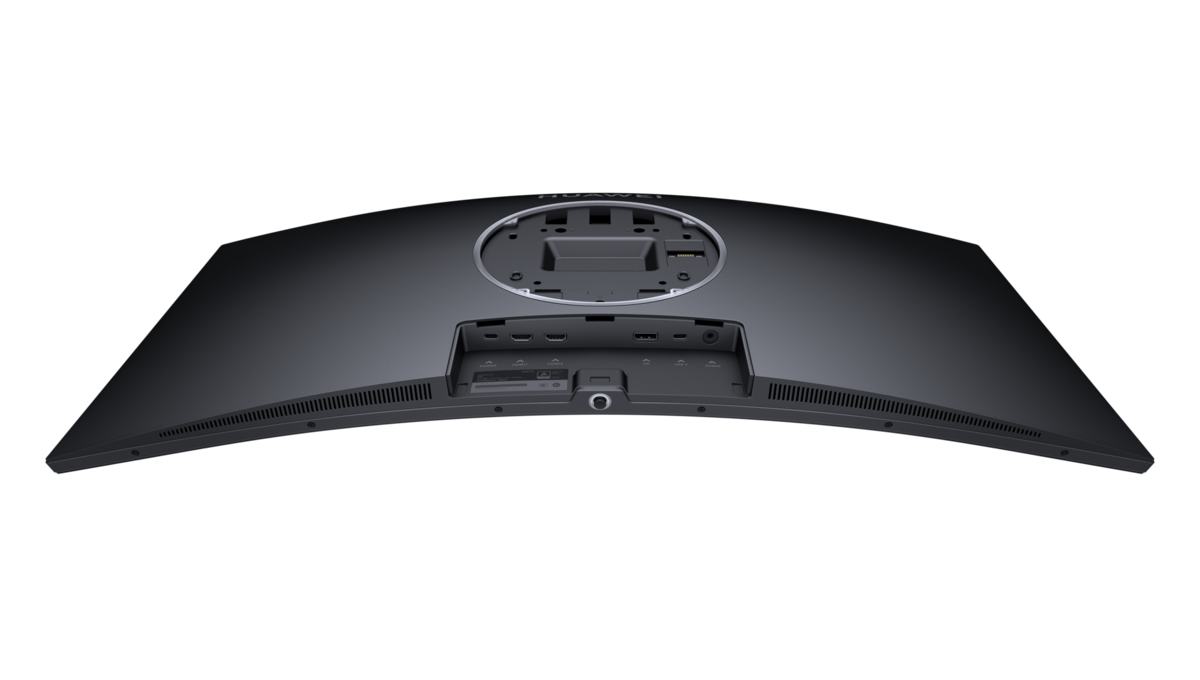
The monitor comes with an external power brick that plugs into a USB-C port on the back of the monitor. There’s an additional USB-C port that can be used to charge things like phones or tablets (10w), output video or transfer data. Additionally, you get two HDMI 2.0 ports, and a DisplayPort 1.4. The latter is required if you want to get the maximum 165Hz refresh rate the monitor supports but your graphics car will also need to support it.
There's a 3.5 mm audio jack so you can use this to connect headphones or as AUX out to speakers. The top edge of the display houses dual mics that can be enabled or disabled in the OSD.
The MateView GT is not a monitor for PS5 owners since the latter doesn’t support 1440p or indeed ultrawide screens. The Xbox Series X does support 1440p but not ultrawide’s like the GT. It will work but you’ll end up with black bars at the sides.
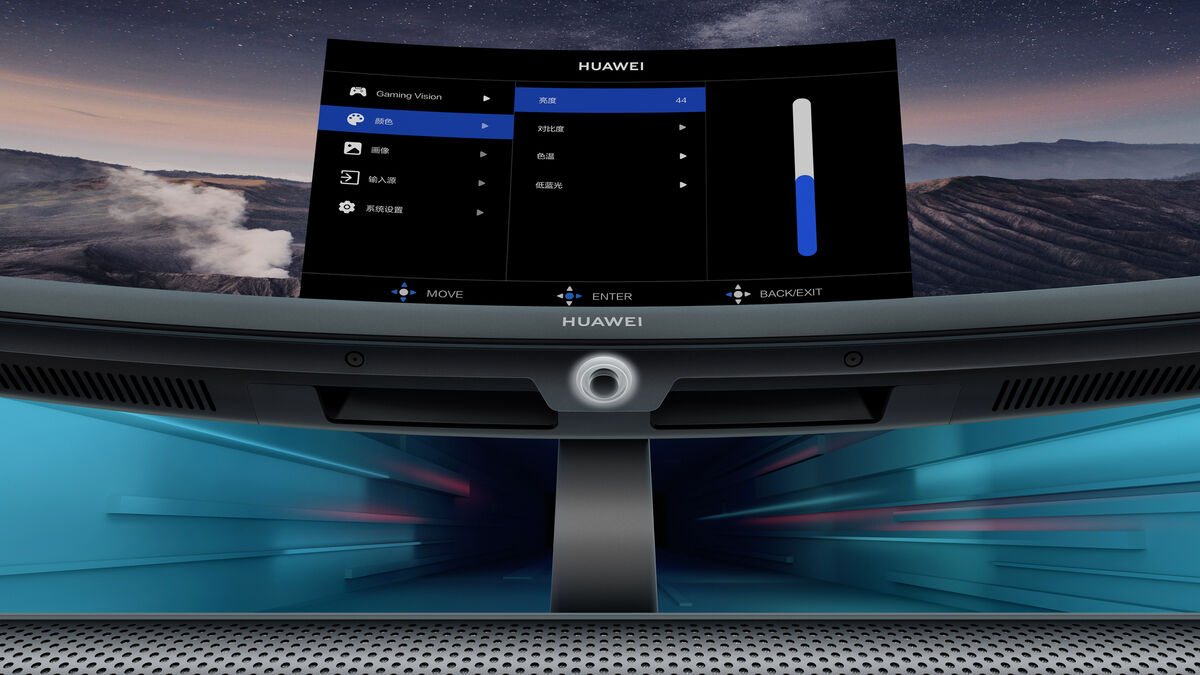
The GT features a small joystick control system found on the bottom edge of the display. This doubles as the power and navigation for the display software. The GUI is intuitive and not frustrating as I’ve found on so many other monitors. The only strange thing I found with the software is that you have to push the joystick back for 10 seconds to enable the AMD Freesync Premium support. It’s off by default for some reason. Once you enable it though, you can turn it off and on in the menus.
You also get gaming features such as crosshairs and three levels of dark field control to brighten shadows in FPS games — great for revealing enemies hiding in dark corners.
The native 3,440 x 1,440-pixel resolution means this is almost a 3K display and so it will be more taxing on your system for high-end games. The 165Hz refresh rate is great too but to achieve such high frame rates in games you’ll need a high-spec PC.
In this regard, my desktop PC is no slouch with Nvidia GTX 3080 graphics, 32GB of RAM and an Intel i9 CPU but even this isn’t enough to achieve a steady 165 fps in all games at maximum resolution and ultra graphic settings. That being said, in many of the games I played, I was able to achieve 165 fps and over with small tweaks to the graphic options.
The response time is respectable at 4ms but I did notice the slight difference between 4ms and 1ms on my one gaming monitor in some fast-paced FPS games.
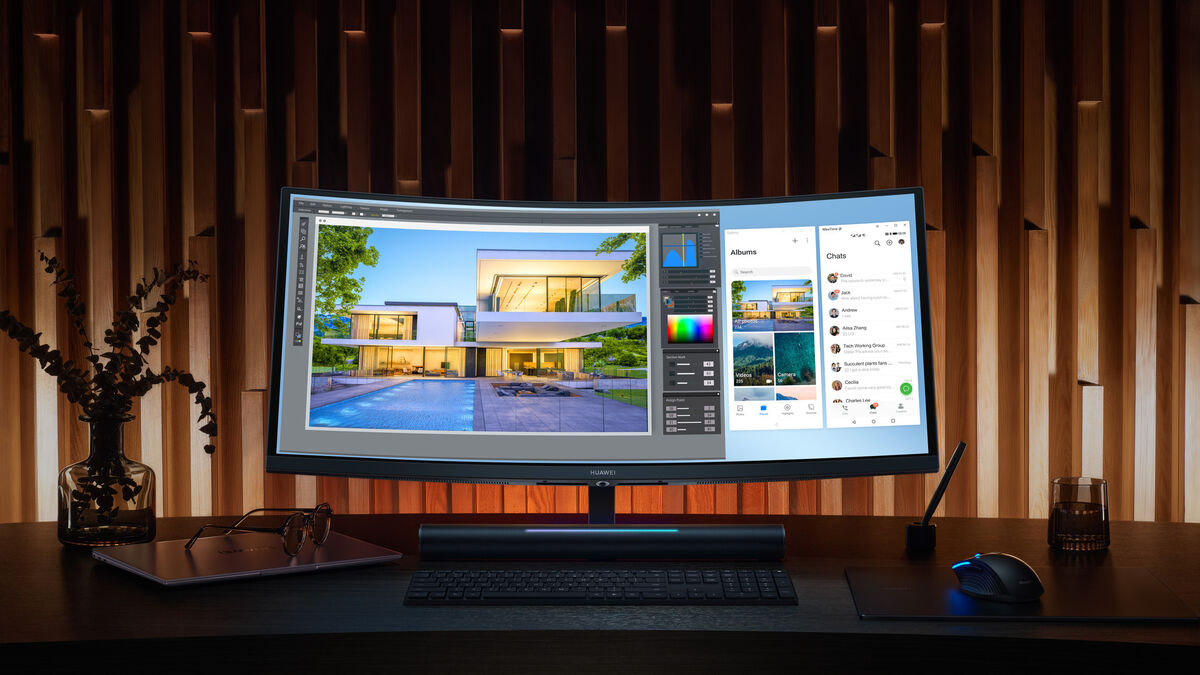
The MateView GT is marketed as a gaming monitor but this is selling it short. The ultrawide aspect ratio means you can fit much more on the screen at once. I tested the monitor on my Windows 11 PC which handles multiple windows much better than Windows 10. You can resize windows and snap them into place to create workspaces to take full advantage of the extra screen space. I liked having my email on one side and then work apps on the other side. You can have one app taking up two thirds and another taking up a third rather than half and half. The flexibility it offers is fantastic and I found it a massive boost in productivity over a standard single monitor setup.
All of the apps I use from the Adobe Cloud suite take full advantage of the extra space. I found I had more room for all the essential windows and pallets off to one side. Apps like Lightroom is a great example of this but so too are PhotoShop, Premiere and Audition.

I played a lot of games on the MateView GT including Halo Infinite, Cyberpunk 2077, Death Stranding, Dirt 5, Forza Horizon 5, Red Dead Redemption 2, Borderlands 3, Call of Duty Vanguard, Shadow of the Tomb Raider, F1 2020, Microsoft Flightsim, Doom Eternal and many others. All of these worked brilliantly on the ultrawide resolution and I really didn’t notice much of a drop in FPS going from my 16:9 1,440p gaming monitor. The extra screen on either side in combination with the 1500R curve definitely makes for a more immersive experience.
While pro gamers will still prefer performance over image fidelity, the MateView GT offers all the bells and whistles you’d want for the rest of us.
Colour accuracy is excellent too with good contrast, as you’d expect from a VA panel. However, viewing angles are not as good as you’ll see on an IPS display but they’re not terrible here either. After a full calibration using my SpyderX Elite colourimeter I was easily able to produce prints that looked identical to what I was seeing on the monitor.
My calibration results showed that the GT has 100% of the sRGB, 83% of AdobeRGB and 88% of the P3 colour spaces. I was more than happy to use the GT for my colour work in Lightroom.
The monitor supports HDR10 and has a 4,000:1 dynamic range contrast ratio but with a peak brightness of 350nits, I didn’t find it great for watching or playing games with HDR enabled. It simply doesn’t get bright enough.
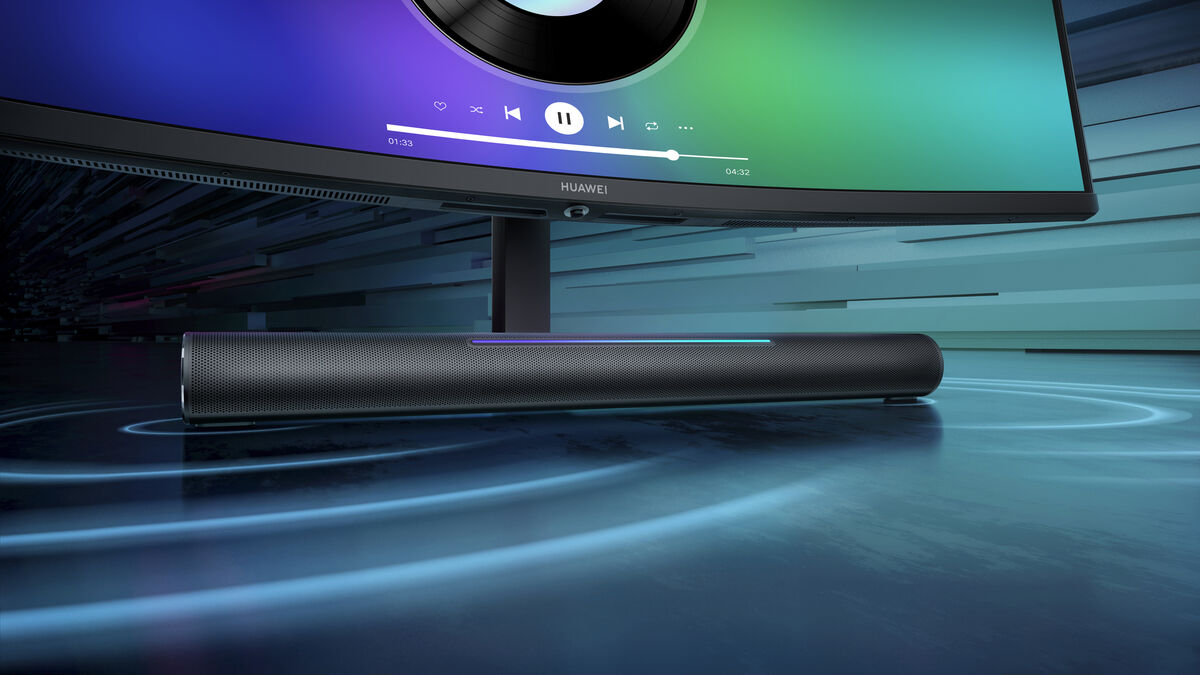
With two 5w speakers, the soundbar is a handy addition and definitely better than standard monitor speakers but it won’t replace the sound quality or oomph of dedicated speakers. I do love the way you can adjust the sound volume by sliding your finger along the light stripe. Very cool Huawei.
It does a decent job when watching videos or even playing games but I still prefer either good headphones or a speaker setup.
While I loved my time with the Huawei MateView GT I don’t think it’s for everyone. Some will not like the 1500R curve for standard PC work while others won’t like the space the soundbar takes up on a desk but this can, of course, be negated by using a monitor arm. However, if you need a colour accurate monitor with all that extra screen real estate during the day and like to game at night, it’s hard to look past the MateView GT. While its price tag may seem high to some, when you take into account the high specs and impressive features it’s money well spent.
Huawei MateView GT 34 is currently on offer in did.ie €469 (RRP €569).
CONNECT WITH US TODAY



Be the first to know the latest news and updates