Ugreen DXP 4800 GT review: Is this high-speed 10GbE NAS the ultimate home server?
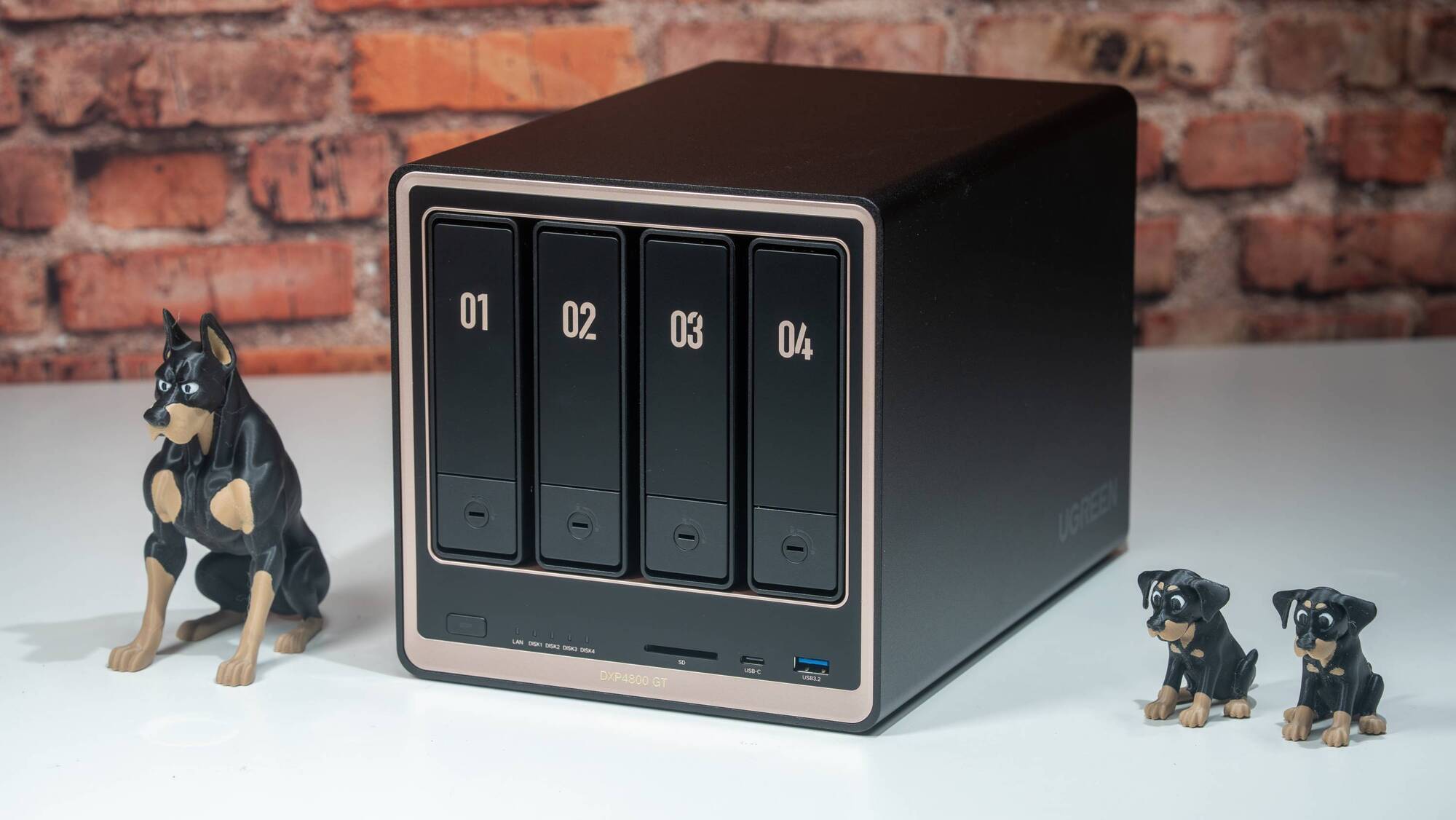
With the Ugreen DXP 4800 GT NASync 4-bay, you can consolidate your home data into a single organised, easy-to-access private space. Picture: Noel Campion
A NAS (Network Attached Storage) is essentially your own private, high-powered cloud. Instead of paying monthly fees to Google or Dropbox to store files on their third-party servers, a NAS is a small box that connects to your home network. It’s a secure, expandable box filled with your own hard drives that connects directly to your network. The real advantage is total control over your data, meaning your files stay local and under your physical control. It’s a way to store everything privately, ensuring speed, security, and the ability to grow your storage as your digital life expands.
I have always had a passion for photography, and about ten years ago, my enthusiasm was rekindled with new gear. Since then, I’ve taken thousands of photos, so I needed more storage. I shoot 33MP and 61MP RAW high-resolution photos, and I desperately needed a reliable, permanent way to store them without relying on a single hard drive or expensive cloud storage. After lots of research, I landed on a Synology system, which was the gold standard for a long time, and for good reason.
Over the last few years, the landscape has changed, thanks to companies like Ugreen and its more accessible NAS systems. I still think Synology wins for enterprise tools, but Ugreen has combined powerful hardware with ease of use.
I love Ugreen’s ecosystem, specifically the Theatre, Music, and Photos apps, which are fantastic. Having previously reviewed the DXP 4800 Plus, I’ve seen the UGO Pro NAS operating system mature with each new update. Since that review, the software has consistently improved through updates that boost performance, add new features, and introduce even more polished apps.
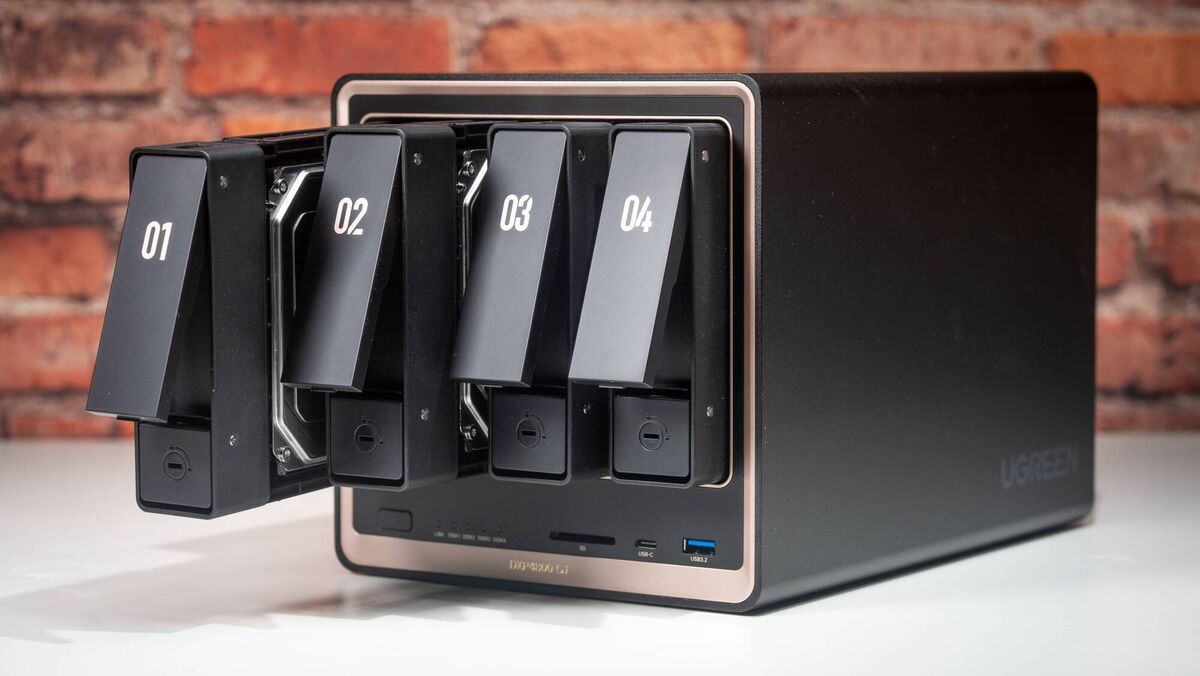
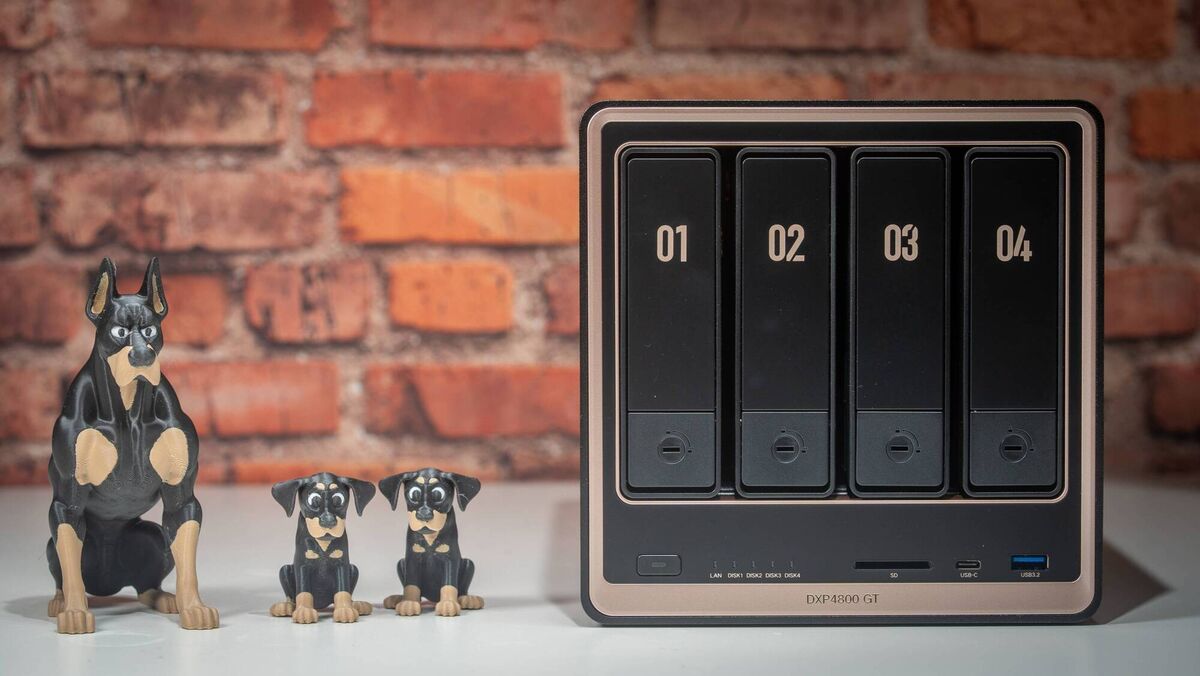
The DXP 4800 GT is essentially a mini computer with four 3.5-inch drive bays that sits on a network. The box is black with stylish gold accents for a premium look. However, while Ugreen may have used the DXP lineup's case design, the internals aren't the same, but more on that later.
The build quality is excellent, and the drive-install and internal-upgrade process is top-notch. Ugreen’s hardware feels more performant than almost any other vendor I’ve tested.
One of my favourite touches is the toolless drive bays, which click into place. It makes upgrading or swapping 3.5-inch drives a painless, tactile experience rather than a frustrating screwdriver task.
It’s easy to view a NAS as just a big external hard drive, but it’s so much more. Once it's on your network, it becomes the central nervous system of your home. It’s a central backup hub for every computer in the house, a private media server for your cinema collection, a secure vault for family memories, and a dedicated brain for your home security. It moves you away from simply storing files and into managing a digital ecosystem.
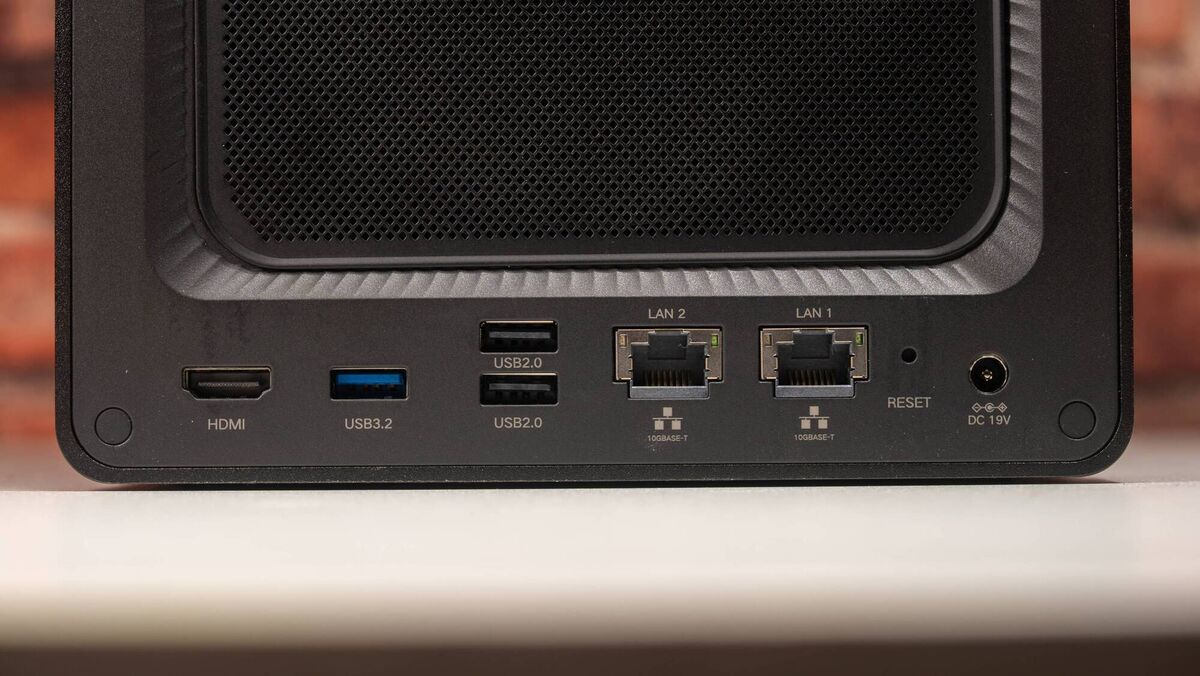
For my testing, I populated the four main bays with four 2TB NAS-grade hard drives, but you can install up to 32TB drives for 144TB of storage. Under the hood, the GT is a beast, featuring an updated AMD 4-core, 8-thread R2514 CPU. The DXP 4800 GT features dual 10GbE RJ45 ports. Note that while you can use link aggregation on a managed switch to get up to 20Gbps of combined bandwidth across multiple devices, a single workstation is still capped at 10GbE. To actually see these speeds, you’ll need a 10GbE client, a compatible switch, and Cat6a cabling. My home network peaks at 2.5GbE, so I couldn’t test the system at its maximum throughput.
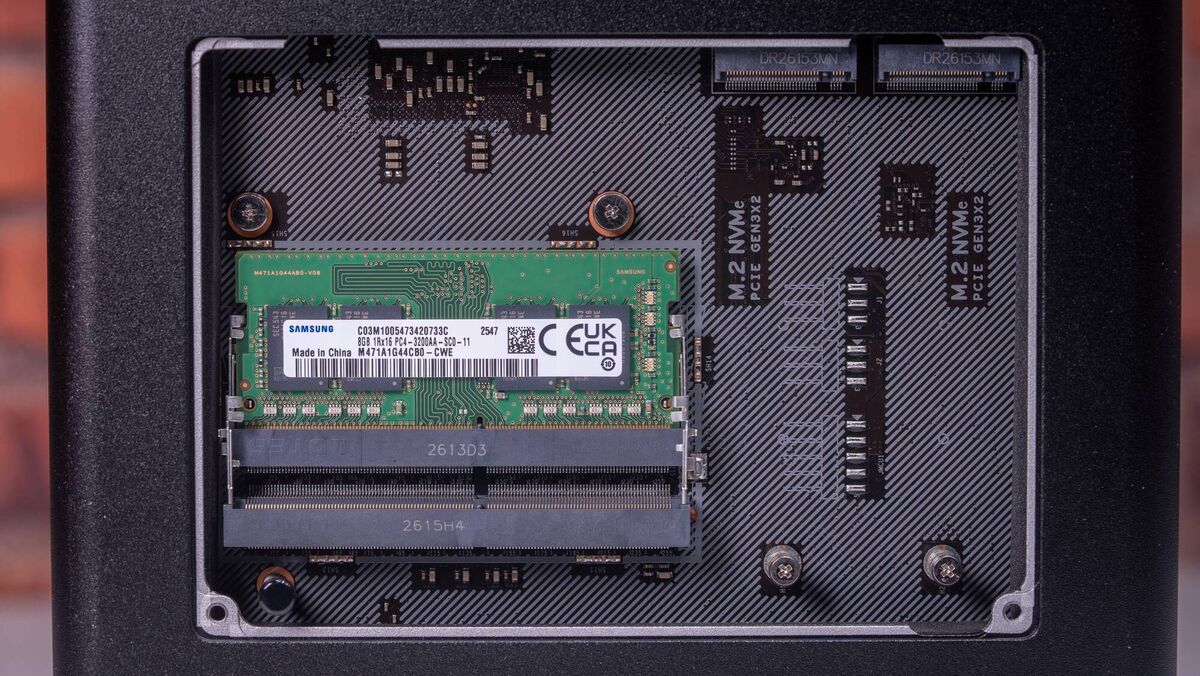
The first two 3.5-inch bays can accept U.2 NVMe SSDs at PCIe 3.0 x4 speeds. Under the base of the NAS are dual M.2 NVMe slots, which are great for adding SSD cache to boost performance when moving large files.
The 4800 GT ships with 8GB of non-ECC RAM, which is fine for basic storage, but if you plan to run several Docker containers or a Virtual Machine, you will hit a wall quickly. I’d highly recommend upgrading to 32GB or 64GB of ECC RAM to truly let this CPU breathe.
The front includes an SD card slot. I found this useful for quickly backing up my files after a photo shoot. I also used it to back up my Steam game files from my Legion Go 2’s microSD card.
I stopped subscribing to music streaming services after I got my first NAS, and I put all my converted CDs and digital downloads on it to create my own streaming service. The Ugreen Music app is a joy to use and allows me to listen to my favourite tunes from anywhere. Whether you are a fan of lossless FLAC files or just want a central library for your mobile devices, the app is snappy and intuitive. It avoids the clunky feel of many older NAS music interfaces, making it easy to browse and play your collection anywhere.
While Synology has lots of apps for different things, including DS Audio, I prefer Ugreen's approach, which consolidates all their apps into the Ugreen NAS app. This is far more streamlined and much easier to use.
While not everyone will want to curate their own music library, we all need to find space to store photos and videos. If you want to ditch the monthly Google Photos subscription, the Ugreen Photo app is a brilliant alternative. Thanks to its AMD processor, it handles indexing and thumbnail generation in the background with no noticeable performance hit. Browsing through years of high-resolution photos feels fluid, and the mobile integration makes uploading photos directly from your phone a breeze.
The Ugreen photo app is AI-driven, which is a must for managing large photo libraries efficiently. It scans your entire photo collection and automatically tags images by content, face, or location. Typing in beach or cat quickly brings up relevant results, even from large libraries. Importantly, all this happens locally. Your photos stay on your own drives, not in the cloud, so there are no privacy concerns, no compression, and no bandwidth costs. For families with years of photos or photographers managing thousands of images, this feature is invaluable.
I also tried the new Surveillance app using two Reolink PoE cameras. It works well, allowing the DXP 4800 GT to act as a high-end NVR (Network Video Recorder). You get peace of mind knowing your footage is stored locally on your own drives, rather than sent to a third-party cloud where you might have to pay a subscription to view it.
Ugreen’s UGOS Pro operating system supports standard RAID configurations for redundancy, encrypted storage, automatic backups, and remote access. All of this is managed through a single app available for Windows, macOS, Android and iOS.
The interface is easy to navigate, making it ideal for newcomers. Power users may find it somewhat limited in terms of advanced networking options or third-party apps compared to more established systems like Synology DSM.
The NAS supports encrypted transfers, multi-factor authentication, and secure folder sharing. With no data leaving your network unless you choose to share it, you have far greater peace of mind than with typical cloud platforms.
The setup process is remarkably user-friendly, guiding you through volume creation and RAID configuration in minutes. I set up real-time sync for a folder on my desktop, and it worked as you’d expect, with no issues.
I also used Time Machine to run nightly backups of my MacBook Pro. Relying on a RAID system like the 4800 GT offers far more security than a single external drive, as the built-in redundancy protects your data if a drive fails.
For the power users, the Docker and Virtual Machine support are excellent. The built-in app store makes launching containers straightforward for the apps ready to install from within the OS. It’s clear that Ugreen is listening to the community and constantly adding new tools to the kit. As I wrapped up this review, a system update added new apps such as Wake & Sync, Stats Hub, OKNote, Lock & Key, Backup Verifier, and Contacts for backing up your mobile contacts.
With four 2TB NAS-rated hard drives installed and running 24 hours a day, any system will use electricity. My configuration typically uses around 35 watts.
You can also schedule automatic shutdowns at night to reduce energy use further, though I prefer to leave it running continuously for instant access. Workload, the number of drives, their size, and even the brand can all affect energy consumption, but the 4800 GT is impressively efficient.
The Ugreen DXP 4800 GT is a user-friendly NAS that offers high-end features and enterprise-grade performance. If you want dual 10GbE, U.2 support, and a polished software experience without the steep learning curve of some competitors, this is the one to get.
€559,99 Ugreen


CONNECT WITH US TODAY



Be the first to know the latest news and updates