Ugreen NASync DH4300 Plus review: A simple, capable NAS for home cloud storage
The DH4300 Plus is a powerful yet beginner-friendly NAS that offers fast performance, smart apps and reliable local storage for photos, videos, music and backups.
Ugreen NASync DH4300 Plus review: A simple, capable NAS for home cloud storage

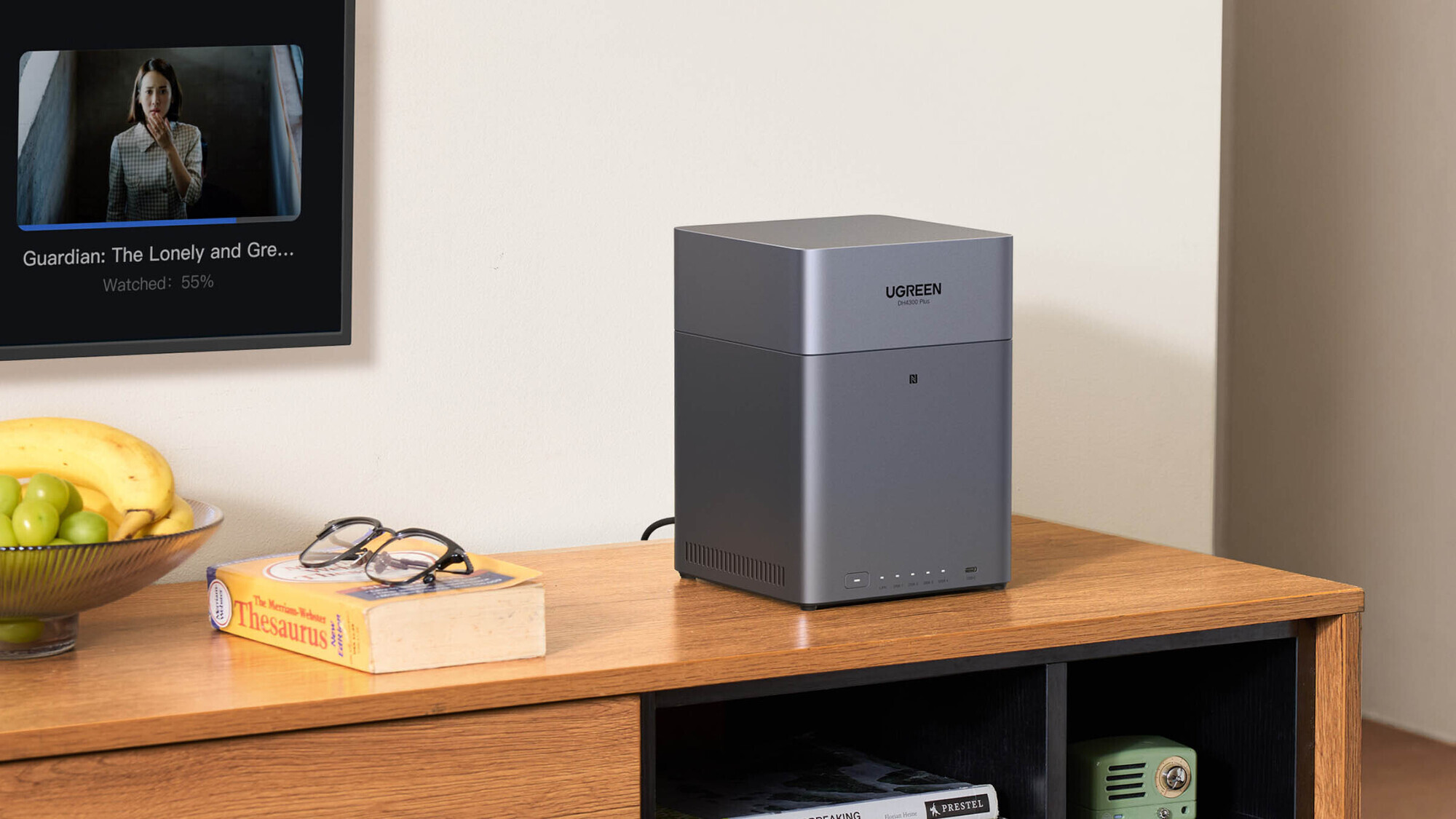
The Ugreen DH4300 Plus NAS offers a clean design and quiet performance for home storage. Picture: Ugreen.

A Network Attached Storage device, or NAS, is essentially a small computer designed to store your files in one central place while keeping them accessible across your home network. Instead of scattering documents, photos, music, and videos across laptops, tablets, and phones, a NAS stores everything on shared drives accessible from any device. It can automatically back up your computers, stream media throughout your home, host your personal photo library, and even serve as your own private cloud. For households with growing digital collections, a NAS can become the backbone of daily computing.


Design and build

The top magnetic cover lifts off easily for quick access to the drive trays. Picture: Noel Campion.

The DH4300 Plus has a compact chassis that is sturdier than I expected from a device in this price bracket, with a metal internal frame that keeps the whole unit feeling solid. The outer casing is a smooth grey plastic that looks clean and modern. I placed it on my desk, and it works away quietly.

The top cover lifts off using magnets rather than screws, making drive installation simple. Each of the four drive trays slides out smoothly and features rubber damping to reduce vibration. I installed four 4TB 3.5-inch hard drives, which took about ten minutes. Each drive needed four screws to secure it to its tray.

A front USB-C port is handy for copying files from a flash drive. On the back, you get HDMI, two USB-A ports, and a 2.5 GbE LAN port. The compact design makes it easy to place almost anywhere, but you'll need to run an Ethernet cable to your network switch or internet modem.

What you can do with a NAS

The rear ports offer flexible connectivity for home networks and external devices. Picture: Noel Campion.

Living with a NAS long-term always reveals what you really use, rather than what the feature list promises. In my case, the DH4300 Plus has become the central home library. All documents, videos, music, and archived projects now live on it. I access files from laptops, tablets and phones without thinking about where they are physically stored. The automatic backup tools give peace of mind, and remote access means I can reach everything when travelling. If you’re using a Mac, you can even set up a Time Machine backup.

I now use the NAS instead of subscription cloud services. I no longer feel the need to rely on paid storage or fragmented local devices. Everything is consolidated, and because the DH4300 Plus keeps running quietly in the background, it feels almost invisible.

Hardware and performance

Four drive bays make the DH4300 Plus ideal for expanding your photo, video and music library. Picture: Noel Campion.

Inside the DH4300 Plus is an efficient ARM processor that is more than adequate for everyday NAS workloads. Paired with the four mechanical drives in RAID 5, it handles file sharing, backups and media streaming without complaint. My unit has been entirely stable, consistently cool and quieter than expected for a four-bay system. The fan sits at the base and draws airflow downward, keeping drive temperatures very reasonable.

Transfers across the network have been predictably solid. Large multi-gigabyte folders move quickly, and the NAS rarely feels bogged down, even with simultaneous tasks running. It is not designed for heavy virtualisation or complex server workloads and does not offer 10GbE, but for everyday home use, it feels balanced, dependable and responsive.

NASync DH2300 or NASync DH4300 Plus

Tool-free trays simplify the installation of hard drives or SSDs in the Ugreen NAS. Picture: Noel Campion.

If you don’t need the extra power and storage capabilities of a 4-bay NAS, then a smaller, cheaper alternative is the Ugreen DH2300 2-bay NAS. It offers many of the benefits of its bigger brother at a lower price. The main differences come down to drive bays, processing power, RAM, and network speed. The DH2300 is a basic 2-bay NAS with a simpler CPU, 4GB of RAM, and a standard 1GbE network port. The DH4300 Plus is the more advanced 4-bay model with a stronger 8-core CPU, 8GB of RAM, and a faster 2.5GbE port. It also supports RAID 5 and can store up to 120TB, making it better for power users who need high performance for media or team use. Both models offer 4K HDMI output, but the DH4300 Plus delivers much higher capacity and speed for demanding tasks.

Music player

One of the joys of this system is the built-in music app. Over the years, I have digitised many CDs and records, and the DH4300 Plus finally gives that library a home. The app scans the music, pulls in artwork and metadata and streams beautifully to phones or tablets around the house. When I reviewed the more premium Ugreen DXP4800 Plus NAS several months ago, office music wasn’t supported, but that missing feature has been added via updates. You can now download music from the server to your device, so you can grab albums before a flight and listen to them without requiring an internet connection. I love the retro-styled turntable animation while playing tracks. It feels polished and personal in a way that cloud services do not.

Photos app

The Photos app continues to improve and is a useful tool for archiving photos. I have used it to sync photos from both iPhone and Android, without paying for extra cloud storage. The app performs deduplication, facial recognition and smart grouping. It has become my long-term photo vault and has worked reliably throughout my testing. Everything stays within the home and feels more private than pushing thousands of images to big tech clouds. The best part is that you can create as many accounts as you want, at no additional cost, so that everyone in the family can benefit from free cloud storage.

Software and features

The intuitive UGOS interface makes the DH4300 Plus easy for first-time NAS users.

Ugreen’s UGOS software is easily the most user-friendly option. It is clean, simple to navigate, and consistent across every device. For the initial setup, all you need to do is bring your phone close to the NAS.  With the app installed, it will automatically guide you through the entire setup process. You can also do this via the web interface on a computer. Whether I used the browser interface on a laptop or the app on my phone, everything looked familiar and required almost no learning curve. It includes file management, backups, remote access, user permissions and security scanning. The app selection is not as wide as what you get on my Synology NAS, but it is growing. The built-in apps cover the basics, including media servers, system tools, and various utilities, which are everything the average user will need.

My biggest niggle is that more advanced apps are limited compared with long-established NAS brands. For example, running virtual machines is not supported, and Jellyfin occasionally felt more awkward to configure than I expected. However, Ugreen’s built-in Theatre player proved excellent, negating the need for third-party apps.

You can plug the NAS into your TV using the HDMI port, then use the phone app to pick what you want to watch. The Theatre app plays media directly from the NAS to your TV.

Verdict

The Ugreen DH4300 Plus is one of the most approachable NAS devices I have used in years. Its simple setup, excellent software, and quietly capable hardware make it ideal for home users who want reliable storage without fuss. It is not aimed at specialists or heavy virtualisation users, but for everyday personal storage, backups and media streaming, it offers superb value and a thoroughly pleasant long-term experience.

For more information, check the Ugreen website nas-eu.ugreen.com

More in this section

The Business Hub

Newsletter

News and analysis on business, money and jobs from Munster and beyond by our expert team of business writers.

Cookie Policy Privacy Policy Brand Safety FAQ Help Contact Us Terms and Conditions

© Examiner Echo Group Limited