The Samsung Neo QLED 8K QN800B TV — the future or just another fad like 3D?
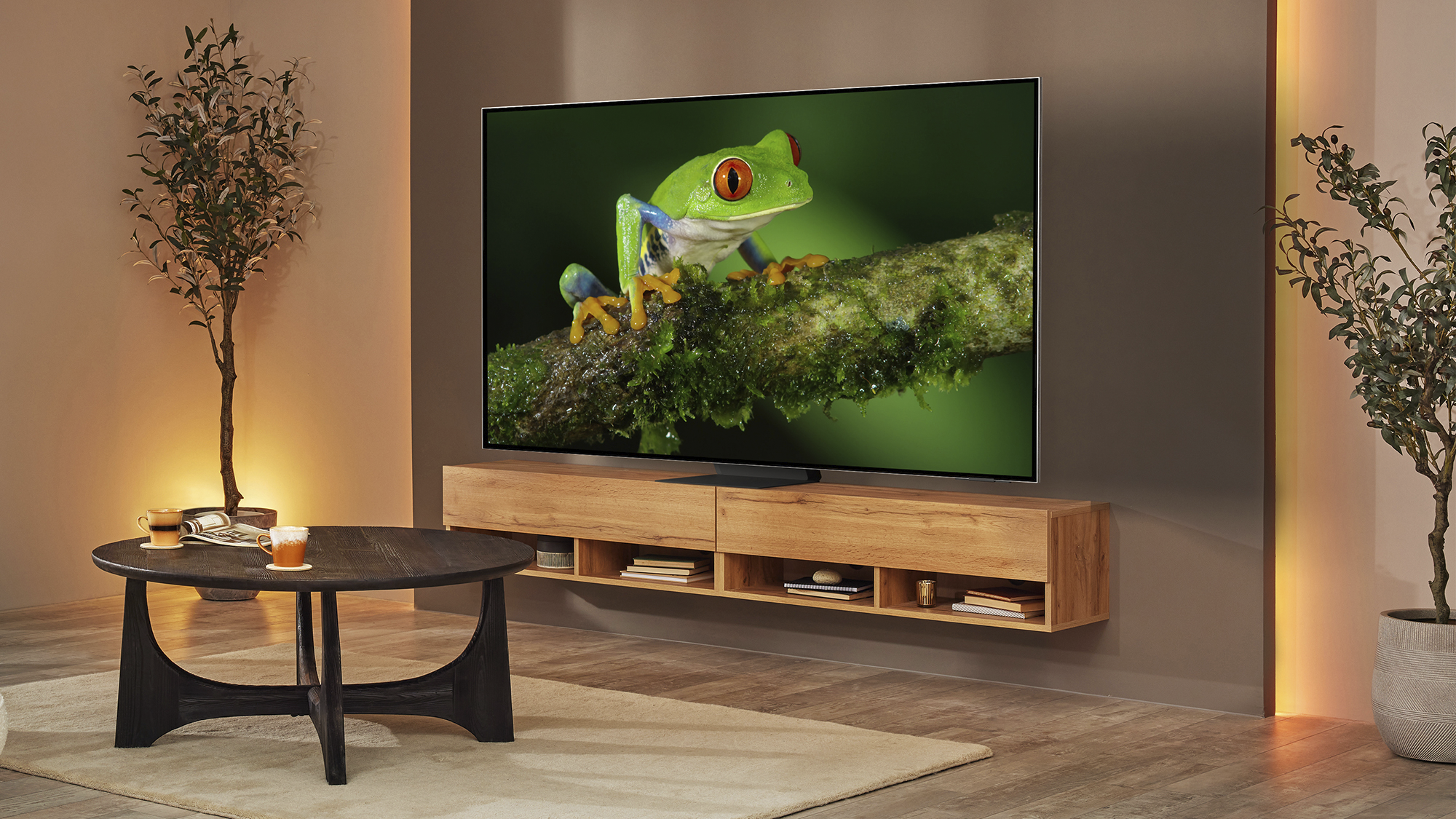
The Samsung Neo QLED 8K QN800B 65-inch TV. Picture: Samsung.
I remember the excitement when companies started releasing HD TV and then full HD. Over the last decade, 4K has become the norm but it’s still not fully adopted and in streaming services like Netflix you have to pay extra for the higher resolution content. Over the last few years, the amount of 4K media has grown substantially across the board from streaming movies and TV shows to YouTube. So, is it time for the next bump in resolution to 8K? I’ve been checking out one of Samsung’s 8K TVs for the last few weeks to see if I can answer that question.
From the front, my 65-inch loan unit looks massive, especially if you’re used to a smaller size screen. The display thickness is much larger than my 65-inch OLED but the bezels are smaller which is what matters the most. I really love the perforated metal strip around the sides that give it an industrial look.
The stand consists of a central base that’s 36cm wide and 30cm deep. This is far more convenient than my old 55-inch Samsung TV which has two legs at either end that requires a long TV stand. Of course, you can also mount it from the back to a wall mount if you prefer. The installation is a two-person job and you really need to take your time and follow the simple instructions Samsung provide.
The TV uses Samsung’s One Connect box that essentially has a single cable going from the back to the TV. All the connections such as power, HDMI X4 (2.1 and one with eARC), USB ports (x3), optical, aerial and satellite connections are on this box which can be hidden away from view instead of a load of cables hanging out the back of the TV.
When you switch the TV on for the first time it will guide you through the setup process. By far the quickest and easiest method is to use a smartphone and since I still had the Z Flip 4 on review, I used that to get everything up and running. You can also choose to do this manually but long WiFi passwords can take some of the joy out of the procedure. At least you only have to do this once and you can also use the ethernet port on the back of the One Connect if you prefer a wired connection.
The TV runs Samsung’s Tizen OS with a limited selection of apps and games you can download. The UI is intuitive and easy to navigate with all your favourite streaming apps like Netflix, Disney +, Apple TV, Amazon Prime Video and Irish networks including RTE and TG4 players but not the Virgin Media player.
The two remotes that come with the TV have dedicated buttons for Netflix, Samsung TV Plus, Disney + and Prime Video. Switching between these apps using the remote buttons was almost instant.
The QN800B has some intelligence already built in and you can use Alexa or Samsung's own Bixby smart assistants or if you have a Samsung handset, you can use that to control the TV.
The Xbox app was one of my favourite features of this TV. If you have an Xbox GamePass Ultimate subscription, you can connect a Bluetooth controller or in my case, a wired Gambit controller into one of the USB ports to play all your Xbox games from the cloud. While the image quality isn’t as sharp as playing the same games natively on an Xbox Series X, it works brilliantly — assuming you’ve got a decent internet connection.
The 8K resolution is the primary reason for customers to purchase this TV over others. Of course, all the latest and greatest Samsung tech is also on show here too. It has AI upscaling technology that takes lower resolution content and automatically converts it into 8K. To test this, I placed my 65-inch LG C1 OLED beside the QN800B for comparison. I watched a variety of content in 720P, 1080P, 4K and even 8K to see if the extra resolution and AI upscaling to 8K were discernable. My viewing distance was only a couple of metres to rule out my eyesight as being a limiting factor.
In my subjective opinion, all of the content at 1080P and below looked sharper and cleaner on the C1 which can upscale content to 4K. I suspect the AI upscaling on the QN800B is trying too hard to interpolate pixel information where there isn’t any. It’s important to understand that resolution is only one part of image quality. Another contributing element is contrast which produces the visual perception of sharpness and detail.
Compression is another major factor — a really low bit rate will result in low image quality regardless of resolution. The only source of 8K footage I could use was YouTube which has a low bit rate. While the 8K content from YouTube looks fantastic, it doesn’t look any sharper than the 4K image on the C1. Even with Ultra HD 4K movies on Prime Video, Apple TV and others, I found the image on the C1 to be slightly cleaner with less colour noise. When you move back to a more realistic viewing distance the resolution is even less important and the differences in things like colour and contrast become more evident.
The QN800B streaks ahead of the OLED in terms of overall brightness which is especially important if you watch TV during the day in a bright room.
I tried gaming on the QN800B from a powerful gaming desktop with a GTX 3080 onboard. For some reason, I only managed to get it working once at 8K and even then, unsurprisingly, I had to turn down a lot of the graphical settings to get it to a playable 30fps. In reality, 8K gaming is a long way off for high-end gaming PCs. The latest next-gen consoles like the PS5 and Xbox Series X struggle to offer high-fidelity graphics at 4K 120fps and are several generations away from touching 8K gaming.
When connecting my PC, the TV's gaming mode wouldn’t work whereas I never have any trouble doing this on my C1. The PS5 or Xbox Series X console will work and thanks to HDMI 2.1 on all four ports you get up to 120Hz at 4K.
In isolation, the QN800B has a stunning level of detail and contrast with deep inky blacks that reach near OLED levels. TV shows with lots of bright scenes look great on this TV but movies or shows with a lot of dark scenes and bright highlights show some of the failings of the technology, namely, blooming. This is where the bright areas of the screen spill into the dark areas resulting in a glow around bright objects that shouldn’t be there.
Unlike OLED technology which has individual control over each and every pixel on the screen, the LCD (VA) panel in the QN800B uses local dimming zones to backlight pixels. While there are 1,300 of these small areas of lighting, the hardware and software in the TV work together to control all of these and interpret which zones need to be set to what brightness level or just off.
The QN800B isn’t the best TV I’ve seen at handling this blooming issue. Most of the time in standard dynamic range content the blooming isn’t visible. However, it can get really bad in HDR content. The new Sandman series on Netflix was a great example of this. In episode 2 there was a scene about six minutes in where Ethel Cripps (Joely Richardson) is talking to The Corinthian (Boyd Holbrook) in a really dark room with a lot of lights behind him. You can see all of these bright lights bleeding into the dark areas of the scene. On the C1 OLED, the same scene looks completely different with stark contrast, pure blacks and bright lights that look natural. I asked a number of people to watch the same episode and they all thought it looked amazing. However, if you’re used to a TV that doesn’t have any blooming and picture quality is critical to you, then it’s a case of once you see it, you can’t unsee it.
I also found the blooming noticeable when you pause and the titles are displayed in large white text that glows like a lantern tuning all the black areas around it to grey.
The QN800B is the best LCD TV I’ve seen when viewing off-axis although it’s not as good as OLED. The more extreme the angle the more the colour and contrast will shift.
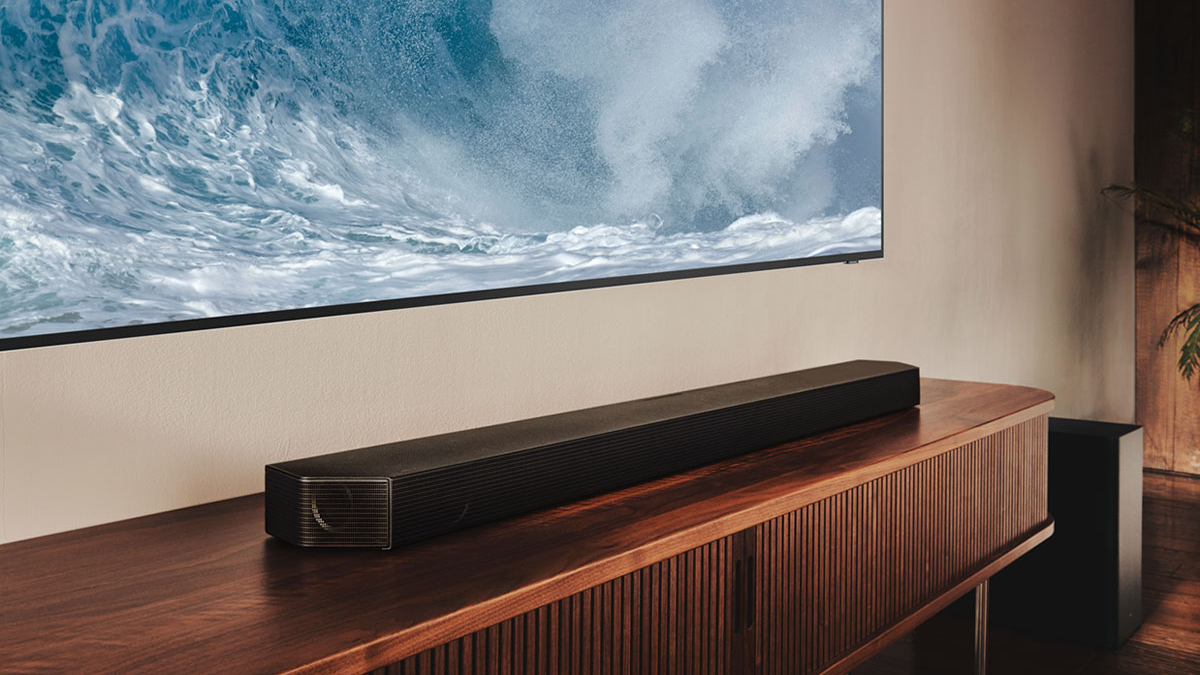
In general, TVs don’t come with great speakers — unless they’ve got a soundbar built into them — but the QN800B is one of the best I’ve heard and certainly much better than my LG C1. It comes with support for Dolby Atmos and object tracking that can produce a relatively expansive soundstage. However, if you like watching movies or epic TV shows at least get a decent soundbar. Samsung was kind enough to lend me the Q800B soundbar to go with the QN800B for this review. What a difference it makes to the overall experience but with an RRP of €999, it isn’t cheap although you get what you’re paying for.
The Samsung NEO QLED 8K QN800B TV is stunningly bright with a beautiful design and practical stand. The built-in speakers sound great but movie lovers should upgrade to at least a decent soundbar.
The picture quality is excellent overall for a QLED but don’t buy this TV thinking you’re getting a real upgrade in resolution — right now, there’s no native 8K content and you can’t game at 8K. All the streaming services still don’t have all of their media in 4K and even less support HDR (High Dynamic Range) with HDR10 or Dolby Vision — Samsung doesn’t support the latter on their TVs.
While the promise of 8K sounds great, the lack of any native content means that right now and in the near future, you don’t need an 8K TV. AI upscaling claims to produce 8K from lower resolutions but in my experience, it doesn’t look any better than a good 4K TV and sometimes looks worse. While the QN800B has a lot of great features, you’re paying a lot extra for the 8K. The only caveat I would add is that the larger 75-inch and 85-inch models may show the difference that 8K has to offer. My review is of the 65-inch model.
I suggest getting the 4K version or if peak brightness isn’t important to you, then take a look at Samsung’s lineup of OLED TVs.
The Samsung NEO QLED 8K QN800B is available from Soundstore and Harvey Norman 65-inch (€3,900), 75-inch (€5,300) and 85-inch (€7,100).


CONNECT WITH US TODAY



Be the first to know the latest news and updates