All in all, it’s just another light panel on the wall
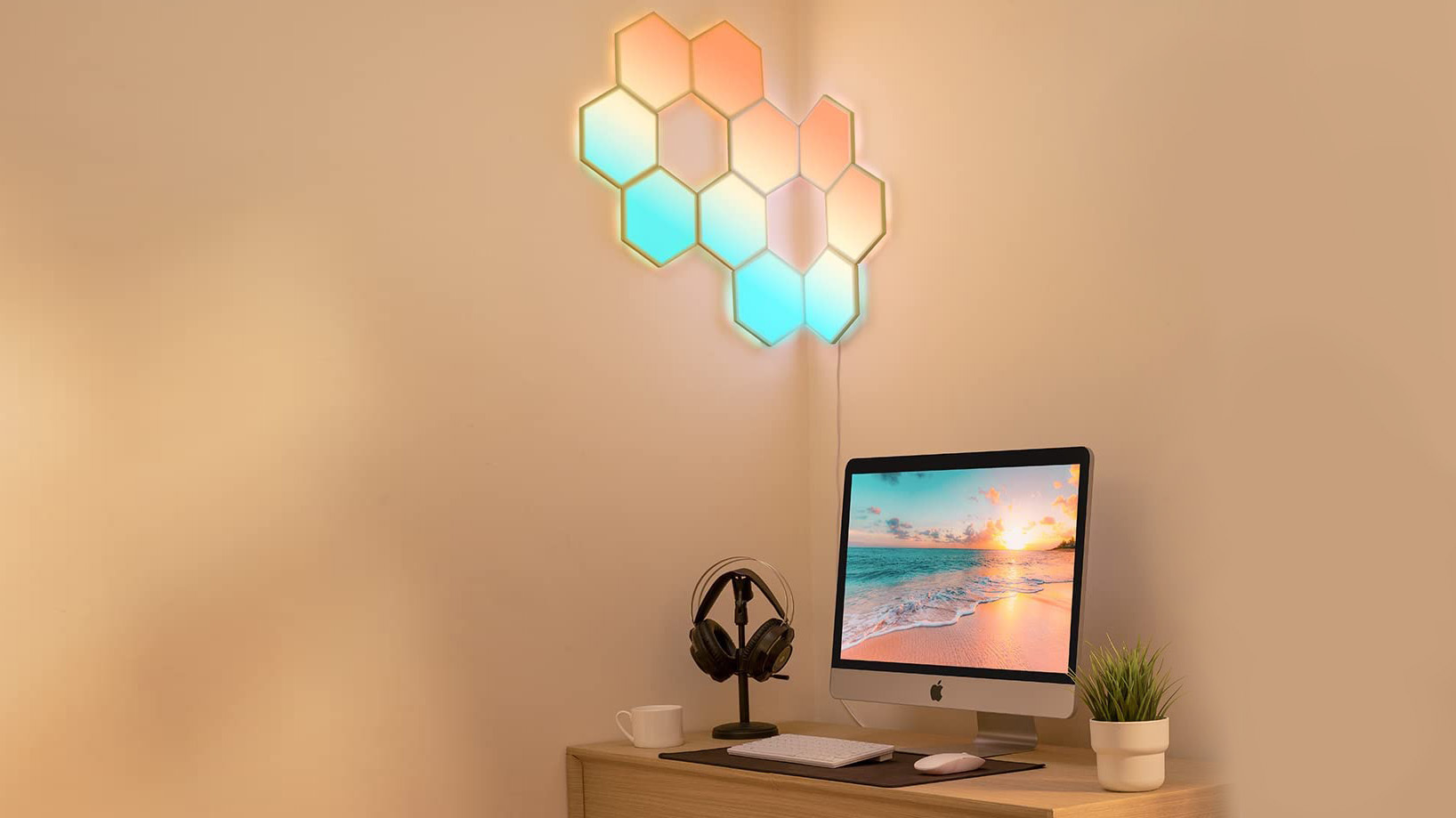
Govee’s Glide Hexa panels are less expensive than the competition and provide a plethora of features and lighting shapes
All in all, it’s just another light panel on the wall

Govee Glide Hexa Light Panels. Picture: Govee

The Glide Hexa light panels are the first products I’ve tested from Govee which produces a large range of lighting solutions. The Glide Hexa light panels are hexagonal in shape with an easy-to-mount system that anybody can install. You can create your own designs or choose from a large selection of designs in the Govee Home app.


Design

Govee Glide Hexa Light Panels can be designed into any shape. Picture Noel Campion

The Glide Hexa light panels come as a kit of seven or ten lights. Each Hexa panel is 155mm, edge-to-edge and connect to a mounting plate that has a sticky tape on the back. The front side has six slots that are required to interconnect the panels using flat interconnect ribbon cables. You get a power adaptor with an inline control switch as well as a bubble level, an alignment tool, a spare cable and some extra spare sticky tabs.

Govee Glide Hexa Light Panels look amazing and set the mood in any room. Picture: Noel Campion

Each panel can be connected to another panel on any of the six sides but there is a primary input power port to ensure the flow of current is correct. The flat ribbon cables have slightly different connectors at the ends so that only one side will fit into the primary port.

When installed, the panels are raised from the wall so that the light can glow behind each panel as well as light up the front.

Install and setup

Govee Glide Hexa Light Panels make it easy to connect from one to the next panel. Picture: Noel Campion

You first need to download and install the Govee Home app and create a free account. The app will guide you through the setup and installation process with simple step-by-step visuals along with videos.

Govee Glide Hexa mounting place sticks to the wall with easy-to-remove tabs. Picture: Noel Campion.

Once you’ve decided on a design, it’s a good idea to dry-fit them on the floor first so that you can measure them out to ensure you know in advance where the last panel will end up. Getting the first panel level is crucial since it will determine how straight the rest of them will be. The ribbon cable is plenty long to make it easier to manoeuvre the panels during the instal. You need to press and hold the panel against the wall for 30 seconds to ensure a good bond. The panels easily snap off the mounting bracket with little effort making it easier to install the cables.

The sticky tabs extend beyond the back of the mounting plate so if you need to remove one you simply pull on the tab.

Software

The Govee Home app (for Android and iOS) is easy to use and a massive help in installing the panels and creating a design or just copying one of the templates. It comes with a ton of features too including all sorts of lighting preset effects with the full spectrum of RGB colours on offer.

Govee Home app is feature-rich with endless lighting options. Picture: Govee

The panels are raised from the wall and glow at the back and feature multiple RGBIC LEDs inside that can create gradients of colour and transitions between the panels.

This allows for all sorts of cool effects where a panel can be a solid colour or a breathing transition between different colours and light intensities opening up an infinite number of possibilities.

You can easily add a timer, modify the brightness, switch between light modes, select a unique colour scheme, or pick from a large range of pre-sets. You can also change the speed of the transition and brightness using sliders.

You can even have a light show to your music thanks to a mic that’s built into the control unit or by using the one on your phone. Play music and it will change colour and light intensity to the beat.

The app comes with lots of preset colour routines but you can create your own. Some of the presets come with a warning for those who might be sensitive to flashing lights. Additionally, Govee offers a DIY section where users can experiment with community settings or alter practically every part of the light panels if they really want to get creative.

Verdict

Govee’s Glide Hexa panels are less expensive than the competition and provide a plethora of features and lighting shapes that can be changed easily when you get bored of a particular design. Integration with Alexa and Google voice assistance is excellent but Apple users are left in the dark with no support for HomeKit.

Govee Glide Hexa Light Panels €135 (€149 RRP) for 7 panels, €169 (€189 RRP) for 10 panels. eu.govee.com

x

More in this section

The Business Hub

Newsletter

News and analysis on business, money and jobs from Munster and beyond by our expert team of business writers.

Cookie Policy Privacy Policy Brand Safety FAQ Help Contact Us Terms and Conditions

© Examiner Echo Group Limited