Samsung Galaxy S22 Ultra — a Galaxy Note in all but name
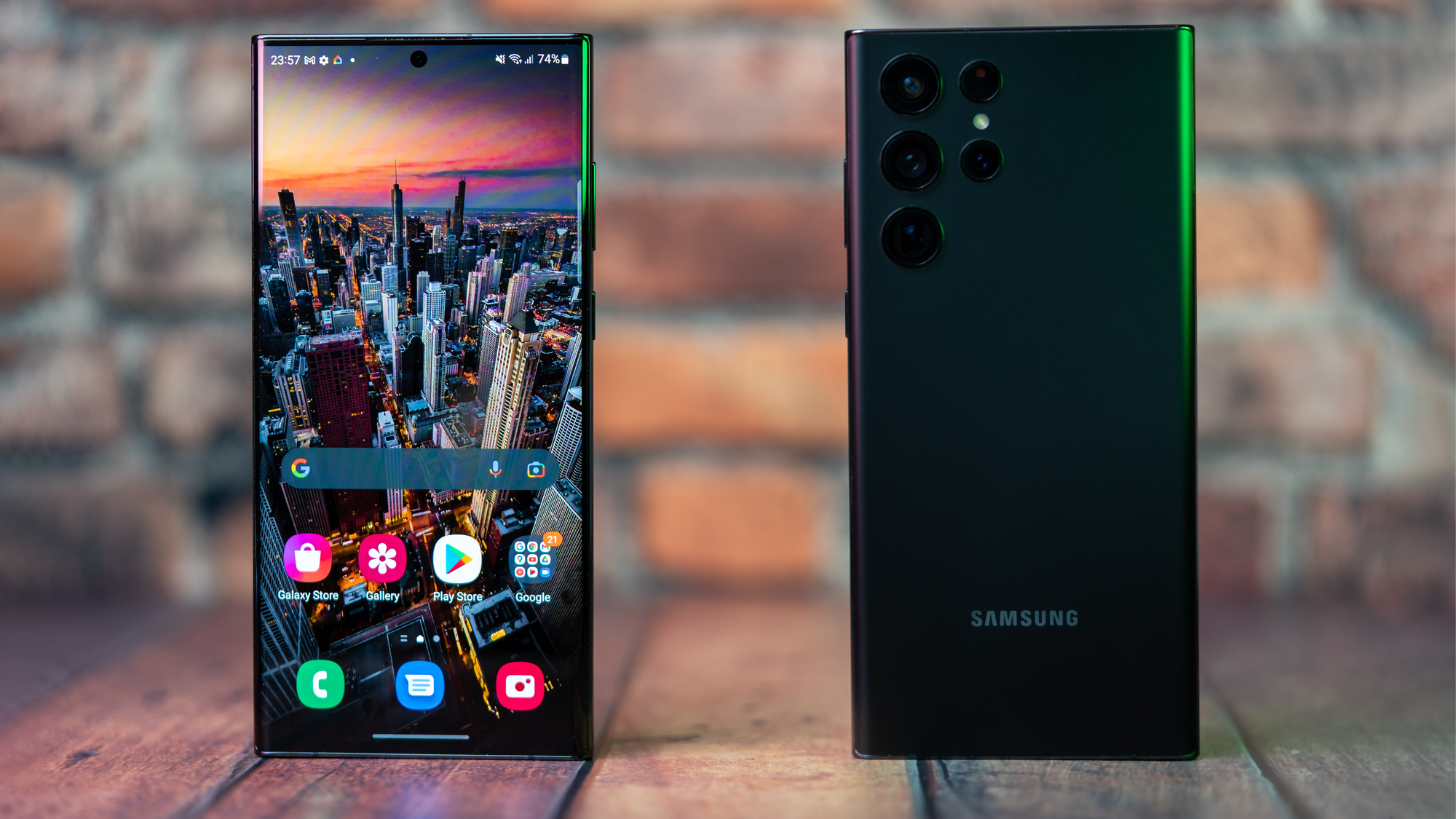
Samsung Galaxy S22 Ultra. Pic: Noel Campion.
The Galaxy Note is dead. Long live Galaxy Ultra. Last year Samsung killed its Note series to the dismay of Note fans everywhere. This year they brought it back but now call it the S22 Ultra. I’ve been a massive Note fan since I reviewed the original over a decade ago. Back then there was a clear distinction between the Note and S lines, but in recent years the differences have been far less obvious.
Now choices are much clearer with the release of the Galaxy S22, S22+ and S22 Ultra.
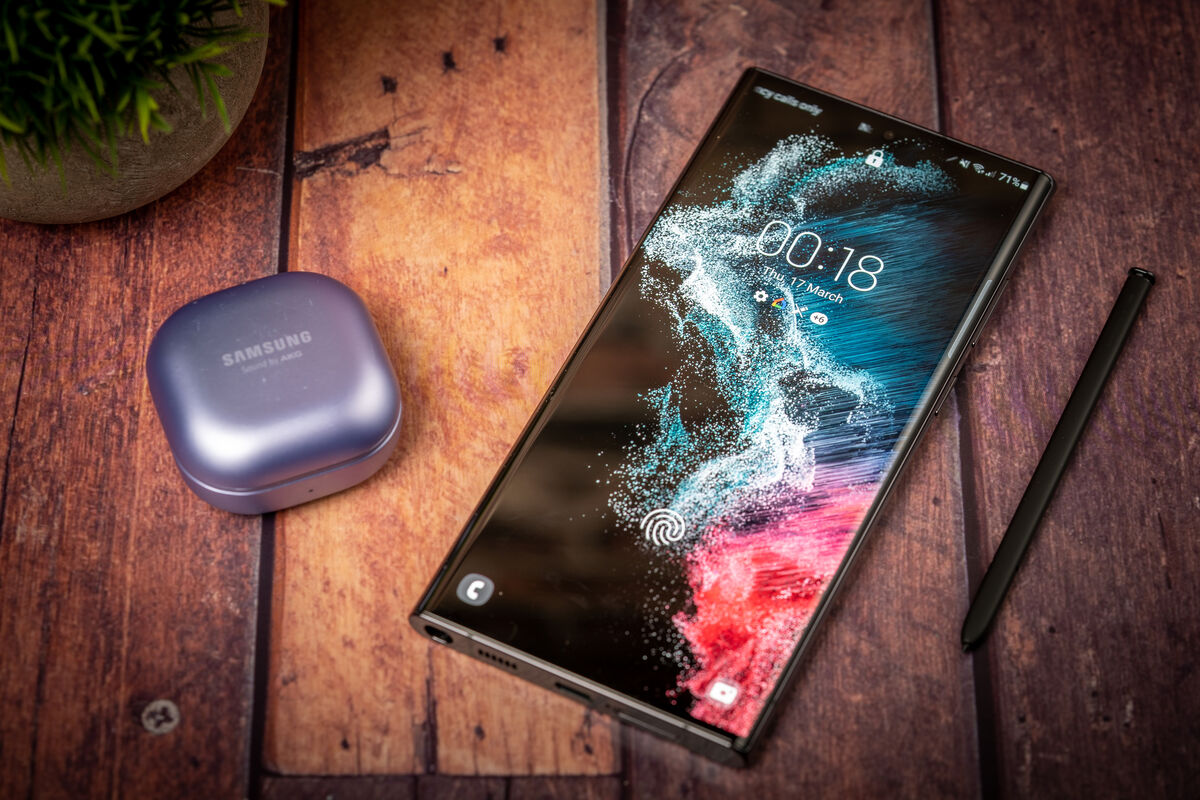
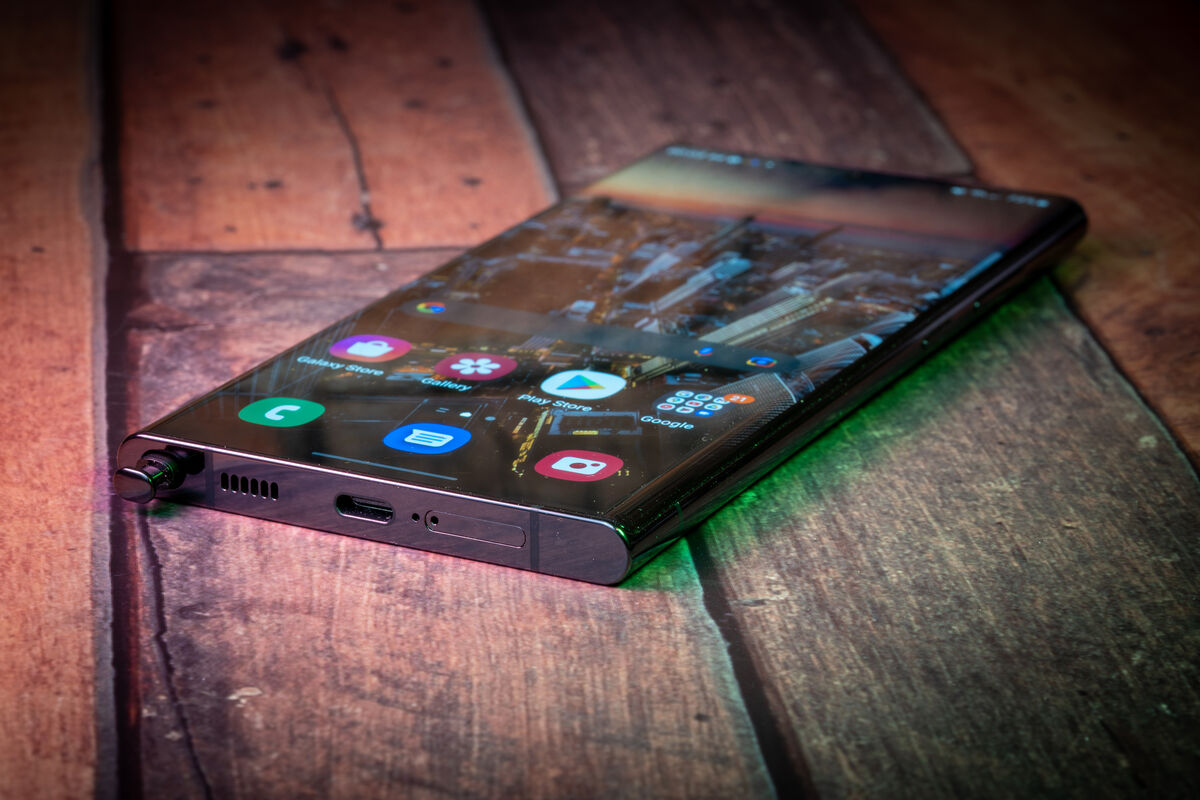
The Samsung Galaxy S22 Ultra is a massive phone with a 6.8-inch screen. It features Note-esque styling with a flat top and bottom edge. The sides are rounded which makes holding the S22 Ultra, comfortable, although the corners are surprisingly sharp. I prefer the corners on the S22 Ultra to the rounded ones found on the S22 + because they don’t cut into the screen. The S-Pen that’s neatly tucked inside the bottom edge on the left side of the Ultra is a major upgrade to the S21 Ultra, which supported the stylus but didn’t have a place to store it.
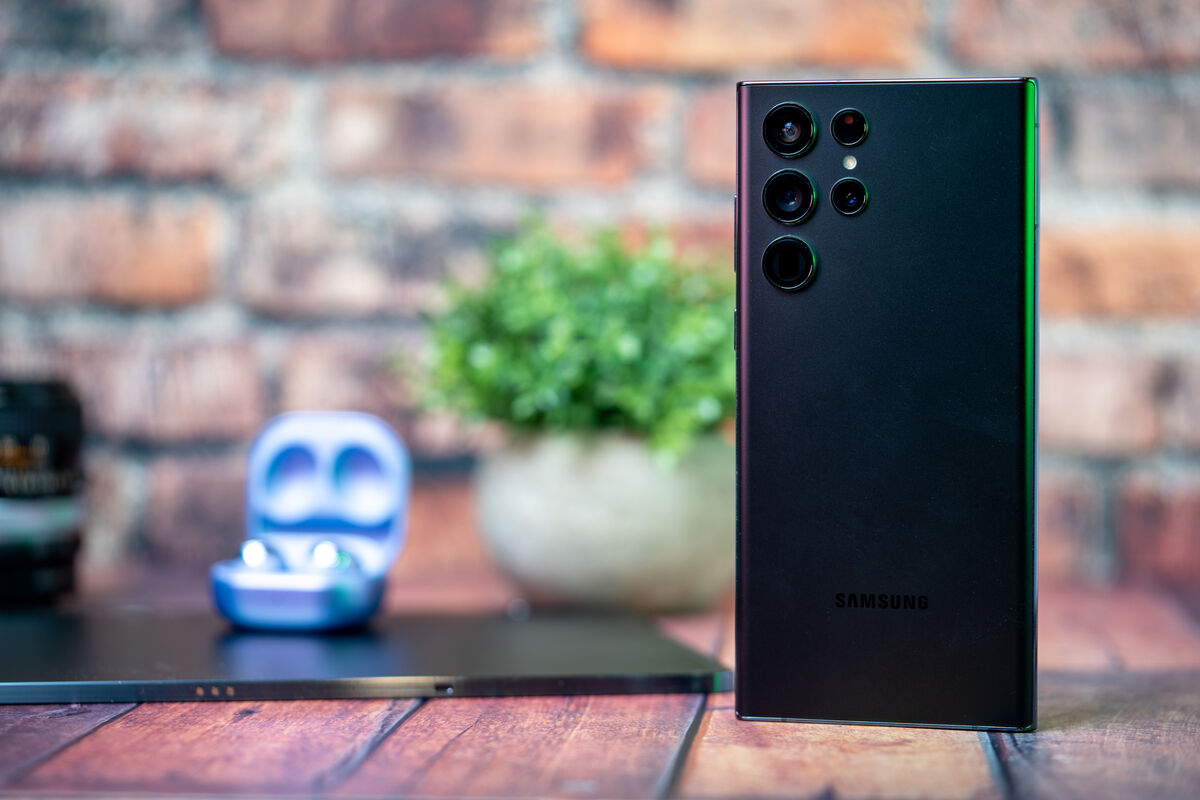
Around the back of the S22 Ultra, you’ll find similar camera hardware as the S21 Ultra, but Samsung has removed the camera bump. I love raised lenses but dust and lint gather here easily.
Although it’s not a revolutionary deviation from previous models, the S22 Ultra is a reasonable upgrade in the design department. The metal frame and Corning Gorilla Glass Victus+ on the front and back also make it more durable. You also get IP68 water and dust resistance including the S-Pen.
The 6.8-inch Dynamic AMOLED 2X display features a variable refresh rate from 1 to 120Hz and a peak brightness of 1,750 nits which is slightly brighter than the S21 Ultra.
Not surprisingly, the S22 Ultra delivers on everything we’ve come to expect from Samsung mobile displays. It can get eye-piercingly bright in direct sunlight and for HDR content while also producing near infinite contrast with sumptuously vivid colours.
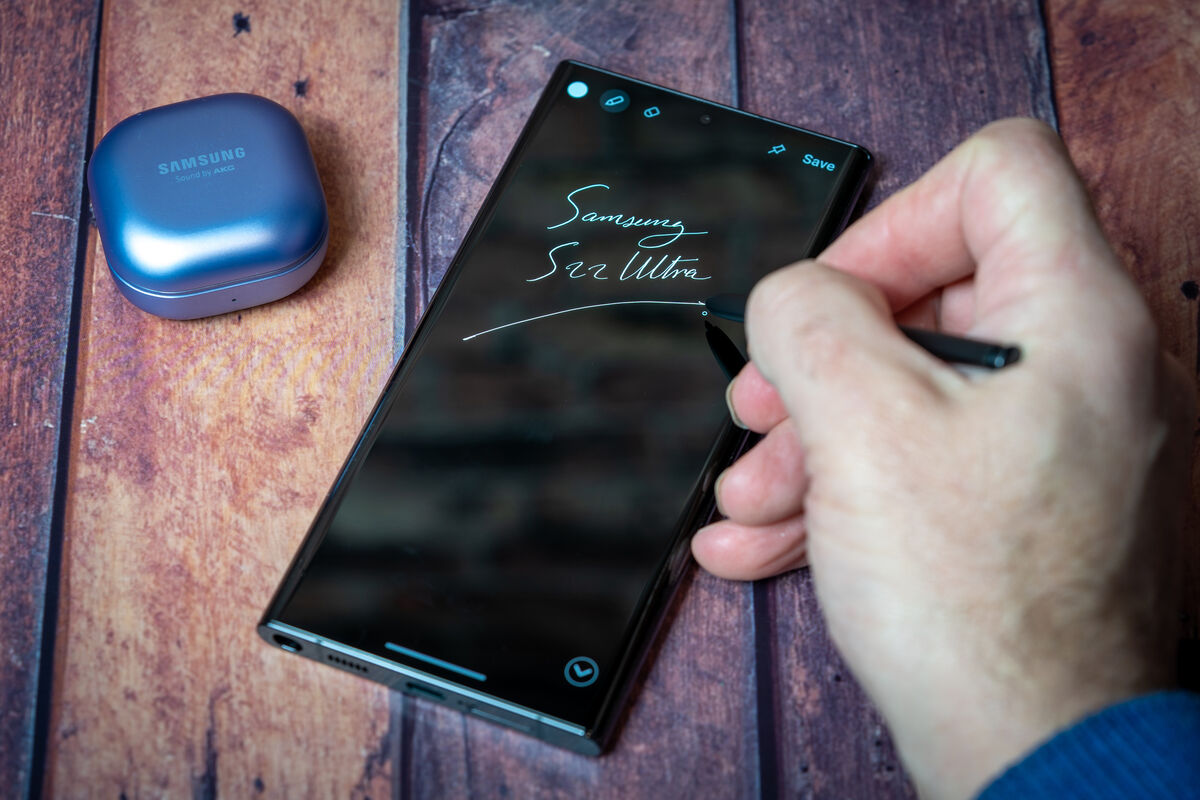
The S-Pen is a thing of beauty and I love the way it’s always there when you need it. Writing on the screen is natural with the slightly resistive tip. It’s also incredibly responsive with no noticeable latency. Samsung has continued to improve the way the S-Pen works in its own apps for taking notes and signing forms as well as drawing and writing directly into text fields to have it transcribed. You can even use the S-Pen as a remote trigger for the camera.
While I love the idea of the S-Pen and love using it, I found that I’d forget it was there and rarely used it beyond testing its features for this review, so unless it’s something you know for certain you have a use for, I wouldn’t use it as a reason to buy the S22 Ultra.
I think if you’re someone who uses a normal pen to take handwritten notes, you’ll love the S-Pen and potentially use many of its features and apps. If not, then maybe look at the S22+ instead.
So many reviewers will focus on the differences between last year’s model and talk about benchmark numbers but in reality, they’re meaningless. While synthetic tests might show slight improvements in performance, in real-world use there’s often no perceivable difference. In Europe, the S22 lineup ships with Samsung’s in-house Exynos 2200 chipset and not the Snapdragon 8 Gen1 chipset that’s shipped in other parts of the world. This has caused confusion and debate online and when you check the specs of the S22 on Samsung’s official site, it just says it has a quad-core CPU — there’s no mention of the specific CPU.
Regardless of which chipset you end up with, you’re getting the latest and fastest 4nm processor that’s blazing fast and to suggest there’s any real difference is just splitting hairs for the sake of it. However, I think Samsung should be transparent about which chipset you’re getting.
The base model comes with 8GB of RAM and 128GB of storage with no microSD card slot. You can increase the RAM by using a portion of storage, but I didn’t find this made any appreciable difference. Everything ran super smooth with only slight glitches that I would put down to the OS or individual apps not behaving.
Android 12 with OneUI on top works well and although I’m not the biggest fan of the cartoonish icons, everything looks clean, fresh and uncluttered.
Battery performance is excellent with both wireless and fast wired charging supported. I was able to get a full day from the 5,000 mAh battery with heavy use. I would consider this a two-day phone for many users. It doesn’t come with a charger, so you’ll have to use your old one. Also, if you want to get the maximum charging speeds that the S22 Ultra supports (45w), you may have to purchase Samsung’s fast charger. During my testing, I could not get more than 35w from several chargers including a 65w charger. With the latter plugged in it said it was ‘Super Fast Charging’ and it took 50 minutes to take it from 2% to 100%.
I ran the 3D Mark ‘Wild Life Stress Test’, which runs in a loop for 20 minutes. The best loop was 7,526 while the lowest was a significant drop to 4,178. This would suggest that if you’re playing a graphically heavy game it will start to slow down as the phone heats up. This happens with all phones but other phones I’ve tested like the Oppo Find X5 Pro which comes with the Snapdragon Gen1 chipset didn’t have such a significant drop in frames in the same test. The Find X5 Pro best loop was 9,726 with the lowest 6,107.
I find 5G coverage on the Three Network in Cork excellent and I regularly got speeds of 500Mbps with peaks over 1Gbps on the S22 Ultra. It’s good to see WiFi 6e now supported, but you’ll need a WiFi 6e compatible router and an internet connection that can take advantage of the extra bandwidth.
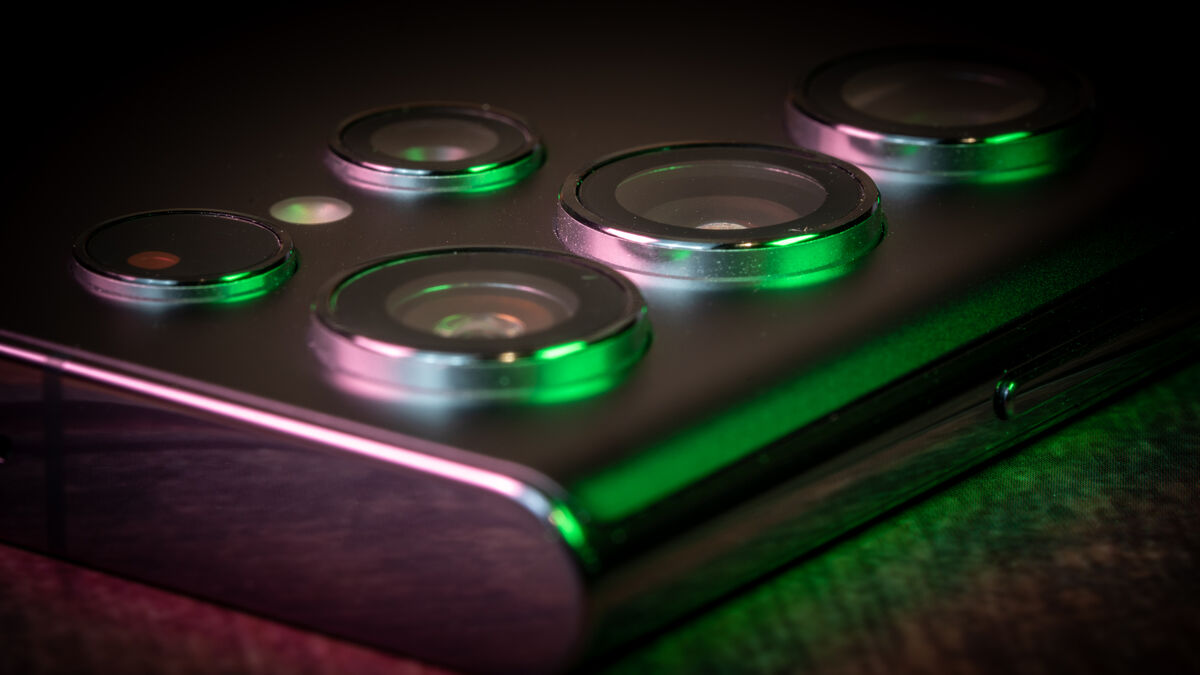
Galaxy S22 Ultra features a 12MP ultrawide lens (f/2.2), 108MP main wide lens (f/1.8) with OIS; a 10MP 3x lens (f/2.4) and OIS, a 10MP 10x lens (f/4.9) with OIS and 40MP selfie camera (f/2.2). Looking at the range of lenses from the ultrawide to the 10x optical (100x digital), it’s hard not to be impressed at the versatility these cameras offer.
At first glance, these look identical to the Galaxy S21 Ultra, however, there are some slight variations in the focal lengths as well as slightly smaller pixels on the 3x and 10x sensors.
Like any half-decent camera system, the S22 Ultra can capture fantastic photos in good light and while I find the 30x and 100x amazing quality for a smartphone, they’re still not good enough to be meaningful in any practical way other than being able to read the text on a sign too far away to read with the naked eye.
I’d love to be able to capture quality wildlife shots with the telephoto lens on the S22 Ultra, but the quality, even for static shots isn’t great unless you can get close and have good light. Most of the time wildlife subjects are rarely in good light or static. The 10x optical is great to have but with an aperture of f/4.9 you need lots of light. That being said, Samsung has greatly improved its computational photography to compensate for the inherent limitations of smartphone sensors. While the massive sensors found on dedicated mirrorless cameras have the edge, they’re still way behind the likes of Samsung in features and camera modes for both video and stills.
The camera app is clean and intuitive making it ideal for those who just want to point-and-shoot with minimal fuss. For those who want to have some fun, modes like Single Take, or AR Zone can produce excellent results while those with an artistic flair can take their creativity to the next level using the Pro modes.
While I like using ultrawide and telephoto lenses, 90% of my shots are taken with the main lens and the results from the S22 Ultra’s 108MP f/1.8 main camera is excellent. It is capable of capturing incredible details in both highlight and showdown, in good light or when the lights are ultra-low. Unfortunately, while the other cameras are really good, they’re a step down from the quality of the main camera.
Video quality is also excellent overall with incredibly image stabilisation. There is an 8K mode but the quality is not great and there are still too many limitations to using it.
There’s still no HDR10+ video capture for anything above 4K 30fps.
When DeX was first introduced it required a special dock that had to be connected directly to a TV or monitor. This isn’t a requirement anymore since it now works wirelessly. I know this isn’t anything new but it’s great to see Samsung has continued to improve and develop the software. DeX mode on the S22 Ultra worked flawlessly while connected to either my Samsung or LG TV. Of course, you don’t need to buy the Ultra to get this feature but it’s a fabulous option that is often overlooked.
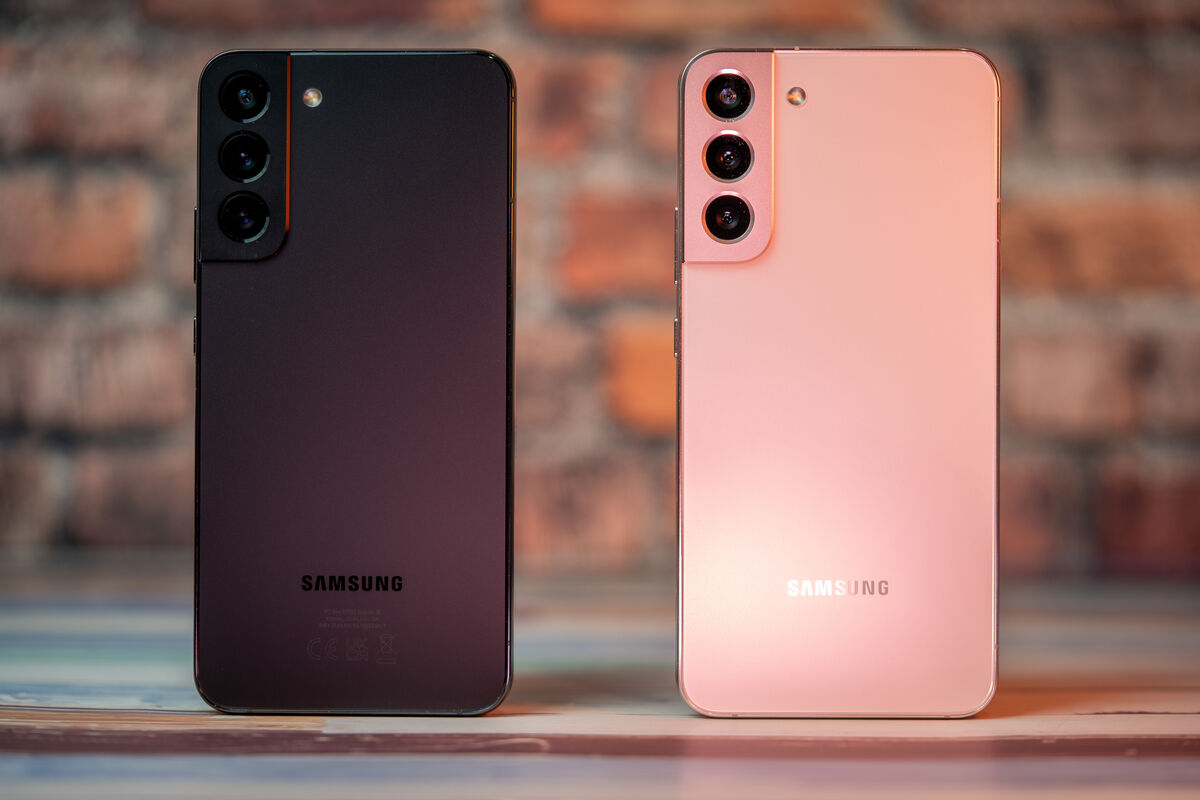
The S22+ is slightly smaller than the S22 Ultra with most of the same hardware but there are some key differences. While it has the same ultrawide lens the main camera has a 50MP sensor with an f/1.8 aperture lens. The telephoto camera drops to 3x and 30x digital with an f/2.4 aperture and the front selfie camera is 10mp instead of the 40mp found on the Ultra.
The 6.6-inch FHD+ Dynamic AMOLED 2X display has a dynamic refresh from 10 to 120Hz and of course, there’s no S-Pen support.
The battery on the S22+ is 4,500mAh but I didn’t notice a difference in performance between the two. My S22 Ultra loan unit came with 12GB of RAM and 256GB of storage but comes in options up to 1TB. The S22+ came with 8GB of RAM and 128GB of storage but there’s also a 256GB variant as well.
The Samsung Galaxy S22 Ultra is easily my favourite design thanks to its square corners, flat top and bottom edges and of course the S-Pen. If you already own an S21 Ultra, the upgrade to the S22 Ultra isn’t worth it. However, if you’re thinking of upgrading from a Note 20 or older, then the S22 Ultra is a no-brainer.
The Samsung Galaxy S22 Ultra from €1,299.
CONNECT WITH US TODAY



Be the first to know the latest news and updates