Trust Bayo, the wireless mouse with the ergonomics to ease your pain

Trust Bayo Ergonomic wireless mouse. Pic: Trust.
I’ve seen and used my fair share of mice over the decades but the Trust Bayo is the first upright mouse I’ve got the chance to test. The Trust Bayo is designed to relieve any stress on the muscles in your arm and wrist thanks to its sculpted shape that makes it fit ergonomically into your hand — as long as you’re right-handed.
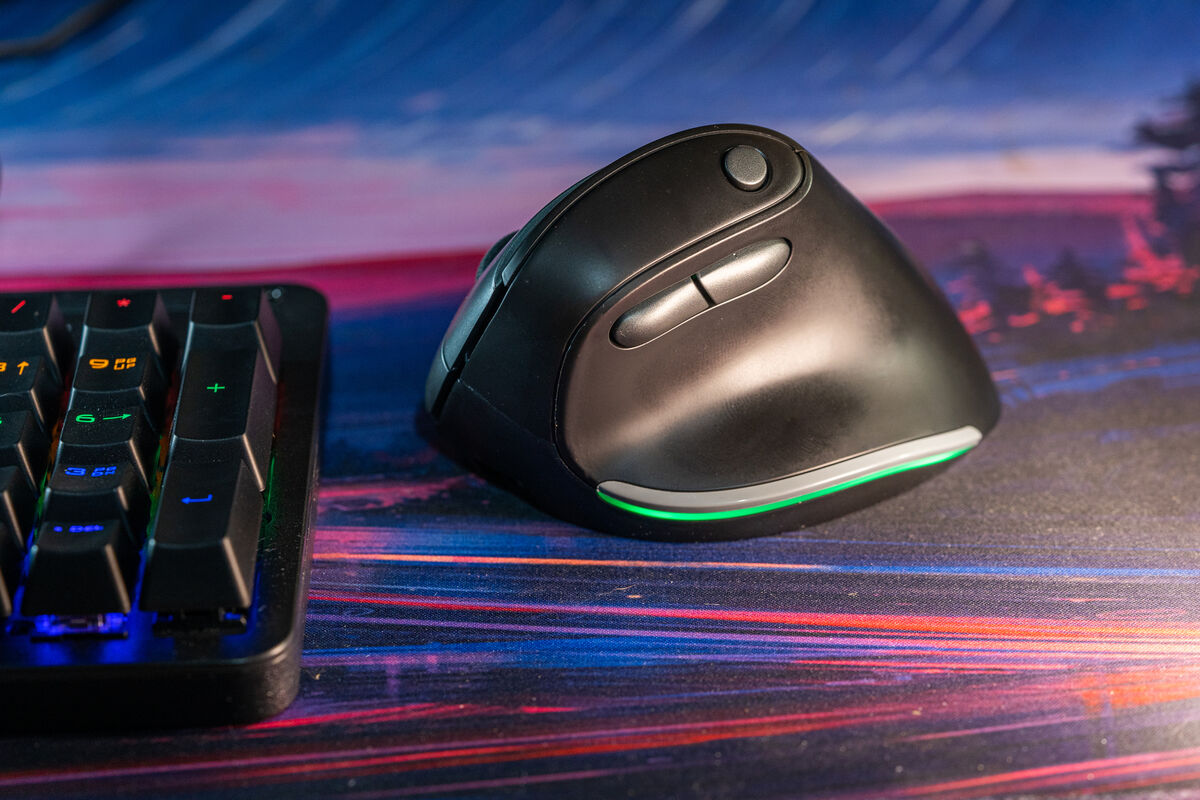
One of the nice things about the Bayo is that it isn’t too big or heavy. It has a streamlined look a contemporary aesthetic that is pleasing and but isn’t form over function. When I placed my hand on the Bayo for the first time, it felt like someone had made a mould for my hand to rest.
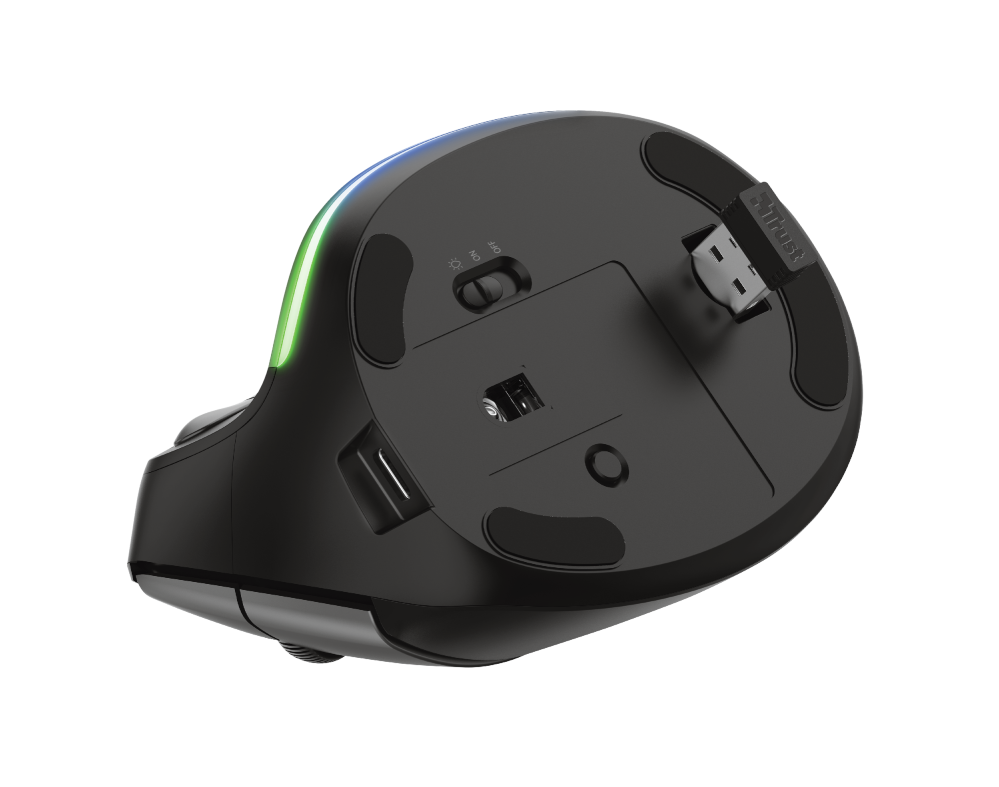
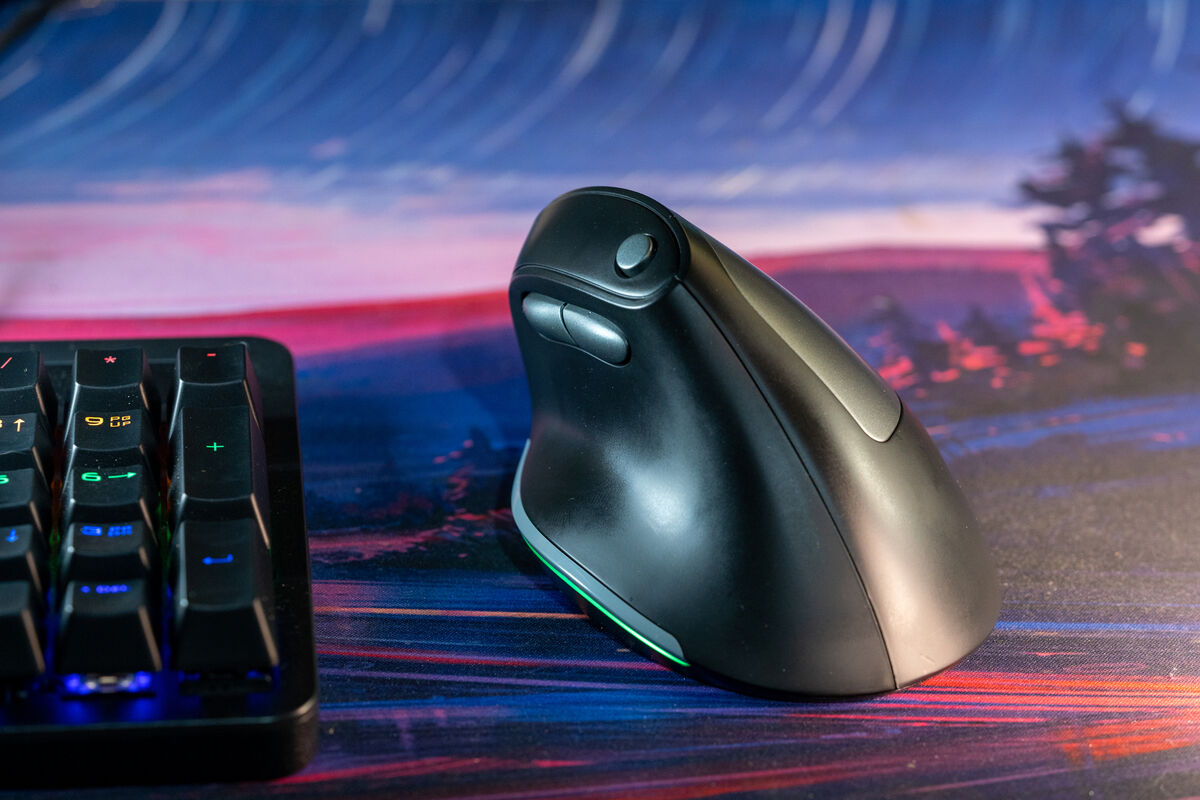
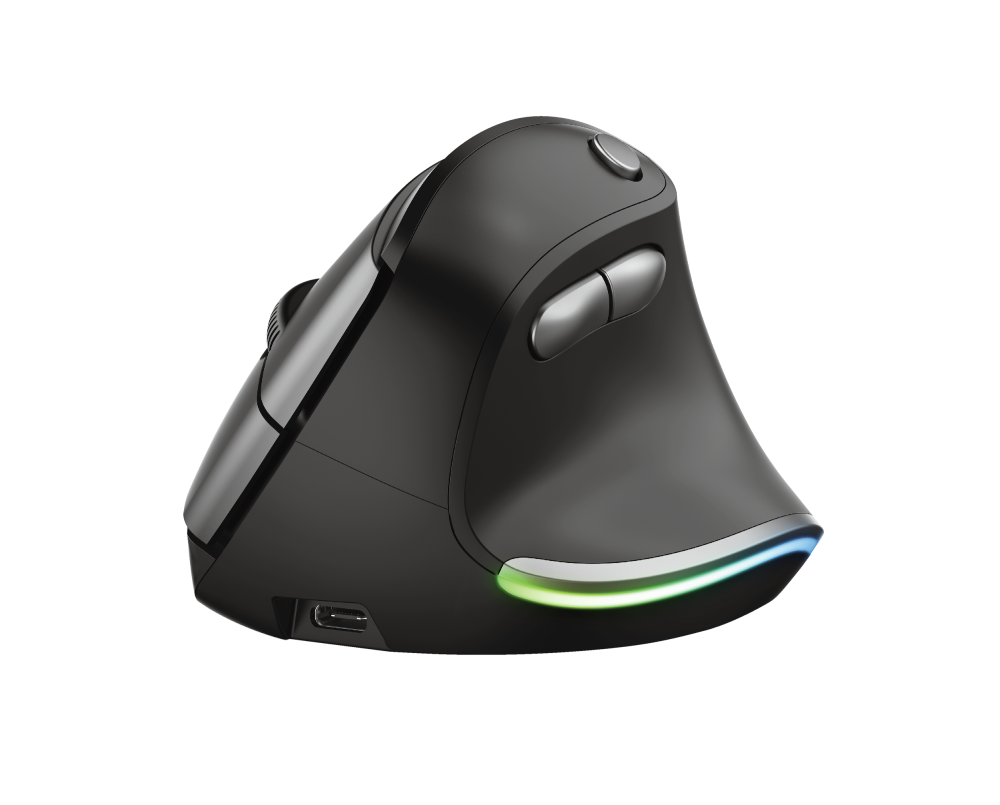
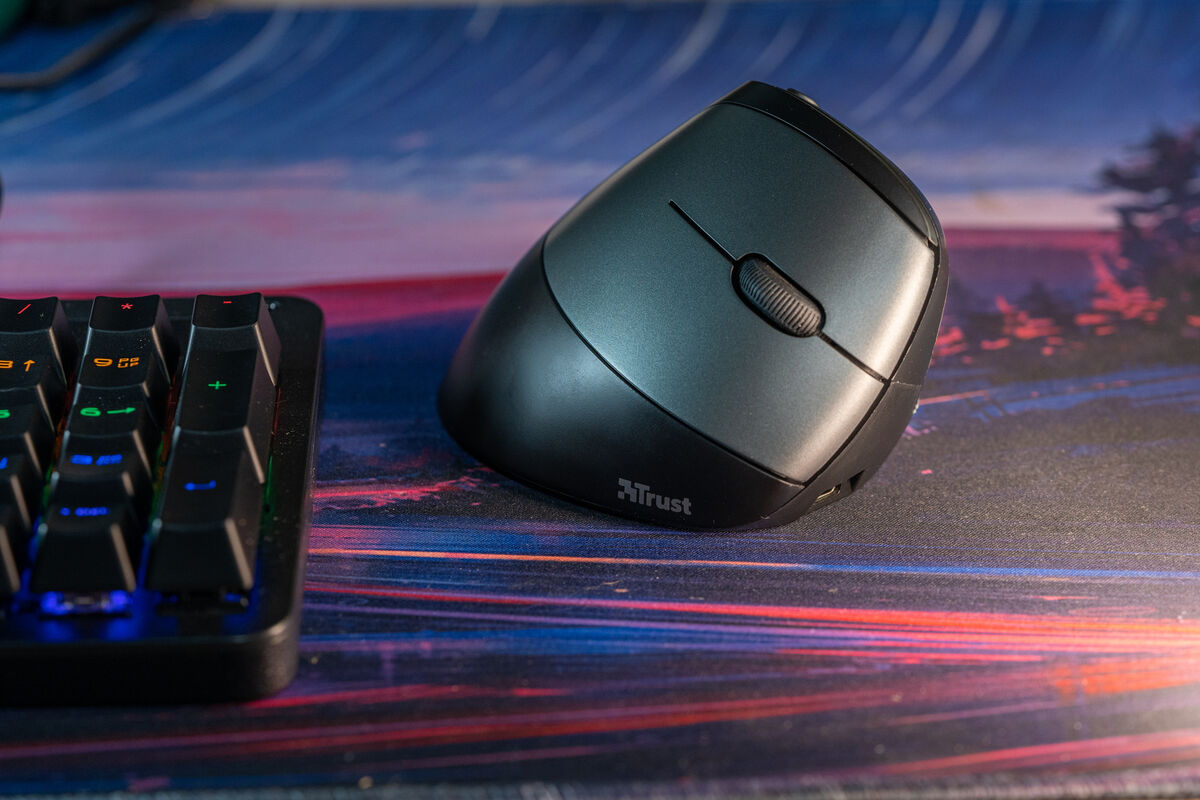
On the base of the left side is a curvy stripe of RGB lighting that can be turned on or off via the power switch on the bottom of the mouse. There are three non-customisable buttons in light grey on the left side and left and right-click buttons with a scroll wheel between them on the right side.
The third left button toggles between the different DPIs of 800/1200/1600/2000/2400. Being able to switch between the different DPI settings is essential depending on what activity you're doing — if you need speed, use 2400 or 800 DPI for precision.
The mouse connects to your PC or Mac via a USB adaptor that neatly tucks away into an open compartment on the base of the mouse for safekeeping while being stored.
The Bayo has a built-in rechargeable battery and comes with a USB-C cable. When the battery runs out, you can still use the mouse while it’s being charged.
As ergonomics go, the Bayo is excellent for general office use. However, this isn’t the mouse for gamers or creative professionals who require the ultimate in precision and customisability.
In general, I found using the Bayo really comfortable, but I use a three monitor setup and moving between them requires a fast mouse speed and even then, I need to lift the mouse and reposition it often. Thanks to the smooth shape and texture of the Bayo, I found it would slip as I was lifting it. A simple fix would be to add some rubber in the critical areas for some grip. I used some tape to simulate this and it helped.
The RGB lighting is something I could live without but I know some will love it. One nice feature is that it will turn red when the battery is getting low which is useful.
The Trust Bayo is a beautifully designed and crafted mouse that could save so many users from repetitive strain injury. I would like to see some rubber added or a slight design change to help with the mouse from slipping when you lift it but overall, it’s hard to fault it for the majority of users.
I will say, that although it feels incredibly comfortable at first, it does take time to get used to the way you have to interact with it and your pointer on the screen.


CONNECT WITH US TODAY



Be the first to know the latest news and updates