Tech Now: Surface book excels in ability to be so flexible
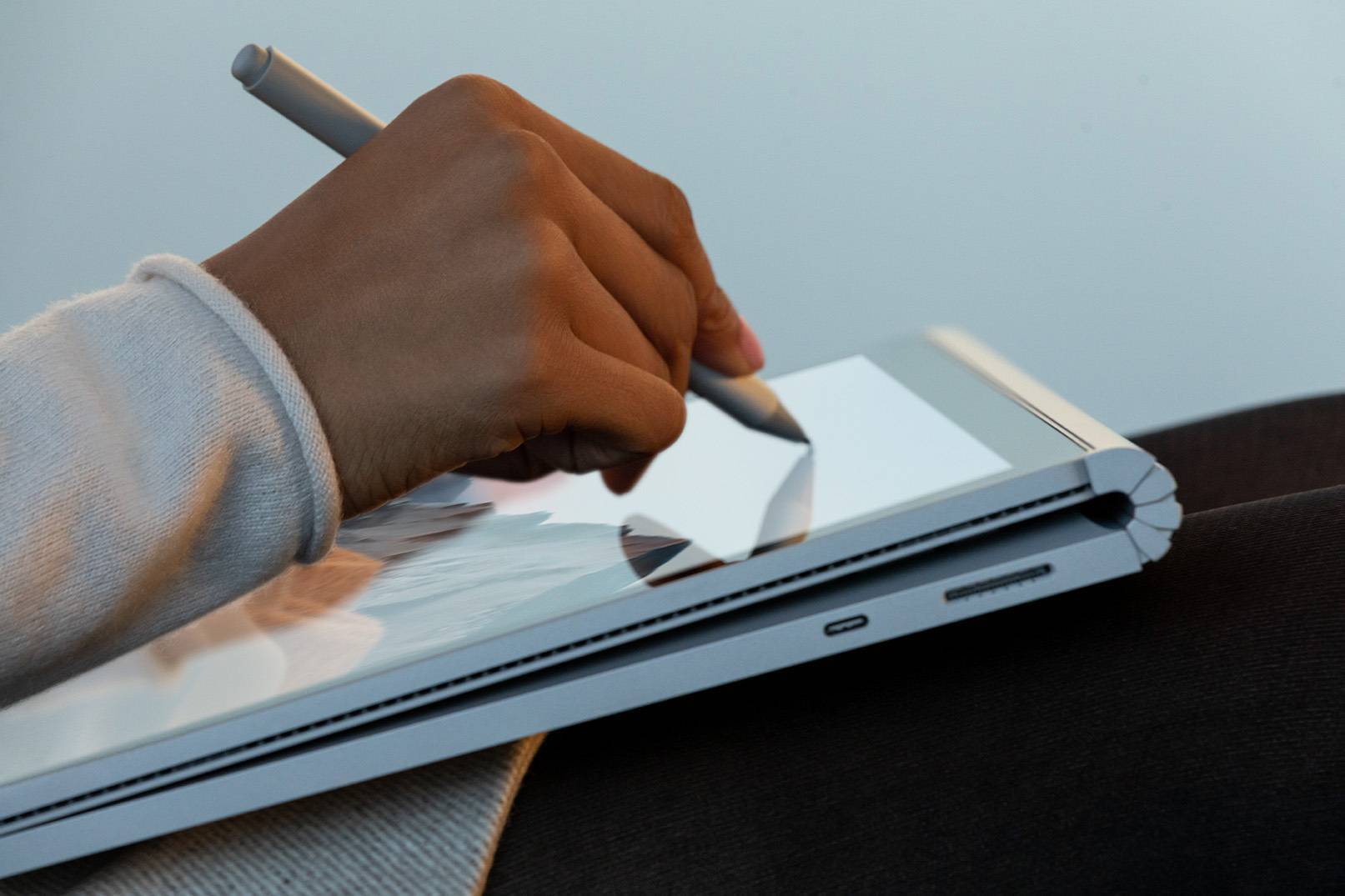
I remember reviewing the original Microsoft Surface RT back in 2012. The Surface line has gone from strength-to-strength and it’s fair to say Microsoft has been killing it in the hardware space since.
The original Surface RT introduced the idea of a PC tablet to the masses and although it wasn’t perfect, it managed to spawn a generation of Surface products that have a massive fan base.
The system for detaching the screen from the main keyboard is simple. Press the detach key on the keyboard or the Surface detach icon in the system tray to initiate the procedure.
The locking system won’t allow you to unplug it at any time and you can’t force it off either. Locking magnets hold it firmly in place.
When you press the detach key the system has a routine to follow whereby it checks what software is open and if they’re using any of the hardware in the keyboard base.
If there are any apps open, It will tell you to “close the following apps before detaching,” and that “any unsaved changes will be lost.”
If you ignore warnings about open apps, the system will close them and then unlock.
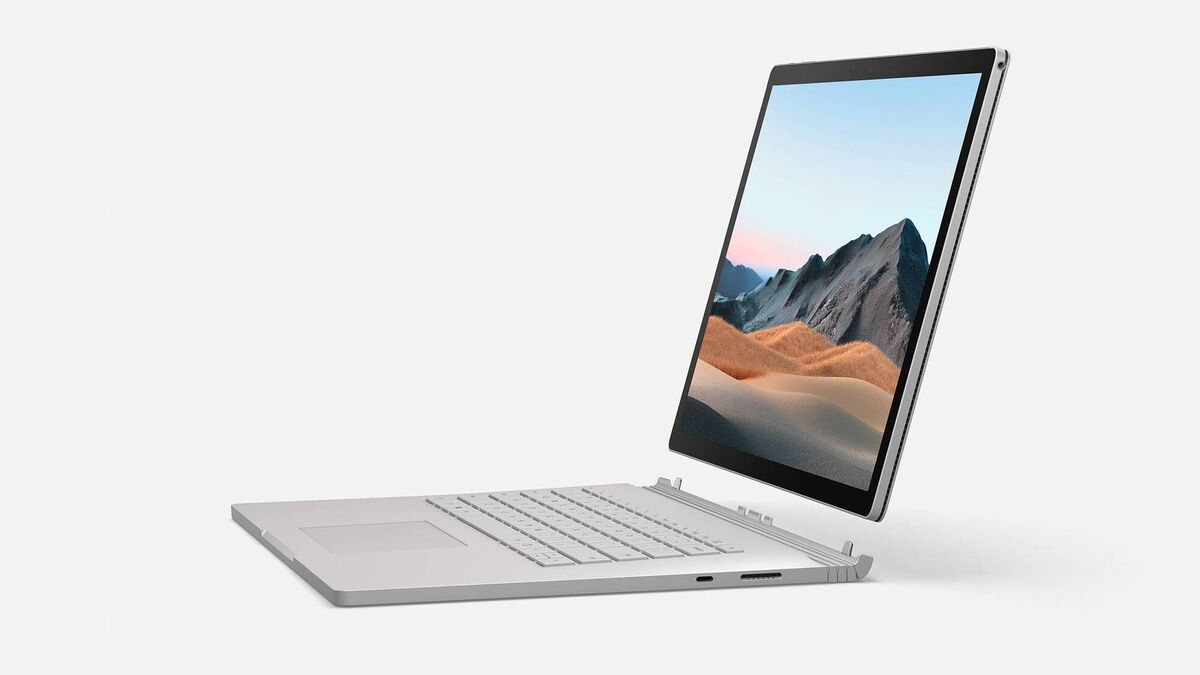
As a laptop, the Surface Book 3 isn’t perfect, but it does work well. Due to the fact that the screen has a lot of hardware in it, it can’t be as thin or light as it would if it were just a display.
As a result, the hinge won’t allow the screen to go back as far as some laptops. If it were to go back any further, it would topple over when you place it on your knees if you didn’t keep your hands on the palm rests.
The keyboard layout is tidy and each key has good travel for a good tactile typing experience. The keys are nicely spaced and I had no problem typing fast and accurately.
The key sounds are distinct but quiet. Surface Book 3 is easily one of my favourite keyboards to type on for long sessions.
The trackpad is not massive, but I’m not a big fan of extra-large trackpads anyway. My fingers were able to glide around on it and it was super responsive to gestures and soft touches.
There’s a generous amount of space either side of the trackpad for your palms to rest but I wasn’t a big fan of the sharp edges of the body, which my palms kept rubbing against during use.
The Surface Book 3 comes in a lot of different configurations but my loan unit was the base 15-inch model with the Intel i7-1065G7 CPU @1.30GHz and 256GB of storage, 16GB of RAM, nVidia GTX 1660 Ti with Max-Q Design.
In my use, I ran out of storage rather quickly. Simply, 256GB of storage isn’t sufficient for a laptop in this price category or intended user base.
The top model comes with 32GB of RAM and 1TB of storage for an extra €800.
I used the Surface Book 3 for a lot of photo editing using Lightroom and PhotoShop along with some gaming and a little video editing.
As you’d expect from the spec sheet it was able to handle most of these tasks without any issues.
The addition of a dedicated graphics GPU makes a big difference, but this isn’t a workstation machine either. Where it really excels is in its ability to be so flexible.
This really is a mixed bag because the Surface Book 3 can do so much. If you’re just browsing and checking your emails and scrolling social feeds the battery will last for 10 plus hours.
However, while switching between Lightroom and doing heavy edits to large, 1GB plus PhotoShop files, the battery only lasted a few hours.
With light use, I still could not reach the claimed 15 hours of battery. There are two batteries in the Surface Book 3. One in the screen and another in the base.
When docked, the 127 W power adaptor will charge both - you can also charge the screen while in tablet mode.
Both batteries drain simultaneously while in laptop mode.
The battery in the screen isn't as large as the one in the base and doesn’t last as long as I would have liked topping out at less than three hours just watching videos.
As I’ve already alluded to, the Surface Book 3 is a more than capable gaming machine and I was able to get excellent frame rates in games like Call of Duty Warzone and Shadow of the Tomb Raider.
At the highest settings, I was able to get an average 60fps using Tomb Raiders internal benchmark software.
At first, you don’t hear any fans, but after a couple of minutes of the benchmark running they crank up to full tilt and then you’ll notice them. However, they never get very loud.
Although I was able to get 70fps on medium settings in Warzone, this went down to 45fps within 15-20 minutes due to thermal throttling.
Less taxing games were not a problem and it was a particularly hot day when I tested this.
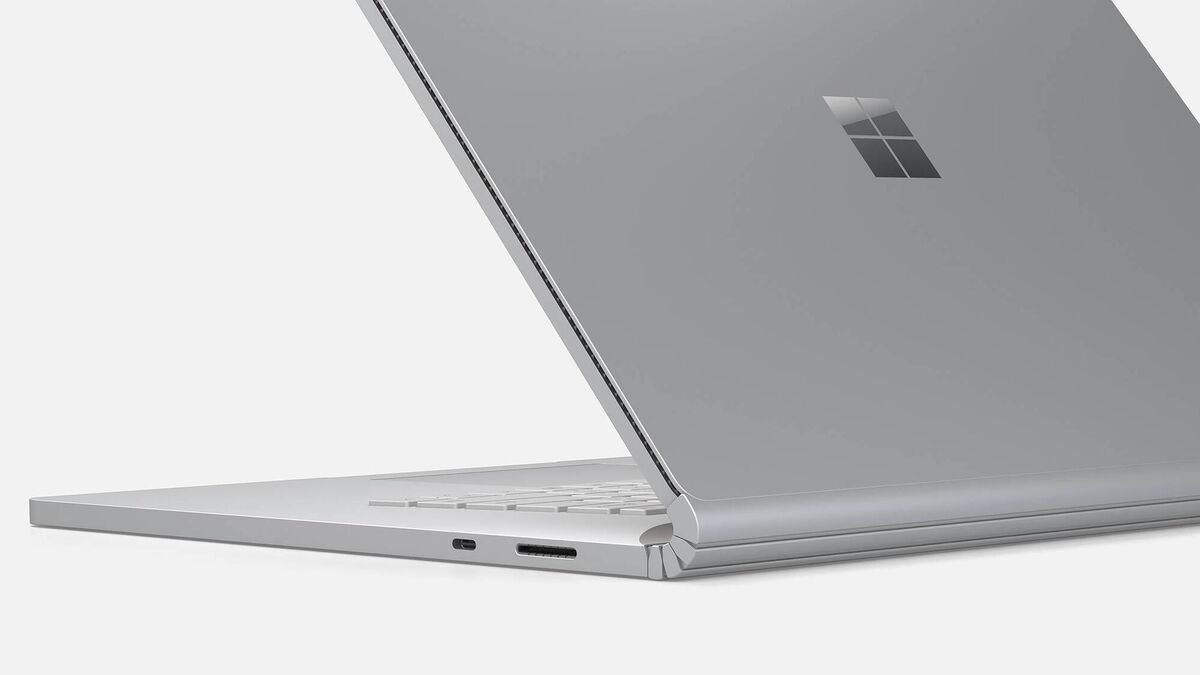
Most of the ports are in the base and they include two USB 3.1 Type-A ports, one USB 3.1 Type-C, one 3.5mm headphone jack, one UHS-II SD card reader, which is excellent for those who use UHS-II SD cards.
You also get a 3.5mm headphone jack on the screen.
It supports WiFi 6 and Bluetooth 5.
The 15-inch LCD display is 3240 x 2160 pixel resolution with excellent colour accuracy, contrast and over 400 nits of brightness.
It does have a glossy screen but thanks to an anti-glare coating, I didn’t have any problems with excessive glare.
The screen is touch-enabled and this works great. I’m a fan of laptops with touchscreens but what makes the Surface line special is the Surface Pen.
Unfortunately, I didn’t receive a pen to test with my review unit.
In current times, a good webcam has become a necessity. Thankfully, the Surface Book 3’s webcam is excellent.
It has a 8-megapixel 1080p rear-facing camera, 5-megapixel 1080 front-facing camera.
The Microsoft Surface Book 3 is an incredible piece of technology that tries and succeeds to do so many things. It isn’t for everyone because most users won’t need the level of flexibility it offers.
However, if you do need a great Windows 10 tablet that’s also an excellent laptop, the Surface Book 3 has you covered, as long as you don’t mind the hefty price tag.
Prices start at €1,849 for the 13-inch and from €2,649 for the 15-inch model.

CONNECT WITH US TODAY



Be the first to know the latest news and updates