Smart glasses that allow you to share your adventures

Facebook Ray-Ban Stories Wayfarer style with clear lenses.
Facebook and Ray-Ban have joined forces to introduce their first generation of smart glasses that Facebooks says give you an authentic way to capture photos and videos, share your adventures, and listen to music or take phone calls. Unfortunately, the collaboration has not resulted in any form of AR technology onboard which was rumoured. In reality, I’m not convinced that the world is ready for such tech yet but Ray-Ban Stores smart glasses are the first step for Facebook on the journey to releasing augmented reality wearables.
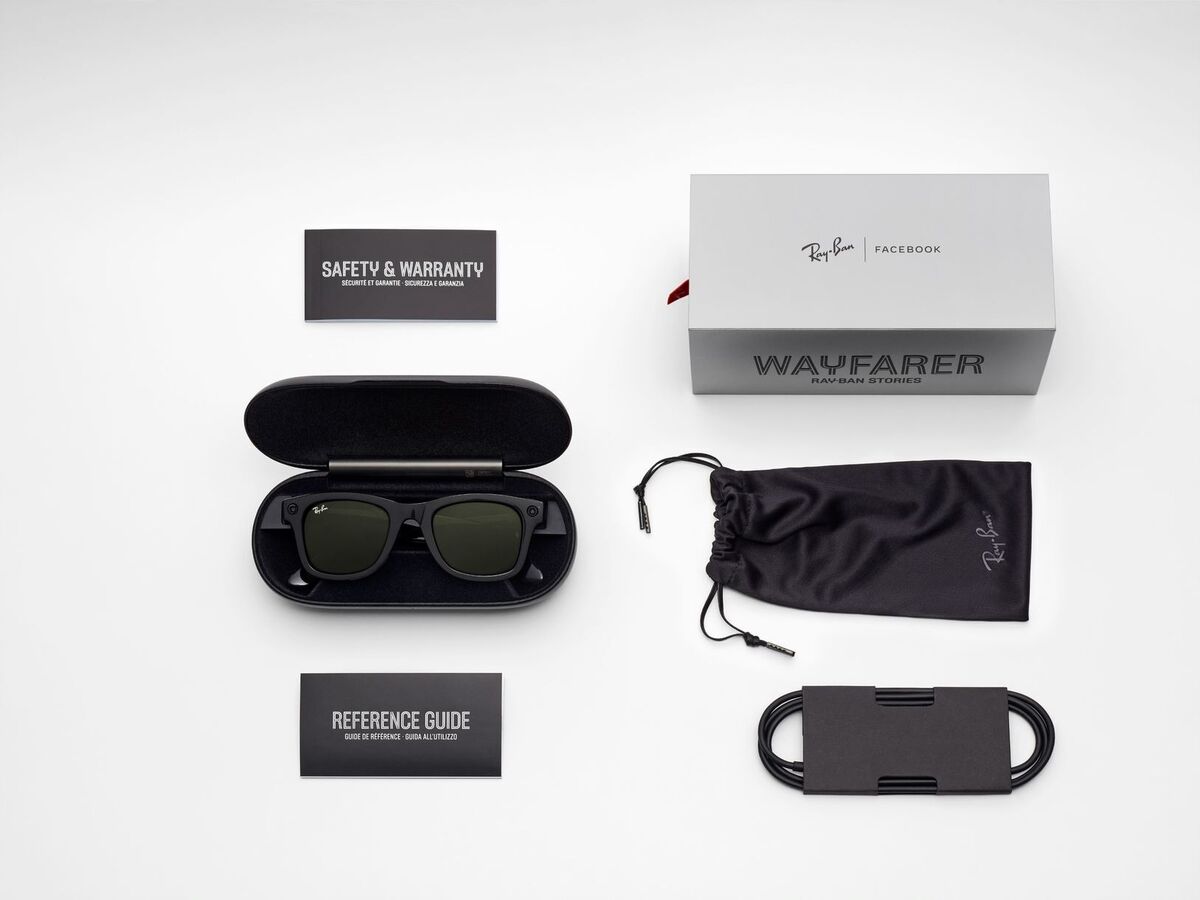
The new smart glasses are available in 20 styles including Wayfarer/Wayfarer Large, Round, and Meteor — and five colours with a range of lenses including clear, sun, transition, and prescription, so you can choose the style that’s right for you.
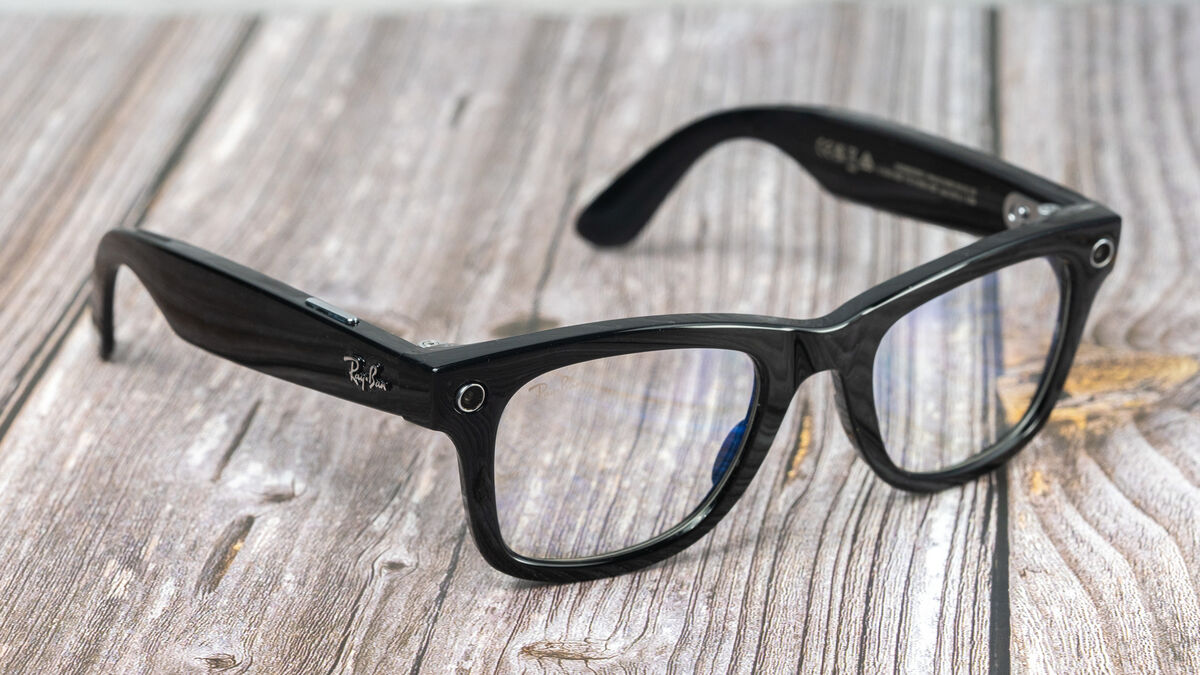
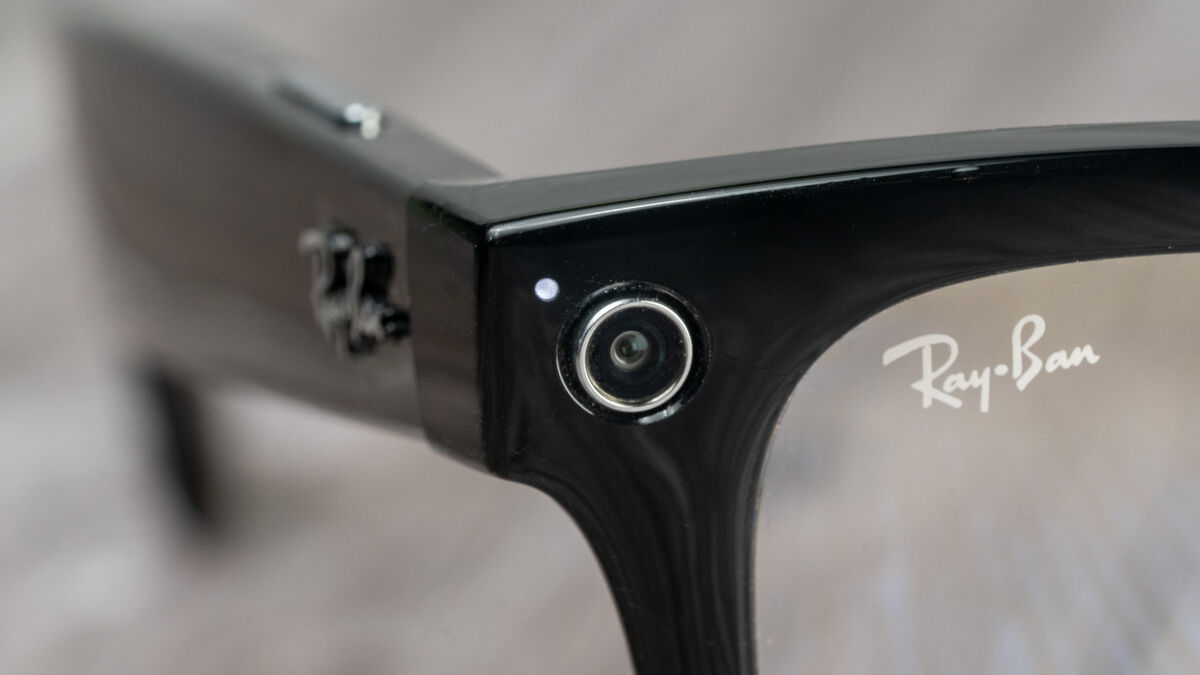
The Wayfarer style glasses I received for this review look very similar to the standard Wayfarer although the frames are a little thicker and taller. Around the front of each frame is an integrated 5MP camera with a distinctive chrome ring around the lens that stands out. This is to ensure onlookers are aware that you have cameras on board. To further ensure there’s no covert picture taking, there’s a white LED light that illuminates while you’re taking a picture and during video capture. On one hand, I understand Facebook’s concerns over privacy and transparency, but on the other hand, I would have been happier if the cameras weren’t so obvious. Perhaps the LED light switching on would have been enough.

Apart from the cameras the rest of the glass looks trendy in classical Ray-Ban styling. Each side frame has an embossed Ray-Ban logo and the right frame has a touch-sensitive area for music playback and call controls. There’s also a long silver button on top of the right frame for video and photo capture.
The control system is excellent with a dedicated button for capture — press once to start/stop video capture with a maximum video length of 30 seconds and long press to take a photo. The touch control works well to play and pause music with a single tap but it takes muscle memory to remember the exact location. You can also change the volume by swiping forward or back. A double-tap will skip forward while a triple-tap will skip back a track. You can answer/end a call with a double-tap or press and hold to reject a call.
There’s no integration with Google or Siri, instead, there’s a new Facebook assistant. This is an optional feature that can be turned on or off. I was under embargo during testing so I couldn’t use this feature outside. To be honest, I’m not sure I feel comfortable saying ‘hey Facebook’ even now despite there being no NDA or embargo restrictions. I have nothing against the name Facebook but it doesn’t have the same ring to it as Alexa, Google or Siri. Perhaps Facebook will allow another name to summons the Facebook assistant in an update. It’s also worth noting that you are given the option to ‘Store Transcripts’ or not. You can view and delete them in the Facebook View app or turn off storage in Settings and still use the Assistant.
Name-calling aside, the Facebook assistant works well but can only capture video or take a photo when requested so you can’t control audio playback. Again, this does mean that anyone around you will know you’re taking a photo or video and Facebook makes sure to emphasise to the user to be respectful of the privacy of those around them.
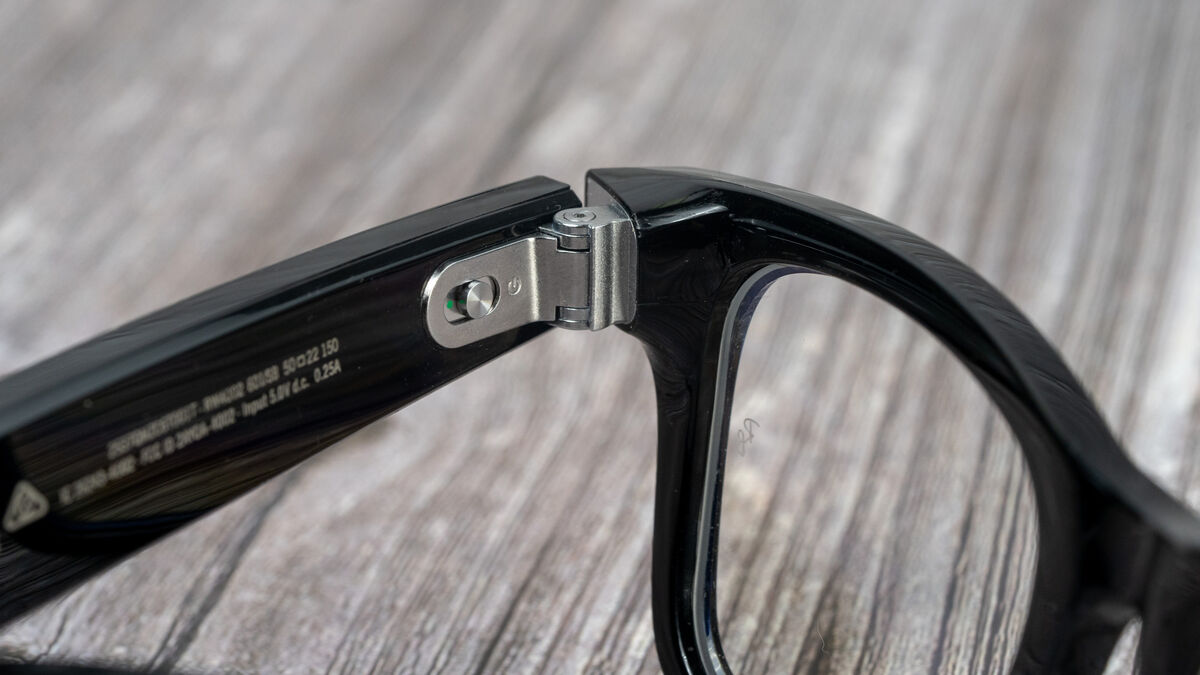
Inside the left frame, there’s a slide switch that will power down the glasses fully but when you put them in the case, they automatically go into sleep mode.
I used the glasses a lot over the last week and took tons of videos and photos. Where the Facebook Assistant comes into its own is when you want to capture something hands-free like while out cycling or capturing video for behind-the-scene stories or reels.
First, you’ll need to download and install the Facebook View app. Once this is running you have to log into your Facebook account. If you don’t have one, you won’t be able to use the glasses with the Facebook View app or take and download the photos and video you capture. The software will display animations on how to get use and get started with your new smart glasses and that’s about it.
You can manually put them into pairing mode and connect them to your smartphone and use them for sound. This is done by sliding and holding the power button forward.
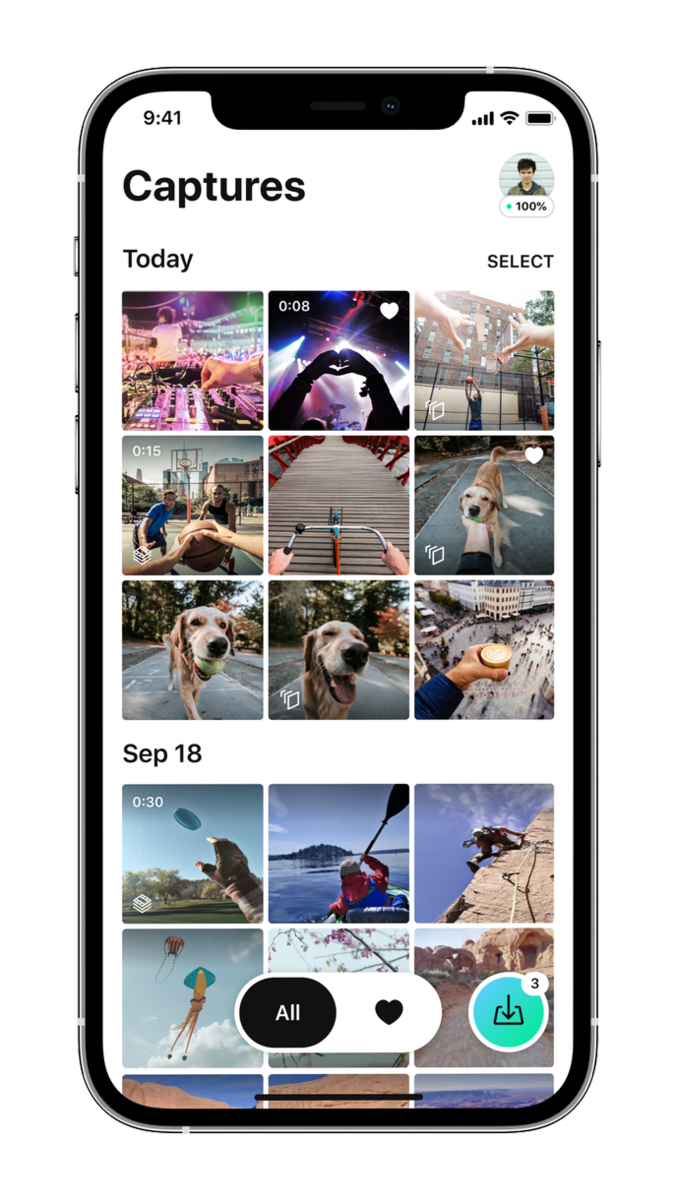
The Facebook View app is relatively simple with enough features to make it easy to use for everyone. I used a pre-release version of the app for iOS and it has been stable throughout my time of using it. Here you will see a gallery of your photos and videos and you can set a preference to automatically download them to your camera roll. Images and video capture with the glasses won’t download to your iPhone automatically and you have to ask to join the glasses WiFi network each time — something you don’t have to do on the Android version. The Facebook View app makes it easy to edit, and share content captured on the smart glasses to apps on your phone: Facebook, Instagram, WhatsApp, Messenger, Twitter, Tik-tok, Snapchat, and more.
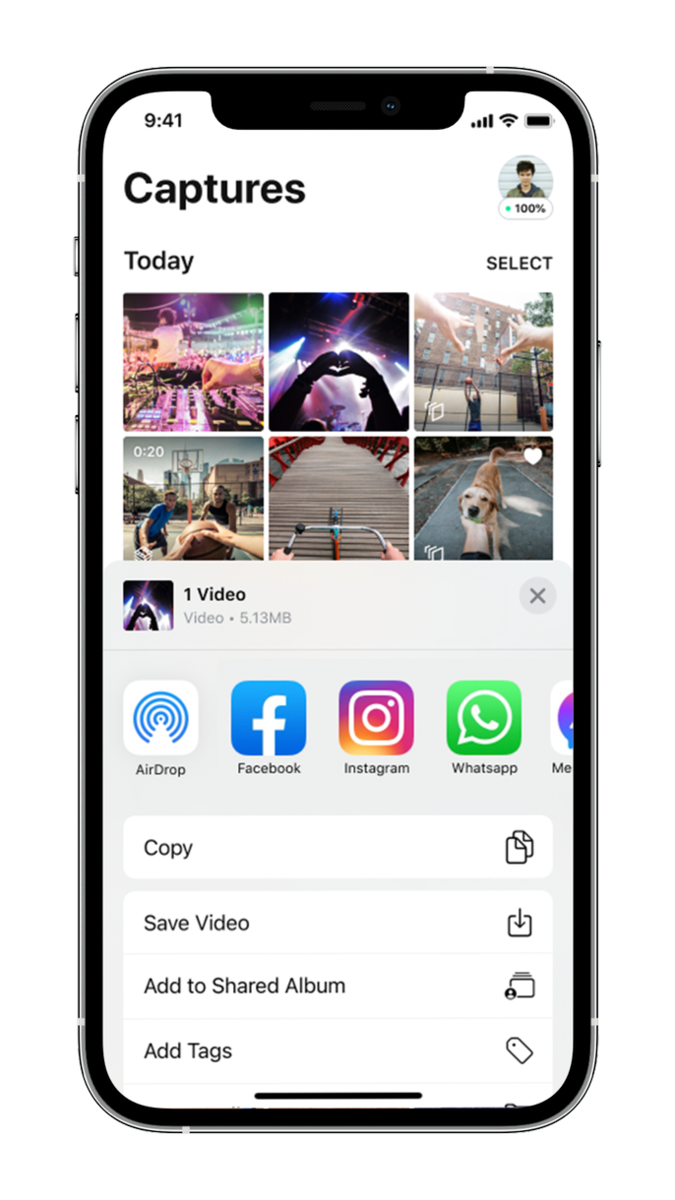
There are also exclusive post-capture enhancements built into Facebook View that let you create unique content to put a special spin on your posts. My favourite of these is the ‘Create a montage’ which will take between 4 and 10 captures to create a short movie with themed music. There are only three styles at the moment but I’m sure this will be expanded in future updates to the app.
The app does have some settings for the glasses and it does allow you to update the firmware as well as see the current battery percentage.

It won’t come as any surprise that the Ray-Ban Stores don’t sound as good as a decent pair of earphones. This is down to the open nature of the speaker design. That being said, I was impressed with the level of detail they’re able to produce. The one area where they fall down is bass and this is a simple matter of physics. It is present but not very powerful.
Compared to the other smart glasses I’ve tried I would rate these as being up there with the best of them and perhaps even a little ahead in clarity and soundstage which is engagingly open and wide.
Sound leakage is a feature of the speaker design too and people around your will be able to hear what you’re listening to. Incidentally, wearing a beanie hat over your ears actually helps the sound quality including giving the bass a boost.
The call quality from the three mics is decent and callers said I sounded okay but they were able to hear me clearly.

The 5MP cameras do an excellent job of capturing good details in both images and video. Colours are generally on point and the resolution is more than enough for sharing online. The app provides a basic level of editing tools and on import, the software does a certain amount of AI enhancements.
There’s no optical image stabilization but the footage I took while out and about cycling was incredibly stable. This is a key feature as most of the time you’ll be moving while capturing video.
The case that comes with all the different variations of Ray-Ban Stores is a little bulky but nice and round with the Ray-Ban logo debossed into the top of the lid. The case is stylish and robust offering excellent protection.
It has a built-in battery that can recharge the glasses and is supplied with a USB-C cable that connects to a port at the back. Facebook says that a fully charged case gives you an additional three consecutive days of glasses use.
The Facebook Ray-Ban Stories smart glasses are an interesting product. You get stylish glasses with practical features like hands-free video and photo capture and headphones to listen to your favourite tunes on the go. I enjoyed wearing them for walks and cycling trips to listen to music or podcasts but also to take quick snapshots of my journey without the need to reach for my phone. Other similarly priced smart glasses don’t come with as many features and while some won’t want cameras on their glasses I can see a big benefit in having them for those timeless moments where a phone simply isn’t accessible enough.
CONNECT WITH US TODAY



Be the first to know the latest news and updates